Transitions
Production Techniques
Transitions are the moments that carry a track from one idea into the next. A good transition helps the listener feel where the music is going without making the change feel abrupt or confusing.
This can happen with a riser, a fill, a pause, a filtered sweep, a reversed sound, a chord change, or simply by removing and reintroducing elements at the right moment.
Why transitions matter
Arrangement is not only about what sections exist. It is also about how you move between them. Weak transitions can make a strong idea feel unfinished. Good transitions make the structure feel intentional.
What to listen for
A useful transition usually does one or more of these things:
- builds expectation
- signals that change is coming
- clears space for the next section
- connects the old energy to the new energy
The best transitions are often the ones that feel obvious in hindsight but invisible while listening.
Also matches: transitions, changeover, transition, risers, fills
Posts in this topic

In this video, I share my process of creating risers and transitioning effects using the global modulator in Bitwig Studio. I was inspired by UJAM's final boost and Data Life's Endless Smile plugins and wanted to replicate the effects in Bitwig. Instead of using manual automation, I used the curve editor to create a ramp that gradually increases the effect's intensity over time. I demonstrated how to apply this technique to individual tracks, such as chords, bass, and percussion, to create more dynamic and interesting effects with precise control. This technique is a great VST replacement and allows for more creative flexibility in creating risers and sweeps in your music.

In this video, I show how to create a sweep or riser from scratch using the face module in the Bitwig Grid. The face signal is perfectly synchronized with the BPM and allows for easy modulation of volume and other parameters. I also demonstrate how to use the trigger and dice modules to generate different sounds on the fly, as well as how to use a gate signal to make the riser playable as a clip. Finally, I discuss the ability to use different face tools and effects to customize and create unique risers.

In this video, I discuss the topic of using the transit plugin in Bitwig Studio and whether it is worth it. While some may find the presets of the plugin useful, I personally find that I can easily replicate the effects and transitions using Bitwig Studio's modulation capabilities. I explain how to create similar effects within Bitwig Studio, showcasing the flexibility and potential of the software.

Select-4 in Bitwig Studio is a morphing modulator that allows you to smoothly transition between four different modulation setups using a single slider, enabling dynamic sound changes and creative modulation stacking when the fill mode is activated. Each point on the slider corresponds to different modulation handles, letting you apply unique parameter changes to your synth and effects for each stage, while also allowing automations or step modulators to morph between these variations. This makes Select-4 a versatile tool for creating evolving, preset-like transformations and rich sound design possibilities.

I popped in today to cook up a headbanging drum and bass mix. Hope you guys like it. But mainly, I made it for myself and my daily walks. I tried again to mix the styles and get those long transitions right. Think one transition was a bit off, but who cares? Drop a comment with wishes, ideas, or critiques.

The new Channel-16 modulator in update 4.2 lets you assign different MIDI channels to various nodes, allowing for unique modulation of parameters like filter cutoff or waveform shape depending on the channel. This enables creative possibilities by making melodies more dynamic and expressive, as you can control both synth and effect parameters per channel. Additional features like global modulation amount and lag time help fine-tune transitions for smooth and versatile sound design.

These percussive, tonal "drips" are perfect for adding a synthetic, natural-feeling texture to glitchy tracks. And also simple noise Risers.

The Button Modulator is a simple tool that lets you instantly apply a preset value to parameters like cutoff or enable switches in your device or preset. You can assign labels and stack multiple buttons for cumulative effects, and use the smoothing option to prevent abrupt changes or clicks by creating a gradual transition. This makes the Button Modulator particularly useful for toggling effects like reverb or quickly adjusting key sound parameters in your music setup.

In this video, I explored using Bitwig Studio's frequency shifter to create dynamic riser effects and enhance bass sounds by manipulating frequency shifts over various timeframes and phases. I demonstrated how to automate the mix knob for transitioning sections and discussed creative approaches, such as applying modulation effects to bass sounds using root frequencies for added interest. Overall, the frequency shifter proved to be a versatile tool for both riser effects and sound design experimentation, offering new possibilities beyond traditional methods.

The Pitch-12 modulator is a node-driven tool that lets you assign unique modulation parameters to every key in an octave, triggered either by MIDI input or node clips. Each key acts as an on-off modulator, and you can fine-tune behaviors using adjustable lag for smoothed transitions and a global modulation amount for overall control. This allows for diverse, customizable textures and sound variations linked directly to your melodies or chord progressions.
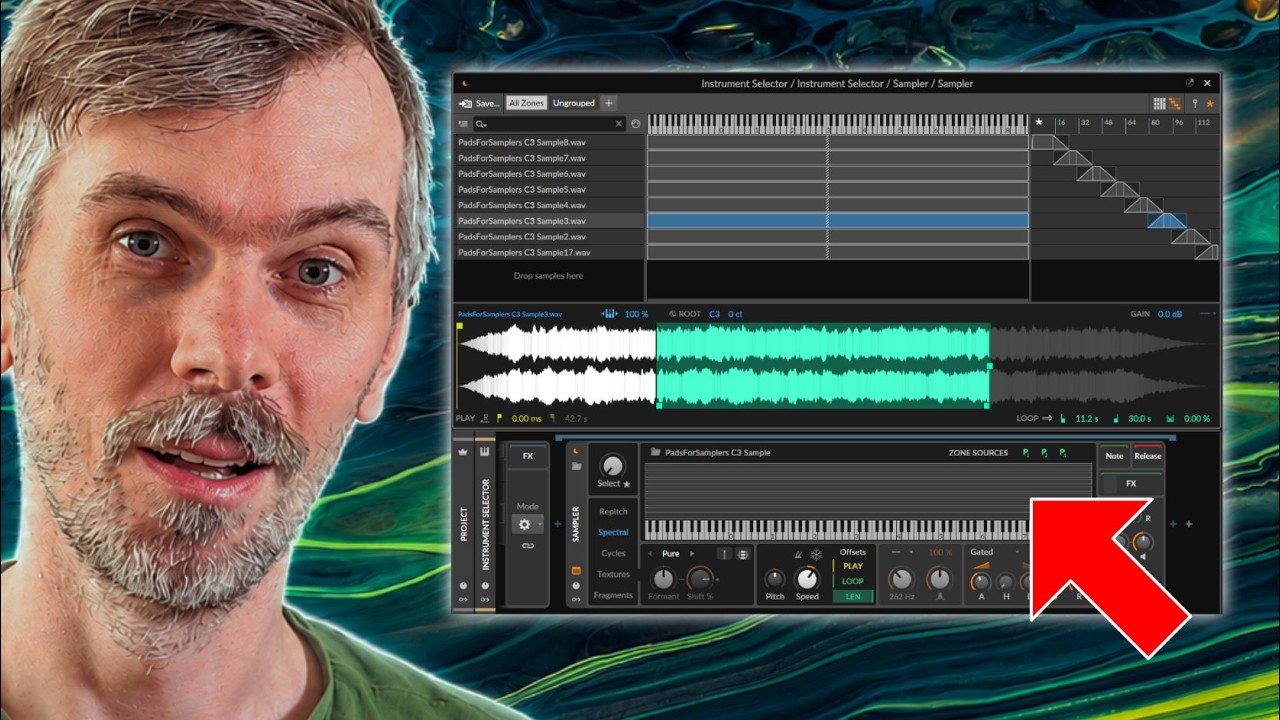
Learn how Bitwig Studio 6.1 Sampler Live Select Updating enables smooth multisample crossfades for strings, pads, and expressive custom libraries.

In this video, I take you through a journey of creating a 16-bar loop with the tools I showed in the last videos. I use a Euclidean rhythm generator, clap samples, hi hats, a Phase 1 synth, and a Polymer synth to create a nice beat. Then I use a Melody Generator and a Polysynth to create the melody. I also show you how to modulate the instruments and create transitions, as well as how to make a filter sweep. In the end, I have created a nice 8-bar loop and I hope that this video has been inspiring and educational.

In this video, I demonstrate how to create classic and straightforward synth sounds in Bitwig Studio using simple subtractive synthesis without heavy processing, allowing you to easily follow along and understand the foundations behind iconic tones. I also introduce a free resource on my website where you can find step-by-step guides, preset downloads, and detailed explanations for each patch. Throughout the video, I cover essential sounds like house organ basses, jungle and rave basses, techno leads, dub chords, and FX noises, emphasizing simplicity and the power of filters and basic waveforms.

Clicking or crackling sounds in synthesizers occur when waveforms are abruptly restarted at non-zero crossings, causing sudden jumps in speaker movement. These artifacts can be prevented by restarting oscillators at zero crossings, adding short fades using amplitude envelopes, or by using voice allocation techniques like digimono or polyphonic modes to allow smooth fades between notes. In monophonic setups, introducing delayed retriggering or precise envelope shaping ensures smooth transitions and eliminates unwanted clicks and pops.