Filter+
Bitwig Platform
Filter+ is Bitwig's modular filter-and-distortion device for compact but deep semi-modular sound shaping.
Use this topic for Filter+ guides and modular effect-building workflows in Bitwig.
Also matches: Bitwig Filter+, Filter plus, Filter+
Posts in this topic

The Filter+ device in Bitwig Studio is a highly versatile and modular audio effect combining distortion and filtering, allowing users to shape and enhance sound in creative ways. It offers extensive customization, from swapping distortion and filter modules to flexible modulation options using built-in or external modulators, and even supports polyphonic processing for advanced sound design. With features like pre- and post-FX slots and the ability to convert to an FX grid for deep editing, Filter+ stands out as a powerful tool for everything from subtle coloring to building complex resonators and synthesizers.

In this video, I discuss the new devices in Bitwig Studio 5.1 called Sweep and Filter Plus. These devices resemble Polymer and allow users to load in grid modules into specific sections, making it a more modular experience. I hope that in the future, we will have the ability to define what we want in each section and have the option to create chain devices or instruments with grid modules.

In this video, I explore the new possibilities of creating synthesizers with effects in Bitwig Studio 5.1 using the Filter+ and Sweep devices. I demonstrate how to use the Chappie Chef as an oscillator and the Wavetable LFO for modulation, resulting in a polyphonic synthesizer. Lastly, I introduce the Sweep effect, which allows for interesting sound creation by combining filters and shape bars.

In this video, I discuss the beta version of Bitwig Studio 5.1, focusing on the sweep device and its features. I explain the importance of having the wet gain as part of the main interface, rather than in the inspector. Additionally, I explore the polyphonic capabilities of the sweep device, including voice stacking and note source functionality.
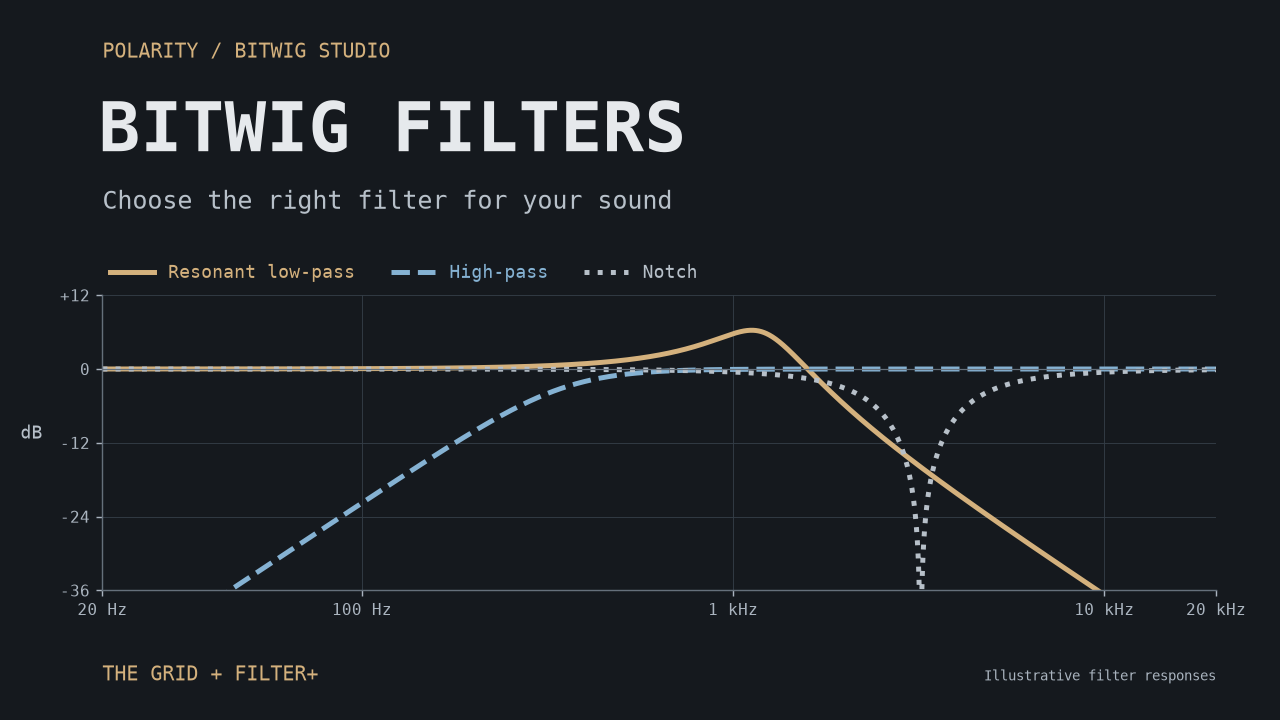
A practical guide to the ten filters shared by The Grid and Filter+: where their ideas come from, what makes them useful, and starting points for basses, pads, percussion, vocal textures, and feedback experiments.