Music Production Knowledge Backlog
Here you can browse the latest published tutorials, guides, tools, articles, music posts, videos, and releases in one timeline. If you want a smaller overview, start with Polarity Music tutorials, Bitwig guides, Building Bitwig Grids, helpers, articles, music videos, releases, or the music hub. If you want something specific, use the search.

In this video, I discuss the new update for the Fog Convolver 2 plugin by Audio Thing. The update includes a space simulator created by Lese, which allows users to adjust various room parameters, generate impulse responses, and export them as wave files for use in convolution devices like Bitwig Studio. I also mention that if viewers don't own Fog Convolver 2, they can check out Lese's plugin called Eigen, which offers similar features as a standalone space simulator.

In the last couple of videos, I discussed pulley rhythms and pulley meters in the Bitwig grid. Today, I want to take a look at how these concepts apply to the Arranger window and Clip Launcher, and share a tip on combining multiple instrument tracks for one synthesizer. By utilizing polyrhythms and polymeters, you can create interesting and complex patterns by varying the subdivisions and clip lengths. This technique can be enhanced further by grouping multiple clips and having them played by a single synthesizer on a group track.

In this video, I demonstrate different methods of creating easy polymeters in Bitwig Studio. I show how to use a node grid with a monophonic mode, a gates module, and a transport module to generate nodes. I also discuss a different setup using a counter and a trigger module, as well as the use of a clock quantizer for better precision.

In meinem Video zeige ich, wie man mit Bitwig 5 ambient-inspirierte Musik erstellt – perfekt für absolute Anfänger mit einem kleinen MIDI-Keyboard. Ich starte mit einer Demoversion des M1-Synthesizers und sample dessen Klänge, um einen Wavetable-Oszillator zu erstellen. Anschließend zeige ich, wie man die Wavetable-Position, Polyphonie, Panning und zufällige Modulation manipulieren kann, um den Ambient-Sound zu formen. Zum Schluss füge ich Effekte wie Reverb, Delay und einen Convolution Reverb hinzu, um die Atmosphäre des Tracks zu verstärken.

In this video, I explain the difference between Polyrhythms and Polymeters. Polyrhythms involve subdividing a one-bar grid into equally spaced steps using triggers, while in Polymeters, the subdivisions stay the same but the length of the bar changes. To achieve Polymeters, I demonstrate using a reset module to reset the face signal at a certain point in time.

In this video, I share my process of capturing impulse responses inside Bitwig Studio. I demonstrate how to use a test-tone device to generate the desired impulses, export and edit them in an audio editor, and then use a sampler and convolution device in Bitwig Studio to create unique reverbs. I also explain the importance of combining convolution reverbs with algorithmic reverbs for a more dynamic and realistic sound.

In this video, I demonstrate an interesting technique for creating ambient pad sounds using the sampler in Bitwig. I start by recording sample material from old synthesizers and then load them into the sampler. By utilizing cycles mode, voice stacking, and modulation, I am able to create unique and evolving pad sounds with ease.

In the video, I demonstrate how to visualize the behavior of different filters using a spectrum analyzer in the Bitwig Grid. By modulating a sine oscillator and applying various filters such as the comp filter and fizz filter, viewers can observe the changes in the frequency domain. This visual representation provides a helpful way to understand the effects of these filters even without deep knowledge of their underlying theory.

In this video, I demonstrate how to replicate the concept of Arturia's EFX Refract plugin using Bitwig Studio's Bitwig Grid. I outline the process of creating multiple voices, applying delay and modulation effects, and implementing a bandpass filter for each voice. While I couldn't replicate the plugin's 3D interface or harmonizer, this tutorial serves as an inspiration for creating similar effects in the Bitwig Grid.

In this video, I explore creating a jazzy loop in Bitwig Studio, despite having no knowledge of jazz. I demonstrate various techniques, such as using chords, the Wurlitzer instrument, and manipulating drum patterns. I also highlight a new feature I discovered in Bitwig Studio relating to note snapping and share other tricks like using the note grid and synchronizing clocks with side chain signals.

In this video, I discuss the controversial subscription system of the Current synthesizer and my personal thoughts on it. I then proceed to demonstrate how to create a pad sound using the synthesizer's newest update, utilizing various wave shapes and filters, as well as effects like chorus, delay, and reverb. I also mention the possibility of future tutorials focusing on bass sounds using Current.
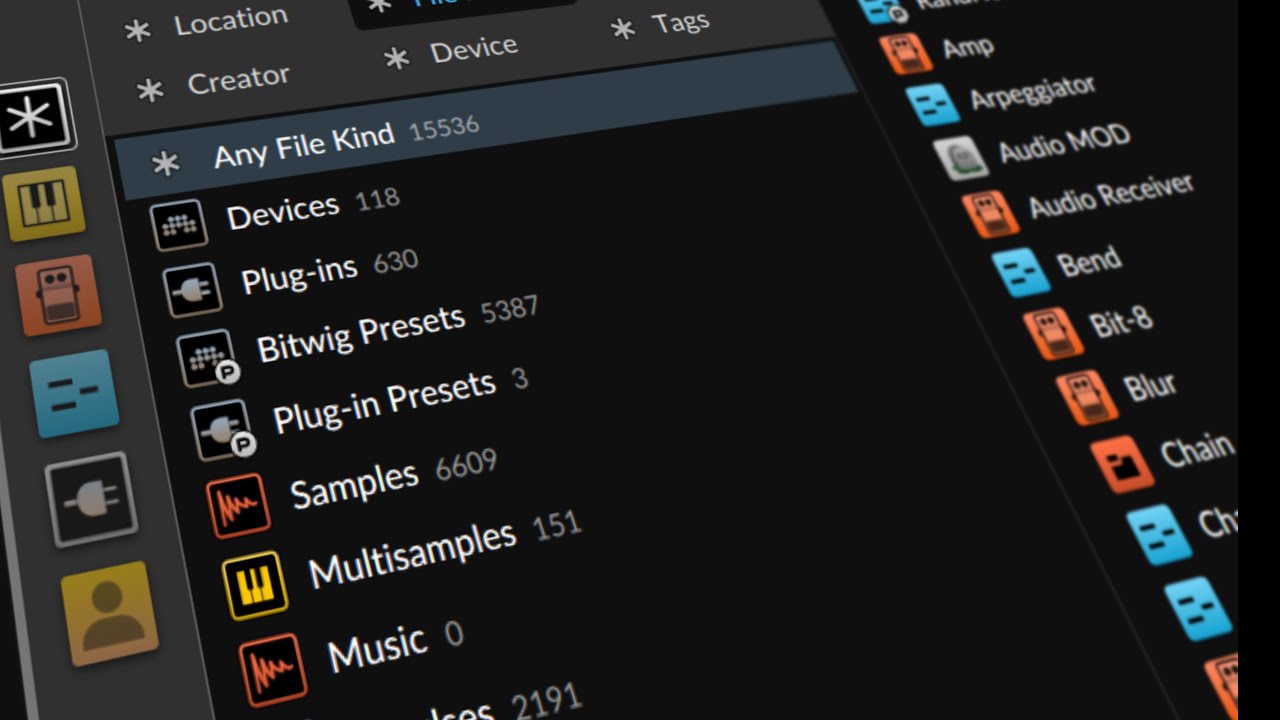
In this video, I rant about the browser in Bitwig Studio, which I believe is the best browser in any DAW. My favorite features are the ability to search for things with synonyms and the option to sort by date. However, I find the rest of the features to be visual clutter and unnecessary, and I believe the browser should be updated to include automatic classification, tagging, and randomization of file names.

In this video, I demonstrate the process of arranging a drum and bass loop into a full song. I explain that while the initial creative stage of creating loops is fun, arrangement requires more work and decision-making. I add various elements such as percussion sounds, rides, crashes, and additional effects to enhance the track and create an interesting DJ-friendly arrangement.

In this video, I start creating a drum and bass track from scratch using only stock devices in Bitwig Studio. I demonstrate how to create a kick drum, hi-hats, and a snare drum, and then layer them together to create a cohesive drum pattern. I also add a bassline and a background drone to add depth to the track.

In yesterday's video, I created a dynamic global transpositioning tool for Bitwig. In today's video, I created a global chord track using a synthesizer and a note clip. By using the note grid and the global chord track, I was able to automatically correct the pitch of my piano solo and create a bass line that followed the chord progression.

In this video, I demonstrate different methods to transpose tracks in . I start by manually transposing individual clips, then show how to use the note transpose function on each track. However, the most efficient method is using the node grid with a pitch quantizer to easily transpose tracks globally, allowing for experimentation with different keys.