Music Production Knowledge Backlog
Here you can browse the latest published tutorials, guides, tools, articles, music posts, videos, and releases in one timeline. If you want a smaller overview, start with Polarity Music tutorials, Bitwig guides, Building Bitwig Grids, helpers, articles, music videos, releases, or the music hub. If you want something specific, use the search.

In this video, I built a step sequencer that can generate drum patterns with different note ranges and accents. I explained how to use a threshold to determine which steps trigger a drum hit, and demonstrated how to adjust the velocity, gate length, and accentuation of the patterns. The sequencer allows for creative possibilities with polyrhythms and can be used to generate unique drum patterns for music production.

In this video, I share an idea I had to generate presets on the fly using a note grid and MIDI modulators in Bitwig Studio. By assigning different CC numbers to each voice in the note grid, I can generate random CC values and use them to modulate various parameters of synthesizers or effects. This approach allows for dynamic and unique sound variations within a song or live set.

In this video, I show how to create a drum sequencer in Bitwig Studio using the note grid and various modules. By selecting a drum sampler or VST, creating note clips, and manipulating triggers, velocity, and timing, I demonstrate how to generate unique drum sequences. I also explore features like note stacking, shifting, quantizing, and randomization to create diverse and customizable drum patterns.

In this video, I explain how to create harmonies using only note intervals or relations. By understanding the relationships between notes and intervals, you can easily build chord progressions and create different chord shapes. With the help of the pitch bus and voice stacking in the note grid, you can manipulate the chord progression and create variations.

In this video, I demonstrate how to create a simple yet powerful additive synthesizer using Bitwig Studio 5.1. By utilizing the new voice stacking feature, which allows up to 16 voices, I show how to create unique and dynamic sounds by manipulating parameters such as pitch, volume, decay, phase, and even velocity. With the ability to save presets, this versatile synthesizer is perfect for producing a wide range of sounds, from bell-like tones to pad sounds with the help of effects like reverb and resonators.

In this video, I introduce the new VST plugin called Live by XLN Audio. It allows users to find slices within audio material and create percussion loops using different patterns. The plugin offers features such as auto slicing, denoise option, pattern variation, and the ability to drag in samples or record directly from the iPhone app.

In this video, I demonstrate a specific feature of the grid where every signal inside is a stereo signal, allowing for interesting possibilities. By using the stereo split and merge modules, I show how to split a stereo signal into two mono signals, change their pitches independently, and then recombine them. This feature can be used not only for audio signals but also for pitch, gate, and phase signals, greatly expanding the creative possibilities of the patch.

In this video, I create a generative ambient patch from scratch using Bitwig Studio. I start by creating a drone sound using polygrid and adding pitch modulation to create different pitches on the left and right sides. I then add effects like chorus and filters to add depth and modulation to the sound.

In this video, I discuss the problem of using delays in situations where there is a shuffle or groove setting. When a straight melody is overlaid with a shuffled delay, it can sound off and disrupt the groove. To address this, I demonstrate how to create a shuffled delay using the FX grid and a feedback loop, allowing the delay to align with the groove setting. I provide a patch for download and encourage viewers to try it out and provide feedback.

In this video, I show you a simple way to synchronize melodies or bass lines to a sloppy drum groove using Bitwig. By using a note grid and the audio signal from the drum channel, I demonstrate how to use an audio follower and delay to detect the transients in the drum loop and use them as a clock signal to synchronize the arpeggiator. This technique allows you to apply a custom groove to your melodies while maintaining the swing feel of the drums.

In this video, I explore creating a buffer repeat effect similar to Freezer within the Bitwig Studio grid. I demonstrate three different versions: one using triggers and modulation, another using predefined triggers, and a third using a scalar with the ability to shape the volume of each repeat. These methods allow for unique and customizable effects that can't be achieved with standard plugins.

In this video, I share my experience with replacing VST plugins and discuss how companies don't actually hate me for it because of the advantages offered by certain plugins. I demonstrate how to replicate the features of a reverb shaper using a chain device, tool device, and convolution reverb in Bitwig Studio. Additionally, I explore the unique effects that can be created using the fade mode in the Delay Plus device.

In this video, I discuss a new EQ plugin called Scaler EQ, which allows you to select a scale and only choose frequencies that are within that scale. I demonstrate how you can replicate this functionality in Bitwig Studio by using EQ plugins and the pitch quantizer. While the interface cannot be replicated, the technical aspects can be achieved.

In this video, I demonstrate how I prefer to use simple envelopes and LFOs instead of complex shapes for creating kick drums and bass lines in Bitwig Studio 5.1. By combining multiple simple modulators with slight variations in timing settings, I find that it produces a much richer and more satisfying sound. I believe that using this approach allows for more flexibility and experimentation, resulting in interesting and dynamic compositions.

In this video, I explore the new possibilities of creating synthesizers with effects in Bitwig Studio 5.1 using the Filter+ and Sweep devices. I demonstrate how to use the Chappie Chef as an oscillator and the Wavetable LFO for modulation, resulting in a polyphonic synthesizer. Lastly, I introduce the Sweep effect, which allows for interesting sound creation by combining filters and shape bars.
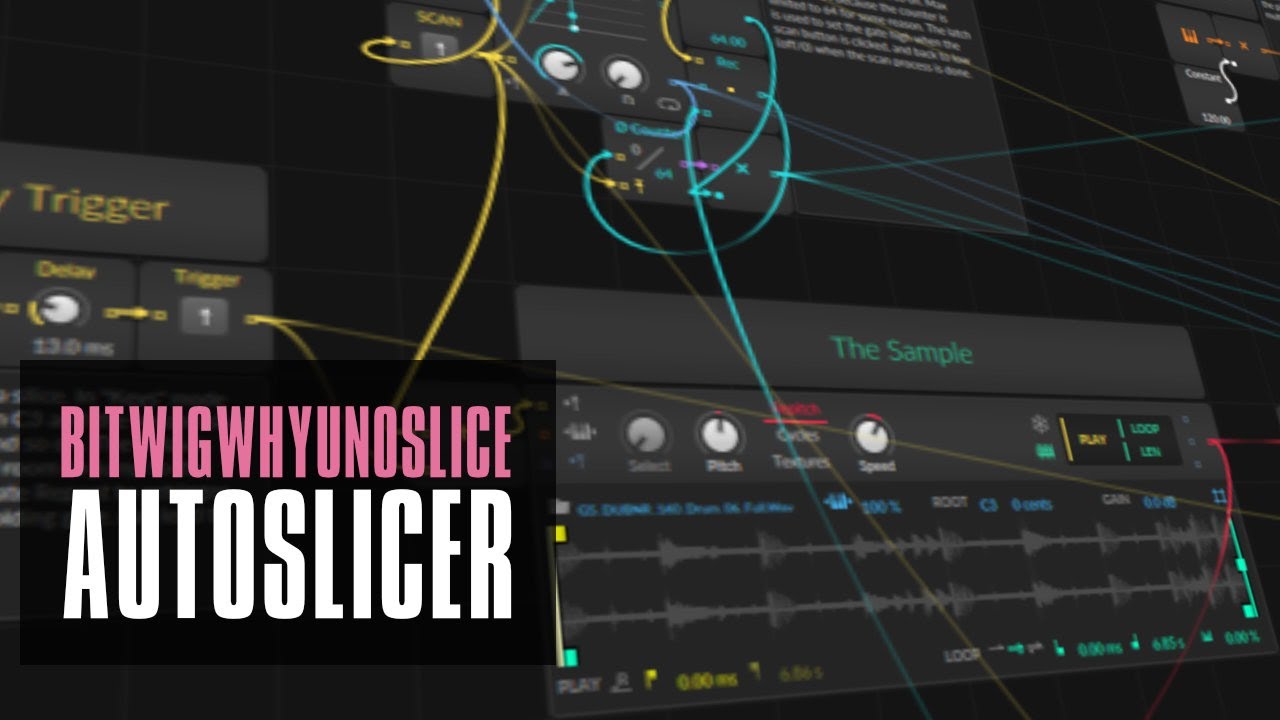
In this video, I discuss the limitations of the sampling mode in Bitwig Studio, particularly the lack of a slicing feature. To overcome this, I demonstrate how I created a custom slicer within the Bitwig Grid, allowing for easy mapping of slices onto the MIDI keyboard. I provide an overview of the patch and explain the functions of the transient detector, slice mapping, and play triggers.