Music Production Knowledge Backlog
Here you can browse the latest published tutorials, guides, tools, articles, music posts, videos, and releases in one timeline. If you want a smaller overview, start with Polarity Music tutorials, Bitwig guides, Building Bitwig Grids, helpers, articles, music videos, releases, or the music hub. If you want something specific, use the search.

In this video, I explain the concepts of device phase, triggers module, sample and hold, and clock quantizer in Bitwig Studio's grid. I demonstrate how the triggers module produces a binary signal and divides the device phase into equally spaced steps. I also showcase how the sample and hold module holds a signal's value until triggered, and how the clock quantizer synchronizes signals to a grid size, creating interesting rhythmic patterns.

In this video, I introduce an extension called TimeCalc that provides timing information based on the BPM setting of your project. I demonstrate how this extension can be used to accurately set the length of a kick drum and match the BPM with a specific scale. I also highlight the convenience of having this information readily available in Bitwig Studio.

In this video, I demonstrate how to create a stochastic sequencer in Bitwig Studio's grid. By defining probabilities for different notes, rhythms, velocities, and other parameters, we can generate random sequences that can be used with various instruments or VST plugins. Additionally, I show how to record and playback these sequences using the grid's features, providing a comprehensive overview of this stochastic sequencer setup.

In this video, I show you how to create lush sounds using Bitwig Studio. I start by creating a digital piano sound using Phase 4 synthesizer and adding a custom reverb using FX Grid. Then, I demonstrate how to make noise and add crackling effects using noise generators and filters. Finally, I showcase how to create a pitch wobble effect and combine different reverbs and delays to add depth to the sound. Overall, I encourage viewers to explore their creativity in sound design using the grid in Bitwig Studio.

In this video, I demonstrate how I created a drum and bass track using Bitwig Studio 5.1. I utilized the Addictive Drums plugin for the drum sounds, incorporating the link feature to layer sine partials beneath the kick and snare. I also employed various distortion devices and filters to shape the drums and bass sounds, emphasizing the importance of experimenting and finding your own unique sound.

In this video, I show you how to achieve real-time audio pitch shifting in Bitwig Studio using the FX Grid. By utilizing the mod delay and LFO, you can easily control the pitch shift amount and timing. I also demonstrate how to create interesting effects by stacking multiple voices with different pitch shift settings and introducing panning.

In this video, I discuss the features and benefits of the pitchmap colors plugin by Zynaptic. While the original pitchmap is quite expensive, this smaller and cheaper version still offers the same pitch correction capabilities. Whether you're a color-based producer looking to correct overtones in bass sounds or you're seeking to add tonality to your tracks, pitchmap colors is a versatile tool that can be used in various musical applications.

In this video, I demonstrate how to create a chord progression tool using Bitwig Studio 5.1. By utilizing the pitch bus and node grid, I show how to easily create melodies, chords, and inversions while staying within a specific octave range. The preset used in the video is available for download in the video description.

In my video, I discuss the new audio features in Bitwig 5.1, specifically focusing on the ability to import and manipulate audio clips. I demonstrate how to find the BPM of a drum loop using the DJ method, adjust the tempo while maintaining the loop's integrity, and utilize quantization and normalization features to enhance the audio. Overall, Bitwig 5.1 introduces valuable tools for manipulating and refining audio clips within the software.

In this video, I explore the beta version of Bitwig Studio and share some tips and tricks that I've discovered. I demonstrate how to create a simple arpeggiator patch using the node grid and explain how the voice system works in Bitwig Studio. I also discuss the new features in the grid, such as the clipping mode in the out module, the use of the note grid for creating voices in the sweep device, and the pitch bus module for scaling notes in semitones.

In this video, I discuss the beta version of Bitwig Studio 5.1, focusing on the sweep device and its features. I explain the importance of having the wet gain as part of the main interface, rather than in the inspector. Additionally, I explore the polyphonic capabilities of the sweep device, including voice stacking and note source functionality.

In this video, I discuss the new devices in Bitwig Studio 5.1 called Sweep and Filter Plus. These devices resemble Polymer and allow users to load in grid modules into specific sections, making it a more modular experience. I hope that in the future, we will have the ability to define what we want in each section and have the option to create chain devices or instruments with grid modules.

In this video, I explore the new oscillator called Byte in Bitwig Studio 5.1. It offers various modulation possibilities such as exponential FM, hard sync, pulse width modulation, and ring modulation from dual oscillator feedback. By playing around with the different settings and modulation options, you can create gritty and versatile bass sounds, making it perfect for genres like drum and bass or dubstep.

In this video, I explore the voice spread feature in Bitwig Studio 5.1 and demonstrate how it can be used to create an additive synthesizer using the Grid and other devices. By adjusting parameters such as voice stacking, pitch offset, and volume, I show how to spread frequencies and manipulate partials to create unique sounds. The possibilities for sound design and modulation with voice stacking in Bitwig Studio are endless.
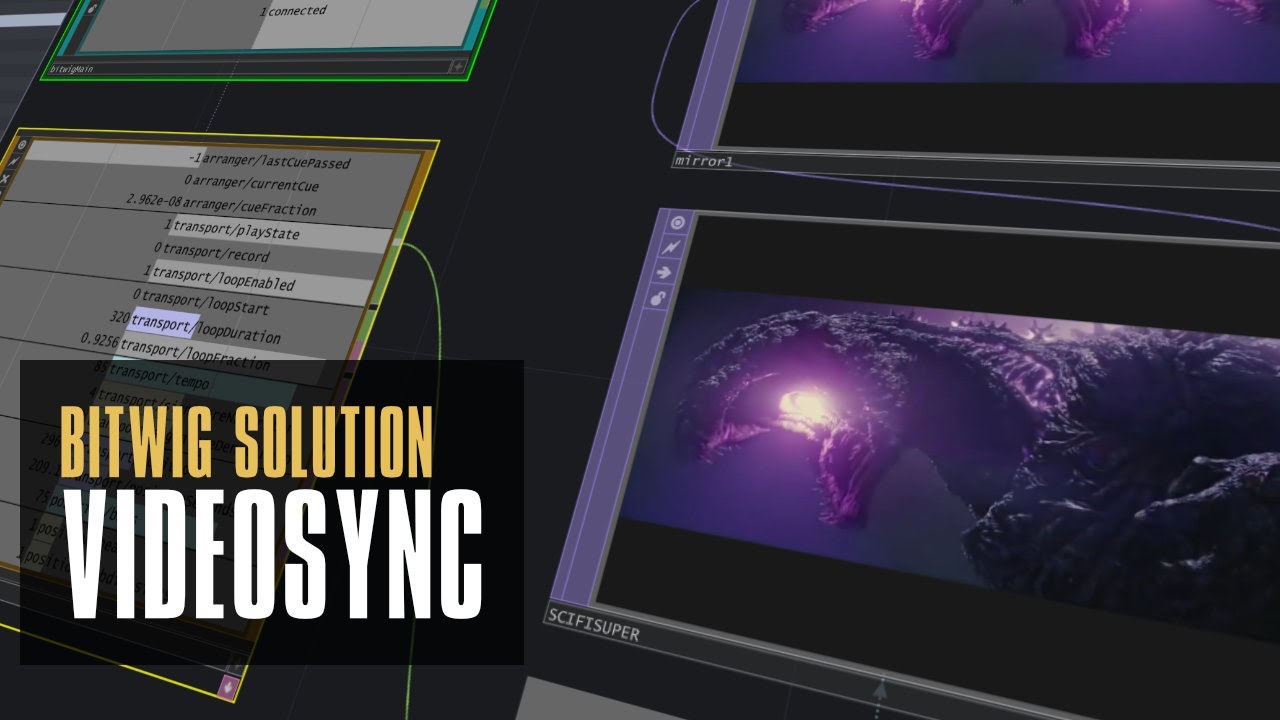
In this video, I demonstrate how to synchronize Bitwig Studio with a video file using Touch Designer. Although Bitwig Studio doesn't have a built-in video track, Touch Designer provides a solution by communicating over OSC. By connecting the transport position seconds parameter in Bitwig Studio with the video file in Touch Designer, you can achieve seamless synchronization between the two.

In this video, I share a useful trick in Bitwig Studio for creating evolving sounds. I remind myself to use the XY Instrument container which allows me to load multiple instruments and fade between them. This technique can be applied to various types of sounds and offers a lot of flexibility in terms of modulating and manipulating the fades.