Music Production Knowledge Backlog
Here you can browse the latest published tutorials, guides, tools, articles, music posts, videos, and releases in one timeline. If you want a smaller overview, start with Polarity Music tutorials, Bitwig guides, Building Bitwig Grids, helpers, articles, music videos, releases, or the music hub. If you want something specific, use the search.

In this video, I have created three new presets for my patrons, which can be found on my Patreon page for the five dollar tier. I call these presets "Ambient Tools" and they are designed to help create interesting rhythms, percussion and glitch effects quickly and easily. I have demonstrated how to use each of the presets, as well as some of the customization options available. I hope you enjoy using these presets and thank you for supporting me!

In this video, I explored a plug-in called Atlas, which has a unique feature of randomizing samples from your hard drive into the pads of the plug-in. I demonstrated how to create percussion loops with this plug-in and how the mirror edit feature can be used to create polyrhythms. I also showed how to create musical loops with it and how to add effects to make them sound more interesting. I gave a brief overview of the interface and discussed how it could be improved. Finally, I encouraged viewers to try out the 30 day trial version to see for themselves.

In this video, I bought the VST plugin called Infiltrator and talked about why we need an interface designer in Bitwig Studio. I demonstrated how to use the plugin and showed how it makes creating modulations and sequences easier. I also mentioned the need for modules that can get information back to the front end and the possibility of creating an interface designer in Bitwig Studio. I then showed a track I made with the Infiltrator and concluded by suggesting viewers try the plugin and possibly consider subscribing to my Patreon.

In this video, I show how to send signals from one channel to another to change parameters or modulations. I demonstrate this with a bit Rig tutorial, showing how to use a DC offset device to send signals from one channel to another. I also explain how to use a MIDI CC device and Note Receiver to send signals to multiple sub channels. I then demonstrate how to mix audio and MIDI information on the same channel, and how to generate notes on an audio channel with a Replacer. Lastly, I demonstrate how to use a Poly-Grid to send MIDI CC signals to another track.

In this video, I demonstrate how to create the Barberpole phaser preset in Bitwig Studio. I show how to adjust the frequency, feedback, stereo spread and mode. The preset creates a continuously rising sound in the style of a shepherd tone, and can be used to add texture to pad sounds, bass and other tracks. The preset is available on my Patreon page, and I hope you'll check it out and leave a thumbs up if you like the video.
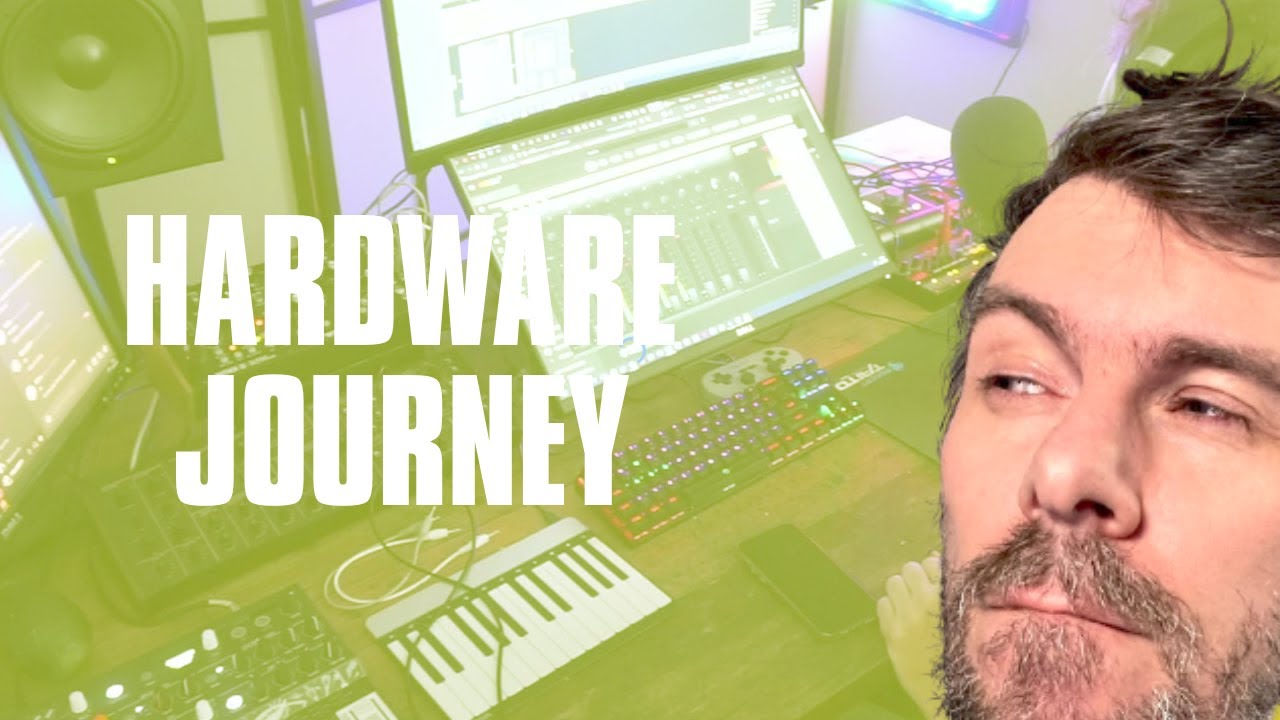
In this video, I discussed my recent journey with hardware synthesizers and how I have been integrating them into my setup. I discussed the process of setting up my mixing desk, an ADA 8200 extension port, and an ID14 MK2 sound card in order to record multiple hardware synthesizers at once. I also discussed the shortcomings of hardware synthesizers and how I have to record every parameter movement in order to keep the same sound. Finally, I mentioned my plans for creating special content for my Patreon gold tier members and potentially creating a tier for German videos.

In this video, I demonstrated how to use the mid-side split container in Bitweek 4.0 to create a stereo sound. I showed how to add a different kick drum sample to the side channel to create a difference between the left and right channels, and how to use an FX grid and the math operation subtract and add to get the side and mid channels respectively. I also showed how to use a polysynth and an audio receiver to create interesting effects. I hope this inspires you to experiment and come up with new ideas!

In this video, I showed how to use the polynomial modulator inside Bitwig Studio to create interesting distortion, wave shapes and overtones. I demonstrated how to use a DC offset device with the modulator, and how to modulate the X parameter with an audio rate modulator. I also showed how to use an LFO, as well as a stereo split to create unique sounds. Finally, I shared some tips and advice on creating presets, and how to save the new device for future use.

2 drum & bass / techstep tracks. Very loud and nice and stuff.

3 new darker tunes by polarity. watch the videos on my channel! www.youtube.com/c/PolarityMusic/

In this video, I discuss how to use Bitwig Studio and the Grid to utilize polyphony mode. This allows you to build a patch, and then create multiple instances of this patch by using multiple voices. I show how to use the envelope modulator to keep the voices alive and how to use the pitch input to tweak the voices differently. I also discuss how to use the volume knob, the loop mode, the phase input, and the reverse switch to achieve the desired effect. Finally, I explain how to use the Replacer to create a self-playing patch without notes.

In this video I introduce a new preset called UltraFat that I created in Bitwig Studios. It's an expander that pushes up sound that is above a certain threshold to 0 dB. I use 3 compressors in an FX3 container, and a limiter at the end. I also have a noise and low-fi function, as well as a cross-over knob. I demonstrate how it works by playing a drum loop, and show how it can be used to normalize sound levels. The preset is available to download on my Patreon page, and also on YouTube's community section.

In this video, I demonstrate how to implement a threshold using the audio grid in Bitwig Studio. I use a random drum loop as an example and show how to analyze the signal using a follower and a constant. I then subtract the constant from the follower to get the threshold line, which is then used to trigger a gate signal. I finish by showing how to adjust the threshold value and make sure the audio is in mono.

In this video, I show how to recreate the magic effect section of an Roland SP404 sampler hardware device in Bitwig Studio. I explain how to make a chain device to contain all of the effects, and then I go through each effect step-by-step. I demonstrate how to create a beat repeater, a bit crusher, an EQ, a delay, a filter, a pitch wobble, and a low fire effect. I also show how to use remote controls to trigger the effects and how to synchronize them to the beat grid. Finally, I provide a free preset to download in the description.

In this video, I take you through a journey of creating a 16-bar loop with the tools I showed in the last videos. I use a Euclidean rhythm generator, clap samples, hi hats, a Phase 1 synth, and a Polymer synth to create a nice beat. Then I use a Melody Generator and a Polysynth to create the melody. I also show you how to modulate the instruments and create transitions, as well as how to make a filter sweep. In the end, I have created a nice 8-bar loop and I hope that this video has been inspiring and educational.

In this video, I showed how to create a random melody preset in Bitwig Studio. I demonstrated how to use the Polygrid to generate notes and how to use a NoteFX layer to combine different synths and effects. I also showed how to change the scale and the length of the melody, as well as how to record it into a note clip. Finally, I discussed how to use the Euclidean rhythms generator to create shuffling rhythms.