Music Production Knowledge Backlog
Here you can browse the latest published tutorials, guides, tools, articles, music posts, videos, and releases in one timeline. If you want a smaller overview, start with Polarity Music tutorials, Bitwig guides, Building Bitwig Grids, helpers, articles, music videos, releases, or the music hub. If you want something specific, use the search.

In this video, I demonstrate how to create a complex track with a basic grid setup. I explain how to use a filter, envelope, and mixer to create interesting drums. I show how to use modulation to open the filter and create a melody generator, as well as how to use voice decks to add multiple melody lines. I also demonstrate how to use randomizers and a swarm generator to add a bit of chaos to the track. Finally, I show how to modulate the drums over time to create an ever-changing sound.

In the video, polarity describes the new spectral devices in Bitwig Studio and how they work. The devices split the signal into different frequency ranges which can then be processed with VST plugins or audio effects. Polarity provides several examples of how the devices can be used to create different sounds.


some random pads & rain. sleep well. rain generator used: https://mynoise.net/NoiseMachines/campingRainNoiseGenerator.php ...

Download the patch: https://bit.ly/3SENDIq Forks: Jamming by @gentlesoundz https://youtu.be/xQ0M2ZEo9wA - DAW Bitwig ...
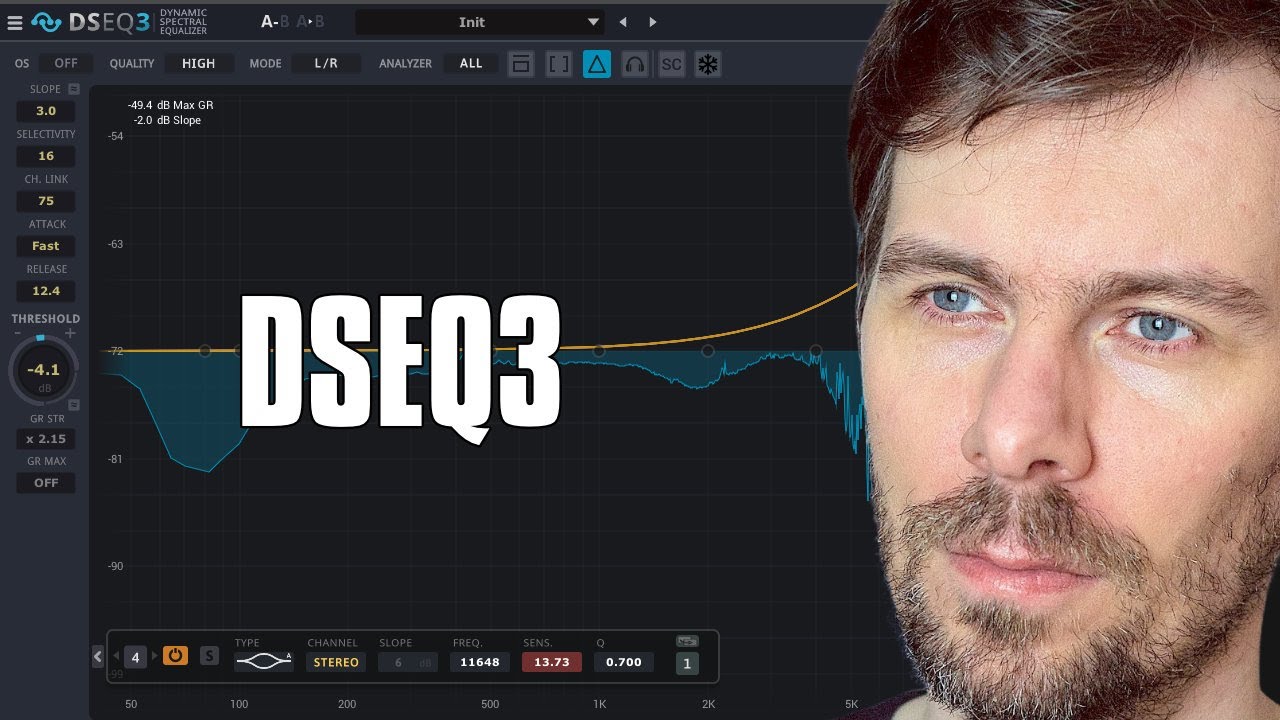
In this video, I talk about the DSEQ3 by TB Pro Audio, a dynamic spectral equalizer. I explain how the pre-filter helps to filter out low frequencies, and how the analyzer catches what’s above the threshold line and reduces it with the compressor. I also explain how the selectivity works, as well as the slope and the over sampling. I demonstrate how this can be used in mastering, and how it can be used creatively for sound design. Finally, I recommend trying out the demo version available on the website.

In this video, I showed how to make a dance floor track out of an 8 bar loop. I began by listening to the track and removing some of the plug-ins and then creating an intro. I used some automation and randomization to make the most out of what I had, and then I added a lead melody and some drums and percussion. I also used some FX and modulation to emphasize the drop and add some variation to the track. Finally, I added a straight hi-hat to emphasize the speed.

In this video, I demonstrated how to use the E-Hat device in Bitwig Studio to create interesting hi-hat patterns. I went through the different features of the device and showed how to use velocity, decay, filter and modulation settings to create dynamic and varied sound. I also demonstrated how to use the arpeggiator, note repeater and humanize functions in the plug-in to come up with unique patterns and grooves. Finally, I showed how to record these patterns as note clips so they can be used in a track.

In this video, I discuss how I created a track for my YouTube shorts playlist. I start by explaining my mastering chain, including a glitch plug-in, DSEQ, and a multi-band limiter. Then I move on to discuss the drums, using a Transient Clicker preset and UltraFat to bring out the frequencies. I also use a Deep Blue Glitch, DSEQ and hard clip to add complexity. For the bass, I use a pattern of three notes and a quantizer, as well as a phase four. I also use a pitch map to create melody harmonics, a tool device for side-chaining, and a Poly-Grid to make a "scratch" sound. Finally, I discuss how this track is unfinished, and I use it to practice and learn new techniques.

In this video, I discussed creating an arrangement and mixing on an 8 bar loop from my previous video. I identified a few issues I wanted to address, such as the drone playing all the time, the lack of modulation on the pad, and the fact that the vocals play all the time. To solve these issues, I suggested grouping all the tracks together, cloning the first block, and creating different versions of the loop. I also discussed gain staging, using a peak limiter, and adding a bit of saturation to the kick drum. Finally, I demonstrated how to use a sampler to add a rim shot to the clap.

Ambient Chill - jam from yesterday. Its Poly-D only with some valhalla and a simple DFAM beat. Wanted to keep it simple.

In this video, I showed how to create a track in Bitwig Studio. I started with the Poly-Grid and added a pitch module, oscillator, merger, reverse, and the trigger module. I then added a sample and hold, transpose, chorus, filter, and reverb. I then used dice modules and added a kick drum, hi hats, and an arpeggiator. I then added a vocal sample, reverb, and a recorder. Lastly, I added a cool force to the master and a limiter to finish the track.

In this tutorial, I explain how the Array (Recordable Lookup Table) module works in Bitwig Studio 3.2 by demonstrating how it stores and plays back audio data, similar to a digital tape recorder. By using envelopes and LFOs to control the read and write phases, you can create a range of effects like pitching, bit crushing, and even realtime audio reversing. The Array module is a versatile tool for creative sound design, and I encourage you to explore its many possibilities.

Spiced up my generative patch with some analogue gear. You can download the Bitwig Patch here: https://bit.ly/3B9zb5o - DAW ...


Recently I created a package of bass presets called Poly Bass and wanted to show the viewers how to create a similar sound using only Bitwig stock devices. I used the Transient Control device to modulate a Phase 1 oscillator and add clicks to the kick, snare and hi-hat. I also used the Ultra Fat preset to help balance the frequencies and make the drums louder. Finally, I showed how to use the Transient Control device to create a mid-range attack sound.