Bitwig Grid Ambient Patch: Generative Drone Workflow
Tutorial | Mai 31, 2026
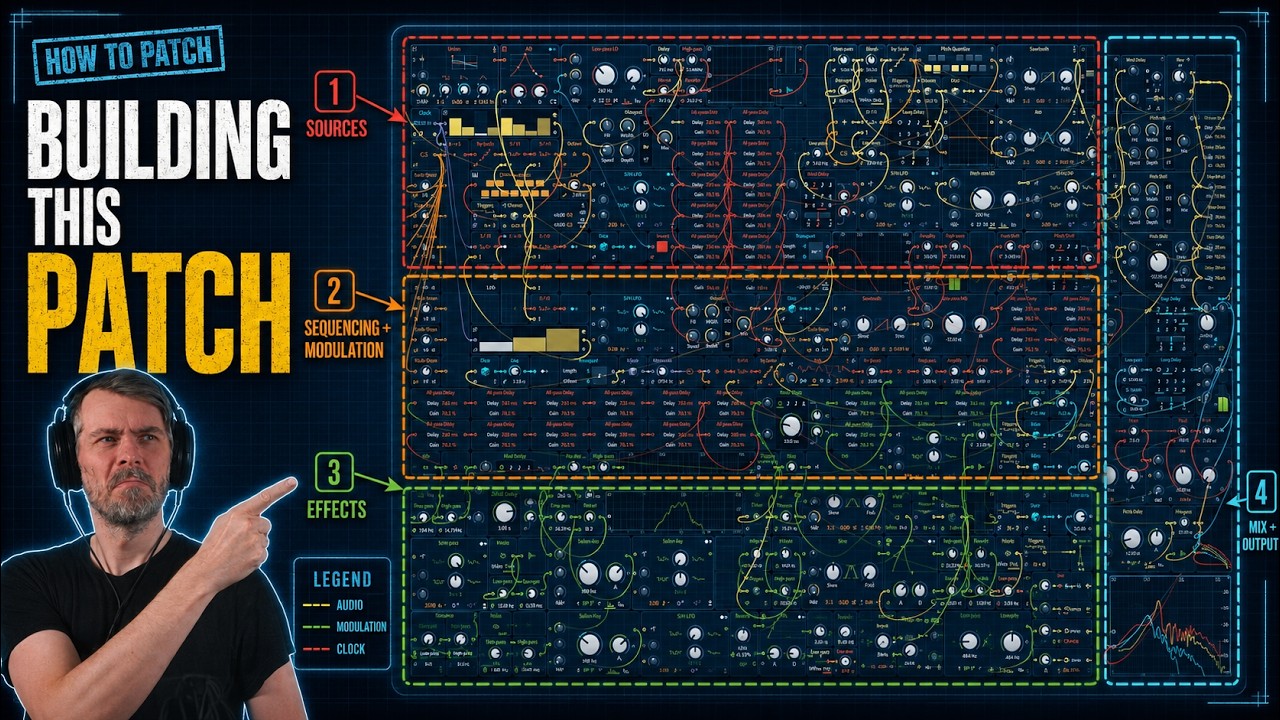
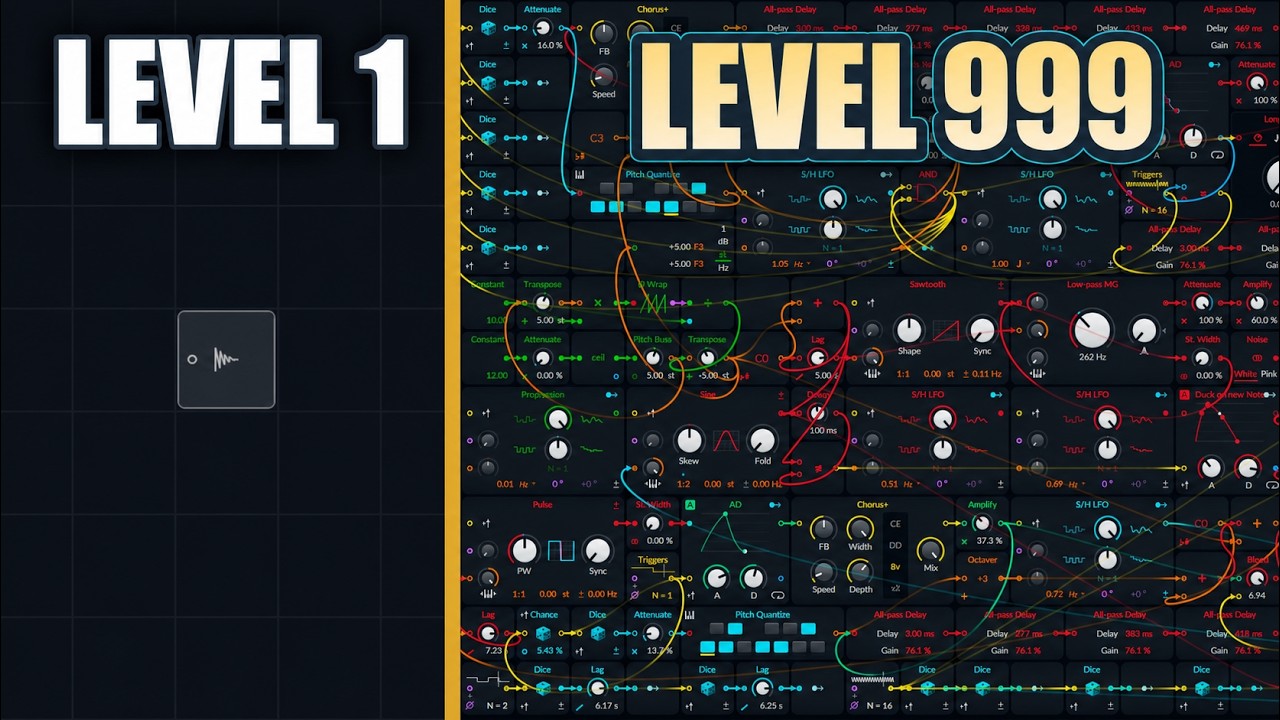
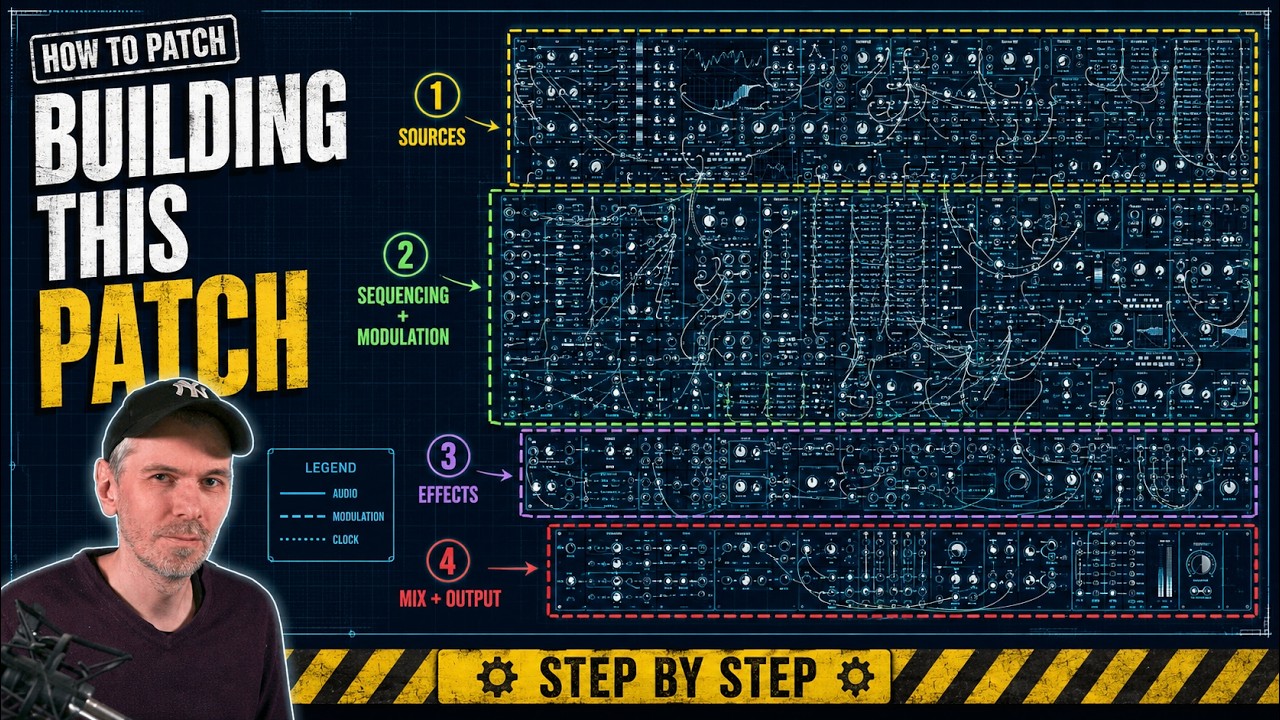
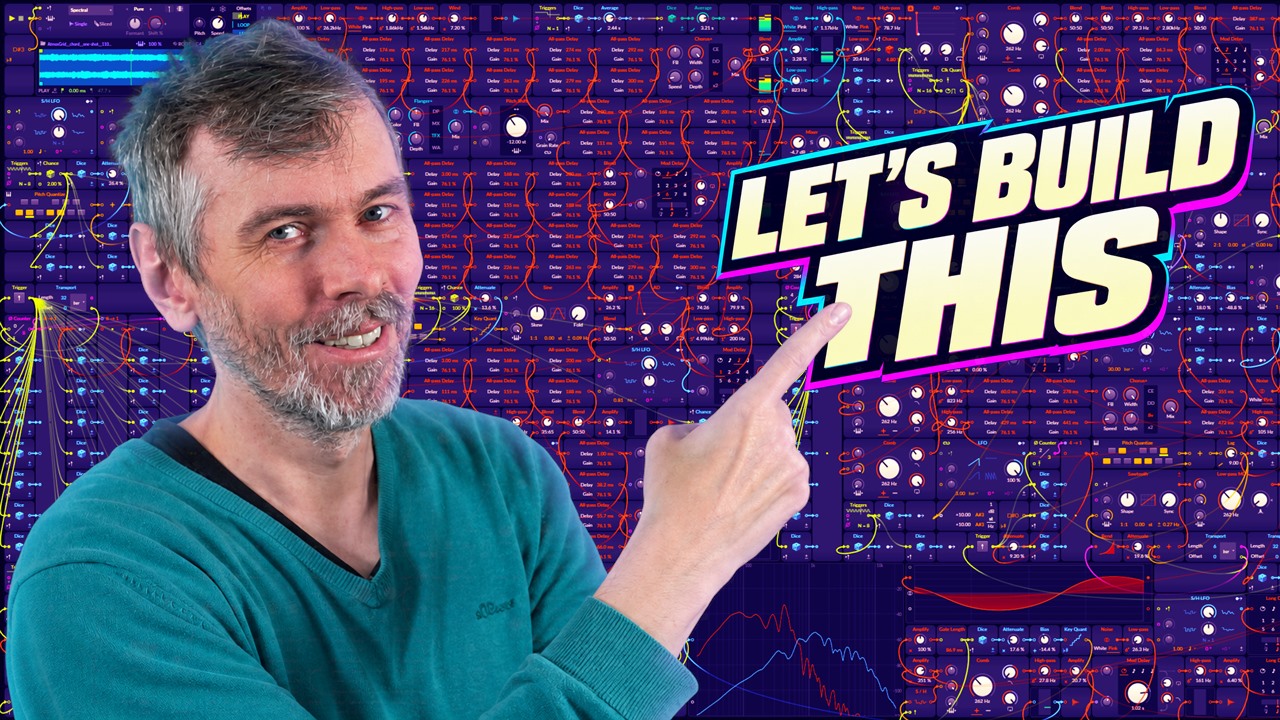
Long Bitwig Grid patch-building session creating an ambient drone patch, with practical ideas for mono Grid setup, scale-quantized note generation, and noise-based textures.
- You can watch the Video on Youtube
- Support me on Patreon if you like what you hear.
- Download Presets, Tools and Projects on my Dispenser
Quick Answer #
- Patch type: Long-form ambient Grid patch in Bitwig, built as a self-running mono Polysynth Grid at 85 BPM with Eb/D# minor as the tonal center.
- Main sound-design direction: Starts from stereo pink noise and simple sine/pulse sources, then shapes them into rain, wind, drones, pads, bass, and sparse melodic events using filtering, random modulation, and slow movement rather than traditional sequencing.
- Important devices/modules: Poly Grid / Polysynth in mono, Limiter, Noise, Low-pass / high-pass / band-pass / Sallen-Key filters, Amp, AD envelope, Trigger/Transport, Dice, Quantizer, Root, Counter, Merge, Random LFO, Lag, plus end-stage Matcher, loudness control, and peak limiting.
- Key techniques covered: Keeping one voice always active with mono mode, building generative note sets with quantized random values, offsetting a C-based quantizer with Root to match the project key, and duplicating random/sequence structures to create repeatable but evolving modulation patterns.
- Practical result: A medium-sized generative ambient patch suitable for recording long performances, sharing as a preset, or studying as a workflow for constructing evolving Grid-based atmospheres without relying on samples.
Build Overview #
The session starts from a simple ambient premise: set a slow tempo, run Poly Grid in monophonic mode so one voice is always active, and let the patch self-generate without keyboard input. The initial sound source is not a conventional synth voice but stereo pink noise shaped through filtering, amplitude multiplication, and modulation to create rain-, wind-, and water-like textures. Harmonic material is introduced gradually with sine-based tones and quantized random voltages, using a constrained note set built from root, fourth, and fifth relationships, then transposed to the project root via Bitwig’s root-note signal. This establishes a drone-oriented tonal center rather than a fixed melody.
From there, the patch expands as a collection of semi-independent systems: evolving pads, sparse tonal events, bass movement, overtone layers, and additional noise beds. Random sources are repeatedly tamed through attenuation, quantization, smoothing, probability, and trigger timing so the result stays musical while remaining unpredictable. A recurring design pattern is the use of stored or repeatable random sequences for pitch and modulation, which keeps phrases coherent while still allowing variation in envelope shape, timbre, register, and timing. The build remains exploratory, with parts removed, duplicated, simplified, or repurposed as the overall texture reveals what the patch actually wants to be.
That process is useful for learning modular patching because it demonstrates patch design as system-building rather than preset hunting or linear composition. It shows how complex ambient results can emerge from a few core techniques, noise shaping, scale-constrained randomness, modulation routing, event probability, and layered signal paths, and how each decision affects behavior over long playback times. For learners, the value is not just the final sound but the way musical structure is discovered by listening, adjusting ranges, and balancing freedom against constraint.
Patch Decisions #
- Set Poly Grid to monophonic mode with voices pulled down to Mono, so one voice is always active and the patch runs continuously without needing any MIDI note to “wake up” the Grid.
- Chose an ambient setup at 85 BPM and set the project/key context to E♭ minor (D♯), then used a Root module to offset pitch material from a C-based quantizer into the actual song root.
- Started the texture with stereo pink noise, using separate left/right noise behavior, then shaped it with filters and amplitude multiplication to create environmental noise layers resembling wind/rain/water rather than broadband hiss.
- Built one noise branch by filtering noise, then multiplying one filtered noise signal with another signal path to impose moving amplitude changes; this created a more natural, animated backdrop instead of static noise.
- Used a Steiner-Parker / Sallen-Key-style steep bandpass filter on noise and modulated the filter frequency from internal signal movement, producing pitched, watery resonant tones from noise rather than from an oscillator.
- For tonal content, generated notes with a Trigger + Dice + Quantizer chain: triggers fired 4 times per bar, Dice produced bipolar random values, and an attenuator before quantization narrowed the usable pitch range without breaking pitch mapping.
- Restricted the quantizer to a small chord-tone set, primarily root, fourth, and fifth, then added the Root module offset so those intervals land in E♭/D♯; he explicitly noted this keeps things tonally ambiguous until a third is introduced.
- Later switched from free random note generation to a repeatable 8-step sequence using Merge + multiple Dice modules + Counter, where a manual/randomizing trigger refreshes all stored step values at once, so the melody pattern stays fixed until regenerated.
- Duplicated the same stored random sequence structure for modulation targets as well as pitch, because using a live Dice directly would not give repeatable per-step modulation; this was a deliberate compromise to keep variation structured.
- On the mix/output side, inserted a Limiter early for safety, then near the end used Matcher with a personal “deep roller” preset to normalize tonal balance and loudness between uploads, reduced some overly loud layers manually, and accepted that the patch still needed more tweaking because some sounds remained “annoying.”
Interesting Moments #
- 00:01:16 - Patch setup: mono Grid, 85 BPM, E♭ minor
- 00:03:03 - Building the rain/wind backdrop from stereo pink noise
- 00:05:35 - Sallen-Key filter experiment for watery tonal noise
- 00:07:27 - Random sine notes with quantizer and root-offset scale trick
- 00:11:16 - Switching from melody thinking to drone/pad layering
- 00:54:24 - Rare ambient event generator with trigger chance and sine layer
- 01:02:14 - Repeatable 8-note sequence using merge, counter, and stored random values
- 01:52:54 - Final mix pass with Match EQ, loudness consistency, and tweak review
What This Build Is Useful For #
This Bitwig Grid build is useful as a real-time example of constructing an ambient generative patch from nothing into a complete, playable texture. It is most relevant for Grid users interested in drones, evolving pads, environmental noise layers, slow melodic systems, and self-running patches for long-form listening or recording.
Producers and patch builders who benefit most include ambient artists, modular-minded sound designers, generative music creators, and intermediate Bitwig users who already know the modules but want to see decision-making, iteration, and arrangement inside a single patch.
Reusable techniques include setting Grid to mono for always-active voice behavior, building rain/wind textures from filtered noise, quantizing random pitch sources to a scale, offsetting quantizers with the project root note, creating repeatable random sequences with stored values, layering simple oscillators into pads and basses, using chance-based triggers, and balancing the result with EQ matching and limiting.
This long-form process is more useful than a short tutorial when the goal is to study workflow, patch evolution, troubleshooting, and why certain ideas are kept, changed, or removed.
Transcript #
This is the transcript of the video. The text was generated automatically and may contain small mistakes. The timestamps jump to the matching part of the video.
Click to expand transcript
[00:00:00] So on my second channel, I usually just show these grid patches, you know, let them play
[00:00:05] and for 10 minutes, one hour and people usually just ask me, how do you build these patches?
[00:00:12] And it's not interesting for the majority of people, so it's not a video for my main
[00:00:16] channel and it also doesn't fit on the music channel where I just let the music play.
[00:00:22] So I thought maybe I create another channel, another new polarity channel and just document
[00:00:29] these kind of buildings or these processes where I build these grid patches and maybe
[00:00:37] just talk over it and give you some insights.
[00:00:41] So it's probably a long video.
[00:00:42] It's not interesting for the majority of people, but some people are interested in it.
[00:00:46] So I don't think this channel will gonna fly, which is not my intention at all, but you
[00:00:53] know, just for the process and people can watch it and I link it in the main channel
[00:00:57] on the music channel under the videos then.
[00:01:01] So maybe let's document this and let's start by creating a grid patch and I probably want
[00:01:07] to create an ambient patch.
[00:01:09] So I usually go for 85 BPM for whatever reason, it's not really needed, but that's how I do
[00:01:15] it.
[00:01:16] Okay, so then we don't need here the clip launcher, I make this here a bit longer so I can let
[00:01:22] it loop like this, I probably dial in here EB minor because I like it.
[00:01:33] And then we use a pulley grid.
[00:01:36] And the most important part is that this polar grid is in monophonic mode so we can change
[00:01:41] the voices and we pull this down the mono.
[00:01:45] Because if this is in polyphonic mode here with five voices, we have to press a key to
[00:01:52] activate at least one voice, which is not what we want, we want to have at least one
[00:01:56] voice always active, which is the case in mono.
[00:02:00] And then we can build here something in the grid and it just runs.
[00:02:04] So you don't need to press a key or you know, need anything to activate one voice.
[00:02:10] So we don't need this and the question is always how do I start, right?
[00:02:16] So do I start with oscillators with melodies with pads with noises and for me, it's always
[00:02:25] different.
[00:02:26] I always start differently and a good way sometimes is to just use samples.
[00:02:32] So I create samples sometimes outside of the grid, put it into a sampler and then use the
[00:02:37] granular mode and scan through the sample for for a long, long time and then put something
[00:02:45] on top.
[00:02:46] So this is sometimes an idea.
[00:02:48] Sometimes I just start with noise.
[00:02:52] Maybe I put the limiter here at the end, something like this, pull this down, maybe five dB.
[00:03:01] I hope it's not too quiet.
[00:03:03] So we can hook this up here, right, and then we have immediately a sound and I go for pink
[00:03:10] noise and I want to use it in stereo.
[00:03:13] So the left and the right channel has a different noise generator or generates different noise
[00:03:17] sounds, which is really cool.
[00:03:19] It sounds cool.
[00:03:24] Maybe use an amp here also on that so we can change the loudness.
[00:03:28] So now that we have this, we probably want to filter out some of the noise to make it
[00:03:34] more like sound like rain or real life, real life noise or real life sound.
[00:03:43] So you can do this multiple ways.
[00:03:44] For instance, we can use a low pass on this noise, right, pull us all the way down.
[00:03:50] Now it's filtered already.
[00:03:53] And with this, we can then modulate for instance, or we can use the output of this to multiply
[00:04:01] this with the output of that, it's just changing the volume as we can do something like that.
[00:04:07] And then it sounds like this.
[00:04:14] So maybe we can also high pass this a bit more like that.
[00:04:30] And then we can use another low pass.
[00:04:32] I don't know if this makes any sense, but sometimes I really like to do this and figure
[00:04:37] out if I can just make something great sounding with some simple patches.
[00:04:44] And then we multiply this again, like this.
[00:05:08] Or maybe like that.
[00:05:13] I think that's better.
[00:05:19] So we get already sound or a bit of noise out of nowhere, out of something just with
[00:05:26] the process here.
[00:05:29] So we can keep this maybe for a backdrop.
[00:05:35] Can also take this and use a filter.
[00:05:38] Let's use the selling key filter because it has a very steep filter here.
[00:05:45] Bandpass 8p, for whatever reason, so we can feed the sound into that.
[00:05:51] It's a bit too quiet, huh?
[00:06:04] So this is kind of nice, so it has a tonality to it.
[00:06:07] But then we can use the output for that maybe and just try to modulate the pitch, the frequency.
[00:06:23] And then you get some water sounds, maybe this one.
[00:06:45] Yeah, I like this better.
[00:07:04] I'll start with some experiments here.
[00:07:13] Maybe we just leave that for now.
[00:07:18] Maybe I delete this later on.
[00:07:19] I have no idea.
[00:07:20] Maybe I just keep it.
[00:07:23] So there we can start.
[00:07:24] Maybe we need to bring in some harmonics.
[00:07:27] So we can use maybe a sign with that.
[00:07:33] And I could use an A/D, an output, also keep it very simple, maybe let's use a trigger
[00:07:46] here.
[00:07:47] So four triggers for each phase.
[00:07:49] One phase is exactly one bar long, so four triggers within one bar.
[00:07:55] We can trigger this here.
[00:07:58] And then we can say on each trigger, give me a random number between plus one and minus
[00:08:06] one.
[00:08:07] So here the negative part is also active, so it's bipolar, and then we get a random
[00:08:11] output, maybe I put here an amp already there.
[00:08:29] So this is pretty random.
[00:08:31] So what I want to do is I want to constrain the range, and I do this usually by using
[00:08:37] an attenuate here, putting this here.
[00:08:39] I can pull this down, you can pull this down, but then the whole pitch mapping is off.
[00:08:45] So what I do usually is I do this, and then I put here in between, let's say a quantizer
[00:08:55] like that, and I use C major.
[00:08:59] So all the white keys here as a reference, and so I only want to have the root note,
[00:09:04] and this is here, 1, 2, 3, 4, 5, 6, 7, I probably want to have this and that.
[00:09:16] So this is the fourth, this is the fifth, and yeah, we have some quantization here happening,
[00:09:22] and because this is 100% or 120 semitones, the pitch mapping is not off.
[00:09:28] So you always hit the fifth or the fourth, I put this down here for a moment, so you
[00:09:38] always hit the fifth, fourth, and the root of C major, which is not what we use here,
[00:09:44] we use EB minor, so what I do then is I use root, which is a new module, gives me the root,
[00:09:53] it's D sharp, it's EB, basically it's the same thing.
[00:09:56] And I add this here to the C scale, so the C scale starts on 0, and then I add here this
[00:10:07] D sharp to it, so I'm offsetting the C scale to the scale we are currently using, which
[00:10:13] is here D sharp 3, which is on the keyboard, it's 3 semitones higher, so we pitch this
[00:10:18] up by 3 semitones.
[00:10:21] So I play here on C major, and then I push it up or add 3 semitones to it because we
[00:10:30] are on D sharp 3 here, 3 semitones up and then it's on the right scale, right, so now
[00:10:36] we play here in D sharp major, it's actually not major or minor because I just use the
[00:10:42] root and the fifth and the fourth, I need to use here the third to make it actually minor
[00:10:48] or major, now it's either one of both or neither, okay.
[00:11:00] So now we are basically in EB minor, I would say.
[00:11:16] Okay so the thing is I don't want to create a melody, I actually want to create a pad,
[00:11:22] one of the pad, I want to create a drone with multiple notes in it, so instead of making
[00:11:29] here the sine partial play longer notes, what I usually do is I just play this into reverb
[00:11:38] and you can create reverb here with all paths, that's usually what I do, and maybe we go
[00:11:47] here into that, and what I want to do is I want to use here my website, all paths reverb
[00:11:53] calculator I use usually then Schimmer and then maybe 10 modules, I change the seed here
[00:12:01] until I like how this looks like, start MS, maybe I start lower, I start here maybe on
[00:12:09] I don't know, three or two, so the lowest millisecond is two milliseconds and the longest
[00:12:15] is 72, maybe I go up here to something higher, it takes a long time, can I actually type
[00:12:22] here something in, that's a problem, maybe 200, something like that, okay so we start
[00:12:33] on two and we end on 200, right, and then we scale here the all paths to different milliseconds,
[00:12:43] okay can I leave this open here actually, no, so we start with two milliseconds here and
[00:12:52] we use 10, so one, two, three, four, five, six, seven, eight, nine, ten, damn, maybe this
[00:13:02] up here in a better way, would be really cool if we had some kind of sub modules, huh, okay
[00:13:19] this isn't wrong, so we have two and then we go to 93, then we go to 120, actually we
[00:13:30] could copy this here, then we go to 137, then we go to 150, then we go to 164, then we go
[00:13:57] to 174, 183, and 200, let's see how this sounds, so then we bring this back in here and we
[00:14:17] hold down shift, so we have a blend, you can already hear, let me bring this in here, that
[00:14:32] we have a very long nice reverb, and maybe we bring the attack higher here, so you can
[00:14:59] hear it sounds a bit metallic, so we can tweak maybe the settings or we can bring in, what's
[00:15:07] the name of chorus, so it brings in a bit of movement, sounds much better already, very
[00:15:20] low modulation speed here, what I also like to do sometimes is to
[00:15:50] use pitch, pitch shifter, so we got this pitch shifter here a while ago, and the grain rate
[00:15:57] is basically how long the buffer is, it doesn't go lower than that, I wish they make this
[00:16:06] a bit longer here, but we can just put this here in between, so the sound comes in here
[00:16:14] and then we maybe pitch it down or up, so it's a shimmery reverb, minus 12, then we bring
[00:16:23] in the mix here 50%, so we have a pitched up or normal dry signal and a pitched down
[00:16:30] signal, so we diffuse it a lot, and maybe this is here a bit too much, right, it's too
[00:16:52] much noise, but also sounds nice kinda, maybe to this here a different mode rate relative,
[00:17:05] so we have here this curve setting, so we can bring in here a chance module, so not
[00:17:20] every trigger triggers the envelope, only, I don't know, 30%, and then we get the dice
[00:17:30] module again, and every time we get a trigger, we also randomly modulate the skew by I don't
[00:17:40] know how much, not too much, 25%, and then there's the stereo detune here, so we can
[00:17:56] detune slightly the left and right channel to get more like a stereo effect, but we can
[00:18:01] also randomize this here a bit, why not too much, what we also can do is we can bring
[00:18:19] in here the scale module, so the scale quantizes again to the current scale that we dialed
[00:18:25] in at the top, so just to make sure we are absolutely inside of the scale, we can just
[00:18:31] bring this in here, and here the pitch quantized, like I said, only plays the fifth, the fourth,
[00:18:40] the third, maybe this one, the tenth, and this attenuate changes basically the range,
[00:18:59] how high notes go when you generate notes or how long, and if you keep this at zero,
[00:19:04] it only plays the root, okay, so this sounds kinda nice already, I probably want to bring
[00:19:19] in the chorus at the end, there's the output here, maybe here, oh, let's see how this sounds,
[00:19:38] I can also change here with this mix setting, I can say I only want to have the pitch down
[00:20:00] version, when I think there's too many overtones, too many high pitches, I just increase here
[00:20:09] the percentage, maybe 70, I can also do a delay, maybe a long delay, go into the delay,
[00:20:28] and blend it in, this is 100%, and then use an LFO, or maybe we can use here an random,
[00:20:40] let's use an LFO, it's more predictable, something like this, then we modulate, just slide it
[00:20:46] at the delay time, you can hear how it changes the pitch, but we don't want that too much,
[00:20:57] just a tad, bit of feedback here, by the way, the pitch wobble increases also when you make
[00:21:21] the delay buffer longer, make this longer, it sounds more drastic, even though we haven't
[00:21:28] changed the modulation, so we need to always do both, kind of, so now we have this pitch
[00:21:40] modulated version here, we can bring in the dry signal, and now we have again two signals
[00:21:47] overlapping, make things a bit more dense, and thick, and pleasant, maybe we can increase
[00:22:02] this a bit more, because we have now the dry signal here, which stabilizes everything,
[00:22:30] so then we have a problem here, as you can see, sometimes the envelope triggers while
[00:22:38] we are currently playing a note, so we are here at this position for instance, and we
[00:22:43] currently play the sign, and then we get a new trigger, and we get a new note information,
[00:22:47] and then the oscillator switches to a different pitch while we are currently playing the pitch,
[00:22:54] so that's not what we want, we want to wait until the envelope settles down to zero, so
[00:23:02] we can go to another pitch and restart the whole thing, I think we should get here a
[00:23:16] trigger when this is zero, and let's bring an end, oh this is not possible, because it's
[00:23:29] a feedback loop, so we need to use a delay here, okay let's try this, right, only when
[00:23:39] this envelope goes down to zero here, this trigger is allowed to actually trigger something,
[00:23:48] I hope this makes sense, so now we shouldn't get any triggers while one note is currently
[00:23:56] playing, so we get rid of these kind of clicks and crackles here and there, because we switched
[00:24:03] the pitch from one point to another point, anyway, it's not rocket science, it's the
[00:24:15] grid, oh it's a bit too much here still, so okay I like that we have here an LFO, but
[00:24:26] I still think it's a bit too static, so I bring in a render modulator here, so the render
[00:24:32] modulator gives us random values and it modulates the LFO speed slightly, just to get a bit
[00:24:39] of variation in there, we also can try as we can bring in here maybe the noise, let's
[00:24:59] see how this sounds, but only here, does this work, holding down shift, yeah, no it doesn't
[00:25:28] fit, oh maybe it fits, I don't know, can also try and
[00:25:58] use your delay in this position, like this, and then use a trigger, so we trigger here
[00:26:15] eight times each bar, dies, a random number, and we modulate here, this delay time heavily,
[00:26:33] see it switches from point to point, but we bring also in a leg, so we have a slight
[00:26:40] glide from one position to the other, okay let's see how this sounds, oh yeah we could
[00:27:02] use another dies, and then modulate the filter, like this, make it a bit faster, so we have
[00:27:32] that, it gives us a little bit of glitch sounds, oh maybe we should start higher, because lower
[00:27:54] we get these kind of metallic sounds, which I don't like, okay so then we have these sounds
[00:28:14] all the time which is a bit annoying, as we bring in here an amplitude envelope, and we
[00:28:25] use a chance, trigger this, 20%, oh maybe use a different trigger, maybe go to four,
[00:28:55] maybe it's not the best sound, okay, so we have this, we have this, and then we have this,
[00:29:25] and this is probably the most time intensive part that you need to find the right settings
[00:29:34] for everything, until it sounds nice, okay let's see if we bring in here an outpass,
[00:30:03] let's see if we can do that, okay, so we have this, and then we have this, and then
[00:30:32] we have this, and then we have this, and then we have this, and then we have this, and
[00:31:02] let's make it less, not too much, even less, 3%, only sometimes, probably delete this later
[00:31:23] on, okay, so now we have here a first small little part that we maybe like, so people
[00:31:46] always ask me why I do this in this kind of compact format, because it fits on the screen,
[00:31:53] and then I can just record the video instead of scrolling around, maybe make this one color,
[00:32:21] maybe it gives us also different color, something like this, okay, so let's create some lower
[00:32:41] bass sounds here, kind of in the same way, we probably want to do that too, and we want
[00:33:03] to pitch it down by an octave or two, right, the range is very narrow, so I want to generate
[00:33:14] around C3 some notes, but then I pitch it down to octaves, so I'm probably in C0 or
[00:33:19] something like that, and then I do the same thing here with that, I don't need that, so
[00:33:44] here I, maybe we want to have one note each bar, maybe go to 10, 10, 10, 10, 10, 2, 3,
[00:34:14] 10, and maybe we use a saw here, and a filter, a MOOC filter, oh, what happened, I didn't
[00:34:32] do anything, it's not my fault, a MOOC filter, and maybe we need to hear a bit of stereo
[00:34:54] difference, and make it mono.
[00:35:10] And then, when the pitch changes, we want to have a slight glide, then we can use the
[00:35:36] pitch also here for the offset, oh, that's too much, maybe C4, one octifier, what's the
[00:35:54] next one, G4, G5, so basically going up here to harmonics, C3 is the root, C4 is one partial
[00:36:09] higher, second harmonic, third harmonic is then G5, I guess, or G4.
[00:36:36] Okay, so maybe we make this even slower, so I go for a transport, so instead of having
[00:36:47] one trigger for each bar, we can say bar, two bars, now we get a trigger for every two
[00:36:54] bars, and the oscilloscope, right, so we have here one ramp going up for one bar, okay,
[00:37:24] and then it goes down and starts again, so we can use this purple signal here for shaping
[00:37:32] actually the volume, so instead of using an amplitude envelope, we just use the signal
[00:37:37] to shape it, and we can take a mirror first, maybe give this different color, so we can
[00:37:45] see it better, oh, it doesn't give me a different color for some reason, okay.
[00:37:54] Alright so now the mirror, exactly at 12 semitones, gives me a ramp up, ramp down, over the whole
[00:38:00] course of this original ramp up, and then what I want to do is I want to average the
[00:38:09] signal maybe, or use a bend, a bend could be something like this, alright, you can see
[00:38:22] this triangle now is a bit softer around it, maybe something like that, goes up in volume,
[00:38:33] then the volume goes down, it's exactly what we want, so we can take the signal and use
[00:38:41] it here as an envelope, hope you can hear it, alright, volume goes down, you can see
[00:39:04] how the waveform goes down in volume, so yeah, it's an envelope shaper, or maybe it's too
[00:39:25] drastic, maybe use another bend, make it even steeper, oh it's happening here, oh it's probably
[00:39:51] too, it pushes the boundaries of, why is that, okay, this is a problem here I see, oh it's
[00:40:17] happening, so this is a bit smoother, maybe go for 4 bars, so each note, each bass note
[00:40:27] is now 4 bars long, okay, let's leave it at that, so this is the bass, so here the sound
[00:40:49] is kind of cool, I still like it, but having this only playing occasionally, it's annoying,
[00:41:04] so I bring in a bit of a different noise, high pass, and low pass, so that's it, that's
[00:41:24] (dramatic music)
[00:41:54] - So this sounds like a bit distant rain,
[00:41:58] but it's a very constant distant rain,
[00:42:00] so we need to modify that.
[00:42:02] Slightly modulating here.
[00:42:24] (dramatic music)
[00:42:55] Okay, let's try again with some low pass.
[00:42:59] Use a chance.
[00:43:06] It's a bit too loud, huh?
[00:43:12] And then we use an AD.
[00:43:14] Trigger with this chance here, this AD.
[00:43:24] (dramatic music)
[00:43:27] And then I love nubba filter.
[00:43:31] (dramatic music)
[00:43:54] (dramatic music)
[00:43:56] Yeah, I need the dice.
[00:44:01] I need to modulate this, so mount.
[00:44:25] (dramatic music)
[00:44:27] That's too much.
[00:44:28] (dramatic music)
[00:44:52] Yeah, maybe we can also modulate this.
[00:44:54] (dramatic music)
[00:44:57] Not too much.
[00:45:02] (dramatic music)
[00:45:22] (dramatic music)
[00:45:25] Yeah.
[00:45:29] (dramatic music)
[00:45:31] (dramatic music)
[00:45:52] (dramatic music)
[00:45:55] Maybe we can bring in a leg.
[00:46:04] Oh, this one.
[00:46:07] (dramatic music)
[00:46:09] And we dice this also.
[00:46:14] (dramatic music)
[00:46:22] (dramatic music)
[00:46:25] Cool.
[00:46:34] (dramatic music)
[00:46:37] Okay, let's make this a bit more compact here.
[00:46:45] (dramatic music)
[00:46:52] (dramatic music)
[00:46:55] Oh, we could also modulate the loudness of that.
[00:46:58] (dramatic music)
[00:47:00] This is cool.
[00:47:01] (dramatic music)
[00:47:03] Just a bit.
[00:47:05] (dramatic music)
[00:47:07] So it changes over time, so it's not like a static noise
[00:47:13] floor, it changes and modulates and evolves over time.
[00:47:17] (dramatic music)
[00:47:22] (dramatic music)
[00:47:25] (dramatic music)
[00:47:28] (dramatic music)
[00:47:30] (dramatic music)
[00:47:33] (dramatic music)
[00:47:36] (dramatic music)
[00:47:39] (dramatic music)
[00:47:41] So we could theoretically do this again
[00:47:47] with a different setting to make it a bit more dense.
[00:47:50] (dramatic music)
[00:47:53] Yeah, that's...
[00:48:00] (dramatic music)
[00:48:20] (dramatic music)
[00:48:23] It's probably not necessary,
[00:48:49] but...
[00:48:50] (dramatic music)
[00:48:53] Maybe bring it more in the background.
[00:48:58] (dramatic music)
[00:49:01] (dramatic music)
[00:49:20] (dramatic music)
[00:49:24] So we have two noise generators here
[00:49:26] and a bit of wind and rain.
[00:49:30] (dramatic music)
[00:49:32] So we can try and do another one, but a bit different.
[00:49:38] (dramatic music)
[00:49:41] Same trick as before, we use your low pass on pink.
[00:49:47] (dramatic music)
[00:49:49] (dramatic music)
[00:49:52] Maybe use a different filter.
[00:49:53] (dramatic music)
[00:49:56] We use noise as an input, but yeah, we use that.
[00:50:01] (dramatic music)
[00:50:04] Amplify and out.
[00:50:08] (dramatic music)
[00:50:11] (dramatic music)
[00:50:19] (dramatic music)
[00:50:49] (dramatic music)
[00:51:19] (dramatic music)
[00:51:22] Also interesting could be to use here a scale
[00:51:30] to apply pitch to the right frequencies of the scale.
[00:51:38] But then we need here...
[00:51:41] This attenuate we need here.
[00:51:45] And here we need to have four.
[00:51:49] And this needs to be on C3.
[00:51:51] (dramatic music)
[00:51:54] So it always lands or goes to a frequency of D sharp minor.
[00:52:03] It doesn't make any sense here, but.
[00:52:06] (dramatic music)
[00:52:18] You see all the sounds.
[00:52:20] (dramatic music)
[00:52:49] (dramatic music)
[00:52:52] This may be better.
[00:52:55] (dramatic music)
[00:53:19] (dramatic music)
[00:53:22] Okay, this makes no sense.
[00:53:26] I think.
[00:53:27] (dramatic music)
[00:53:30] (dramatic music)
[00:53:48] (dramatic music)
[00:53:51] Does this sound good?
[00:54:00] I don't think so.
[00:54:01] (dramatic music)
[00:54:04] I will could use here just a sign.
[00:54:13] (dramatic music)
[00:54:18] (dramatic music)
[00:54:21] (dramatic music)
[00:54:24] Okay, so we use a trigger or not a trigger, a transport.
[00:54:29] Every four bars maybe.
[00:54:37] Let the chance at 50%.
[00:54:42] (dramatic music)
[00:54:49] (dramatic music)
[00:54:51] Let's see how it sounds.
[00:55:02] (dramatic music)
[00:55:05] (dramatic music)
[00:55:19] (dramatic music)
[00:55:22] Okay, so maybe you can copy here this kind of construct.
[00:55:27] (dramatic music)
[00:55:30] Over here.
[00:55:34] (dramatic music)
[00:55:37] Oh, let's go out here.
[00:55:43] (dramatic music)
[00:55:49] (dramatic music)
[00:55:52] Let's go back to 100% just for.
[00:55:54] (dramatic music)
[00:55:57] That was kinda nice.
[00:56:01] It just plays sometimes.
[00:56:05] (dramatic music)
[00:56:18] (dramatic music)
[00:56:21] (dramatic music)
[00:56:26] Yeah, let's use another modulation here.
[00:56:30] Slight modulation.
[00:56:31] Is this random?
[00:56:35] I'll use this one.
[00:56:36] Use the same one.
[00:56:39] Fine.
[00:56:40] (dramatic music)
[00:56:47] Okay, so now that we have this,
[00:56:49] we can maybe use a second sign.
[00:56:54] The same pitch.
[00:56:56] Maybe three harmonics higher.
[00:57:03] (dramatic music)
[00:57:06] Another dies.
[00:57:14] (dramatic music)
[00:57:18] And we modulate the amount here for each note.
[00:57:23] (dramatic music)
[00:57:26] And we modulate here the ratio by, let's say five.
[00:57:32] (dramatic music)
[00:57:35] Put it there.
[00:57:36] (dramatic music)
[00:57:38] Yeah, why not modulate the length?
[00:57:45] (dramatic music)
[00:57:49] Let's get some variety in there.
[00:57:51] (dramatic music)
[00:57:53] And here we get also slide the tuning.
[00:58:08] (dramatic music)
[00:58:15] And every time we trigger this,
[00:58:18] we get not for every note.
[00:58:20] For every trigger sequence, we get something different.
[00:58:27] And that's the scale of the notes.
[00:58:32] (dramatic music)
[00:58:36] So sometimes the note range is bigger,
[00:58:37] sometimes the note range is smaller.
[00:58:40] So it's not the same sequence every time.
[00:58:43] (dramatic music)
[00:58:46] Perfect.
[00:58:56] (laughs)
[00:58:58] Okay, so we have another block of stuff.
[00:59:04] (dramatic music)
[00:59:13] (dramatic music)
[00:59:16] So now the legal,
[00:59:36] legal wars, Tetris wars started.
[00:59:40] (dramatic music)
[00:59:44] (dramatic music)
[00:59:47] Maybe get into something here.
[00:59:51] (dramatic music)
[00:59:55] (dramatic music)
[00:59:57] (dramatic music)
[01:00:05] Damn.
[01:00:09] (dramatic music)
[01:00:14] (dramatic music)
[01:00:17] Oh, we can lift this out.
[01:00:19] Just use that.
[01:00:22] Minimal is better.
[01:00:27] (dramatic music)
[01:00:44] And here we can add the view meter for no reason.
[01:00:48] (dramatic music)
[01:00:51] (dramatic music)
[01:01:01] Yeah.
[01:01:11] (dramatic music)
[01:01:14] So make this event here a bit rarer.
[01:01:22] Rarer, rarer.
[01:01:24] Where's it?
[01:01:26] (dramatic music)
[01:01:29] Chance 40.
[01:01:37] Let's go to 20.
[01:01:39] (dramatic music)
[01:01:42] Let's use a pulse.
[01:01:46] (dramatic music)
[01:01:49] I could use some samples actually,
[01:01:53] but I want to show you the process what I do sometimes.
[01:01:57] It's actually fun to me to not use samples.
[01:02:00] Samples using is basically easy.
[01:02:02] You can just sample some random stuff with a lot of reverb,
[01:02:06] and then put it in a sampler and play it back randomly
[01:02:09] and you get nice ambient.
[01:02:11] (dramatic music)
[01:02:14] So let's generate nodes in a different way.
[01:02:19] Instead of using a dice module
[01:02:22] and just filtering this with a quantizer,
[01:02:24] why not use a merge like that?
[01:02:29] Let's say we want to generate eight nodes.
[01:02:37] And to use a trigger,
[01:02:39] when we push this button,
[01:02:42] we get a random value on each dice.
[01:02:46] (clears throat)
[01:02:49] (dramatic music)
[01:02:52] So every time we trigger this,
[01:02:59] we get a random value each time,
[01:03:01] but the sequence stays the same
[01:03:03] until we press the trigger, of course.
[01:03:07] As we go into that,
[01:03:09] we go into an attenuate because the range is too big.
[01:03:12] We go for quantize.
[01:03:22] Route fifth, fourth.
[01:03:35] And then, make this offset trick.
[01:03:40] Maybe we want to use an octave later.
[01:03:47] Change the octave.
[01:03:50] Let's leave that zero at the moment.
[01:03:52] Okay, we did an AD.
[01:03:59] Actually, do we want to use a pulse?
[01:04:02] Yeah, let's use a sign.
[01:04:06] Yeah.
[01:04:07] Out.
[01:04:10] We want to use also here this kind of stuff.
[01:04:14] Oops.
[01:04:21] So we go in here.
[01:04:28] This goes there, this goes out,
[01:04:30] and then we go back here.
[01:04:36] Wait a minute.
[01:04:38] That.
[01:04:42] We use an amp.
[01:05:06] (dramatic music)
[01:05:08] And we need, of course,
[01:05:10] go there through the sequence.
[01:05:13] We use a counter.
[01:05:14] We have eight positions.
[01:05:16] And we need to have this nearest interpolation.
[01:05:23] And then we want here.
[01:05:35] (dramatic music)
[01:06:05] .
[01:06:06] Small little melody.
[01:06:35] So now we could use here, let's say, a dice.
[01:06:38] Right, go into the dice,
[01:06:41] and then generate random positions
[01:06:44] for some of the modulations.
[01:06:46] But the problem is, it's not,
[01:06:48] you know, I want to have repeatable patterns.
[01:06:51] So I want to have on each note the same position here
[01:06:53] for some of the modulations.
[01:06:55] So what I do, I just duplicate this here.
[01:06:58] So this is for the pitch.
[01:07:05] (dramatic music)
[01:07:08] Something like that.
[01:07:16] So this is here, maybe the skew.
[01:07:19] New melody.
[01:07:23] (dramatic music)
[01:07:35] (dramatic music)
[01:07:38] Works great, in my opinion.
[01:07:43] Let's do the same thing again.
[01:07:46] Was it called decay?
[01:07:53] So this one here modulates the decay time.
[01:07:59] (dramatic music)
[01:08:06] (dramatic music)
[01:08:09] Does it make sense?
[01:08:26] So we have now a repeatable pattern
[01:08:33] for pitch and for the skew and for the decay time.
[01:08:37] (dramatic music)
[01:08:40] What you can hear, it's just eight notes repeating,
[01:08:50] which is a bit too annoying over time.
[01:08:52] Um, I don't need that.
[01:08:57] (dramatic music)
[01:09:04] So what we want to do is we bring in another sequencer here
[01:09:07] that does something different.
[01:09:09] So let's use a merge.
[01:09:12] (dramatic music)
[01:09:15] Maybe three positions, I don't know.
[01:09:22] And use a transport.
[01:09:24] This transport uses bars, so every one bar,
[01:09:31] we step to a different input.
[01:09:35] (dramatic music)
[01:09:37] So this is three.
[01:09:39] (dramatic music)
[01:09:58] All right, so we can now use that to bring in some changes.
[01:10:03] So let's use a dice here.
[01:10:05] (dramatic music)
[01:10:07] It's the same trigger.
[01:10:15] (dramatic music)
[01:10:18] And this modulates, or maybe use bipolar here,
[01:10:25] so it goes up and down.
[01:10:27] So this would be modulated by one, one up.
[01:10:32] (dramatic music)
[01:10:33] So by rare chance, what's repeatable every time
[01:10:38] the sequence is triggered, we go one octave higher
[01:10:43] or one octave lower, each bar.
[01:10:45] (dramatic music)
[01:10:48] And we need a sample and hold there.
[01:10:58] (dramatic music)
[01:11:26] To be honest, I don't think it's, it sounds great.
[01:11:29] (dramatic music)
[01:11:32] Maybe we reduce this to two, like that.
[01:11:38] (dramatic music)
[01:11:42] Or we completely scratch that.
[01:11:47] (dramatic music)
[01:11:50] And do this for every note.
[01:11:54] (dramatic music)
[01:11:57] That's bipolar for everything.
[01:11:59] (dramatic music)
[01:12:01] So we have this on every note.
[01:12:05] I think this is probably better.
[01:12:07] (dramatic music)
[01:12:08] Let's see.
[01:12:09] (dramatic music)
[01:12:24] (dramatic music)
[01:12:27] Or we could modify maybe at the counter.
[01:12:34] (dramatic music)
[01:12:37] Use a transport.
[01:12:44] (dramatic music)
[01:12:47] Make this two bars long, four bars long,
[01:12:54] go into the sine mode here.
[01:12:59] (dramatic music)
[01:13:03] Then use that.
[01:13:04] (dramatic music)
[01:13:24] (dramatic music)
[01:13:27] Oh, I need a sample and hold on each of these things.
[01:13:34] Damn.
[01:13:35] (dramatic music)
[01:13:38] Need one here.
[01:13:39] (dramatic music)
[01:13:42] Because it can change the modulation in between notes.
[01:13:47] (dramatic music)
[01:13:54] (dramatic music)
[01:13:57] Trust one was better, huh?
[01:14:04] Okay, I see.
[01:14:06] (dramatic music)
[01:14:24] (dramatic music)
[01:14:27] The minor second here.
[01:14:32] (dramatic music)
[01:14:36] Okay, so this melody all the time is probably annoying.
[01:14:42] So we bring in another sequencer.
[01:14:45] Can we use transport again?
[01:14:48] Yes, bar every 16 bars.
[01:14:54] (dramatic music)
[01:14:56] Do basically the same thing as with the bass.
[01:14:59] So this is a very long sequence here.
[01:15:02] (dramatic music)
[01:15:06] Here's the band.
[01:15:08] (dramatic music)
[01:15:11] Multiply.
[01:15:17] Um, here at the end.
[01:15:24] (dramatic music)
[01:15:27] So it's fade slowly in over 16 bars.
[01:15:30] (dramatic music)
[01:15:33] And every time we restart, we get here a trigger.
[01:15:42] (dramatic music)
[01:15:45] I'll make it very short.
[01:15:47] (dramatic music)
[01:15:50] And when we restart, we just re-trigger the sequence.
[01:15:55] We get a different sequence.
[01:15:56] So we fade in slowly over 16 bars, the melody.
[01:16:01] And then when we are at the end, we fade out
[01:16:03] and then we generate a new melody.
[01:16:07] And then it starts to fade in again.
[01:16:09] So what we do now here, this is at the end.
[01:16:14] So this makes no sense.
[01:16:15] Maybe we bring this in before
[01:16:20] the audio effects.
[01:16:22] So the delays and reverb can slowly.
[01:16:25] (dramatic music)
[01:16:29] Yeah, we do this here.
[01:16:30] (dramatic music)
[01:16:51] Then the delay and the reverb slowly fade out.
[01:16:56] Then it generates a new melody
[01:16:58] and then it slowly fades back in.
[01:17:00] I don't know if this makes sense.
[01:17:03] Let's see how the sounds will knock the fire
[01:17:04] because we have these kind of sounds here
[01:17:08] overlapping these sounds.
[01:17:09] (dramatic music)
[01:17:20] (dramatic music)
[01:17:23] Okay, let's make the note range a bit higher.
[01:17:45] (dramatic music)
[01:17:50] The modulate was, no, I modulate,
[01:17:52] don't modulate anything with that.
[01:17:54] So this is decaying.
[01:17:56] (dramatic music)
[01:18:20] (dramatic music)
[01:18:23] Um.
[01:18:27] I'm gonna make this lower, eight.
[01:18:33] (dramatic music)
[01:18:51] (dramatic music)
[01:18:54] Looks nice.
[01:18:56] (dramatic music)
[01:19:01] Maybe we high pass this here later on.
[01:19:10] I'll make this a bit quieter.
[01:19:12] (dramatic music)
[01:19:21] (dramatic music)
[01:19:23] This could be much better here.
[01:19:29] Not really happy with this.
[01:19:31] (dramatic music)
[01:19:50] (dramatic music)
[01:20:20] (dramatic music)
[01:20:23] Oh yeah, this is maybe a good idea.
[01:20:27] So maybe we change the note range here at some point.
[01:20:34] Hmm, this could be something.
[01:20:41] (dramatic music)
[01:20:48] So we use a dice here.
[01:20:51] This dice is retriggered every 60 bars.
[01:20:57] So we get the random value here.
[01:20:59] (dramatic music)
[01:21:02] And then we modulate this here.
[01:21:09] So it starts with zero and then goes
[01:21:13] to a random other value, slowly,
[01:21:16] over the curves of,
[01:21:18] where is it?
[01:21:22] Yeah, the curves of 16 bars.
[01:21:27] So it slowly moves from zero to the dead, maybe.
[01:21:31] (dramatic music)
[01:21:47] (dramatic music)
[01:21:49] So it goes slowly higher.
[01:22:01] (dramatic music)
[01:22:04] Also interesting.
[01:22:11] (dramatic music)
[01:22:16] (dramatic music)
[01:22:19] Oh, I try again with the sign.
[01:22:27] So we take the sequence of 16 bars
[01:22:31] and go through the sign mod,
[01:22:33] which gives us a random,
[01:22:35] (dramatic music)
[01:22:39] and we've used that.
[01:22:40] (dramatic music)
[01:22:46] (dramatic music)
[01:22:49] That's maybe better.
[01:22:58] (dramatic music)
[01:23:01] It's not really important.
[01:23:15] (dramatic music)
[01:23:17] So this is not used at the moment here,
[01:23:28] so we use it maybe for the fold.
[01:23:29] (dramatic music)
[01:23:45] And I think it's better to use a mirror here.
[01:23:49] So we fade in faster,
[01:23:53] but then we slowly fade out.
[01:23:58] (dramatic music)
[01:24:15] (dramatic music)
[01:24:17] And maybe we make this a bit longer.
[01:24:28] 32 bars.
[01:24:29] (dramatic music)
[01:24:32] Okay, and then I wanted to do something
[01:24:44] with the pools.
[01:24:48] (dramatic music)
[01:24:50] This pools just plays some random notes occasionally.
[01:24:55] (dramatic music)
[01:24:57] Let's use a range scale.
[01:25:02] (dramatic music)
[01:25:14] (dramatic music)
[01:25:16] This is the right here?
[01:25:37] Yeah.
[01:25:38] (dramatic music)
[01:25:41] Looks okay.
[01:25:42] (dramatic music)
[01:25:45] Okay.
[01:25:52] (dramatic music)
[01:25:54] Back here, trigger.
[01:25:55] (dramatic music)
[01:25:58] One trigger, each bar, at least.
[01:26:01] (dramatic music)
[01:26:04] And with a chance.
[01:26:08] (dramatic music)
[01:26:13] (dramatic music)
[01:26:14] Random note.
[01:26:15] (dramatic music)
[01:26:18] It's octave.
[01:26:22] (dramatic music)
[01:26:23] Plus one, maybe.
[01:26:25] (dramatic music)
[01:26:27] So we get this here.
[01:26:32] (dramatic music)
[01:26:35] A bit slower.
[01:26:36] (dramatic music)
[01:26:43] What else do we need?
[01:26:45] (dramatic music)
[01:26:48] We want to have here also reverb, maybe.
[01:26:53] (dramatic music)
[01:27:12] (dramatic music)
[01:27:15] Okay.
[01:27:31] It's exactly how I imagined how it sounds.
[01:27:36] (dramatic music)
[01:27:42] (dramatic music)
[01:27:44] We need the pitch here.
[01:27:45] (dramatic music)
[01:27:47] So this is on the center.
[01:27:49] (dramatic music)
[01:27:50] Okay.
[01:27:51] (dramatic music)
[01:27:53] Then we can use that.
[01:27:55] (dramatic music)
[01:27:56] Actually, change the pitch slightly, maybe one.
[01:28:00] (dramatic music)
[01:28:03] Oh, do we want to do that?
[01:28:06] (dramatic music)
[01:28:12] Let's make this longer.
[01:28:14] (dramatic music)
[01:28:16] (dramatic music)
[01:28:27] Mm.
[01:28:34] (dramatic music)
[01:28:38] What's the name bent?
[01:28:41] (dramatic music)
[01:28:43] Does it change anything here?
[01:28:44] (dramatic music)
[01:28:47] Yeah, does something.
[01:28:52] (dramatic music)
[01:28:54] Modulate out, we can take this, just pitch it down.
[01:29:00] (dramatic music)
[01:29:11] (dramatic music)
[01:29:13] Okay, this is the minus 50, it's maybe too much.
[01:29:32] But we can change how much we modulate this
[01:29:36] by attenuate here.
[01:29:37] And this is decided by randomness.
[01:29:41] (dramatic music)
[01:29:43] I would say.
[01:29:44] (dramatic music)
[01:29:47] (dramatic music)
[01:30:11] (dramatic music)
[01:30:13] But it's too much, so we go to 10%.
[01:30:26] So it's not playing all the time, 'cause it's annoying.
[01:30:29] (dramatic music)
[01:30:31] And 100% wet.
[01:30:35] So, way in the background.
[01:30:39] (dramatic music)
[01:30:41] I don't like the bass, the bass is a bit too static.
[01:30:49] Where's the bass?
[01:30:51] It's here.
[01:30:52] (dramatic music)
[01:30:54] (dramatic music)
[01:31:09] (dramatic music)
[01:31:12] So would be nice also if this is also not happening
[01:31:20] every time.
[01:31:21] (dramatic music)
[01:31:24] So, what brings in the volume?
[01:31:34] The volume brings in this one here.
[01:31:36] Okay.
[01:31:37] (dramatic music)
[01:31:38] So, we use the select.
[01:31:40] (dramatic music)
[01:31:43] Only the second input drives actually the volume up.
[01:31:50] (dramatic music)
[01:31:53] So then we have, what's the name latch?
[01:31:57] So the latch is either in zero or in one.
[01:32:04] And then we have a dice.
[01:32:05] (dramatic music)
[01:32:08] Or maybe a chance.
[01:32:10] (dramatic music)
[01:32:12] And at least, where's the transport here?
[01:32:19] This one.
[01:32:20] At least the transport switches not every time,
[01:32:26] either to zero or to one.
[01:32:27] So it would be every 64 bars then.
[01:32:31] (dramatic music)
[01:32:38] (dramatic music)
[01:32:41] But to the other hand, if it stays on one,
[01:32:48] it plays probably the sequence multiple times,
[01:32:51] one after the other, which is also not what I want.
[01:32:54] So maybe every time we,
[01:32:56] hmm.
[01:33:00] I'll just leave it at that.
[01:33:04] (dramatic music)
[01:33:07] For now.
[01:33:09] (dramatic music)
[01:33:12] It's just for the video, okay?
[01:33:19] Don't need to make rocket science out of this.
[01:33:24] (clears throat)
[01:33:27] So let's make this here a bit more compact.
[01:33:31] (dramatic music)
[01:33:38] (dramatic music)
[01:33:41] Oops.
[01:33:43] (dramatic music)
[01:33:46] Oh.
[01:34:00] (dramatic music)
[01:34:03] It's a color.
[01:34:07] (dramatic music)
[01:34:09] So maybe we can make this here a bit.
[01:34:28] (dramatic music)
[01:34:37] More dense.
[01:34:38] Okay, so we can put this there.
[01:34:42] (dramatic music)
[01:34:46] And move this up.
[01:34:47] Move this over there.
[01:34:52] (dramatic music)
[01:35:05] Okay, there's space in the middle.
[01:35:08] (dramatic music)
[01:35:10] There's probably one sound throughout the whole video.
[01:35:33] It's completely annoying, so nobody watches this, probably.
[01:35:36] Because I have it on my headphones,
[01:35:38] and nothing peaks out, but that's probably something.
[01:35:43] (dramatic music)
[01:35:45] Okay, can we make this here a bit more?
[01:35:49] (dramatic music)
[01:35:54] Would be great to have some kind of automate make this nice.
[01:36:00] Automating make this nice looking.
[01:36:03] (dramatic music)
[01:36:06] Okay, what else can we put into that?
[01:36:34] (dramatic music)
[01:36:36] So here needs to be something
[01:36:44] that shows the place, the space.
[01:36:48] (dramatic music)
[01:36:50] We can use an empty label.
[01:36:54] The space in it.
[01:36:58] Put this there.
[01:37:01] (dramatic music)
[01:37:04] Can use a spectrum in here.
[01:37:30] (dramatic music)
[01:37:32] Looks weird to have this in different height.
[01:37:41] (dramatic music)
[01:37:44] (coughing)
[01:37:53] Oh, that's a deep base.
[01:37:55] (dramatic music)
[01:38:00] (crashing)
[01:38:02] I like it.
[01:38:12] (dramatic music)
[01:38:30] (dramatic music)
[01:38:32] Oh, do we have the blue in here?
[01:38:51] No.
[01:38:52] (dramatic music)
[01:39:00] (dramatic music)
[01:39:02] So yeah, the base is at least below the pads.
[01:39:13] (dramatic music)
[01:39:16] (dramatic music)
[01:39:31] Oh, this one here needs some high pass.
[01:39:34] There's a lot of rumble down there.
[01:39:40] (dramatic music)
[01:40:00] (dramatic music)
[01:40:02] That's better.
[01:40:07] (dramatic music)
[01:40:27] We could also add here another sign also later,
[01:40:31] or maybe here then.
[01:40:32] (dramatic music)
[01:40:35] (dramatic music)
[01:40:57] (dramatic music)
[01:41:00] Ah, this needs to be unipolar.
[01:41:05] (dramatic music)
[01:41:08] Let's see how this sounds over time.
[01:41:14] (dramatic music)
[01:41:26] I have no idea what's going on.
[01:41:28] So, can we move this over here?
[01:41:32] Yes, we can.
[01:41:35] (dramatic music)
[01:41:57] Now we can use also the scope here again.
[01:42:00] (laughs)
[01:42:02] Just to fill the space.
[01:42:03] (dramatic music)
[01:42:26] (dramatic music)
[01:42:29] Not range.
[01:42:37] (dramatic music)
[01:42:40] (dramatic music)
[01:42:54] Okay, we have some place down here to build something there.
[01:42:59] (dramatic music)
[01:43:02] So, maybe we take the base, the base frequencies,
[01:43:16] and bring in some overtones.
[01:43:17] Um...
[01:43:20] (dramatic music)
[01:43:24] (dramatic music)
[01:43:27] And we need...
[01:43:50] (dramatic music)
[01:43:54] The base is actually using here the skate signal right.
[01:43:58] (dramatic music)
[01:44:00] What do you think this one?
[01:44:14] (dramatic music)
[01:44:16] (dramatic music)
[01:44:25] (dramatic music)
[01:44:27] (speaking in foreign language)
[01:44:31] (dramatic music)
[01:44:34] (dramatic music)
[01:44:42] Um...
[01:44:49] That's what I need.
[01:44:55] (dramatic music)
[01:44:57] Ah, and I need an octave, so I can change the octave here.
[01:45:01] (dramatic music)
[01:45:04] Maybe we can use a wavetable or something like that, yeah.
[01:45:21] (dramatic music)
[01:45:24] (dramatic music)
[01:45:27] (dramatic music)
[01:45:51] (dramatic music)
[01:45:54] Um...
[01:45:58] (dramatic music)
[01:46:02] We use a random LFO here.
[01:46:05] Random LFO smoothing all the way up.
[01:46:08] Just modulate this, just very simple.
[01:46:12] (dramatic music)
[01:46:19] And then, use 3A here.
[01:46:22] And maybe a notch filter.
[01:46:25] (dramatic music)
[01:46:29] (dramatic music)
[01:46:49] (dramatic music)
[01:46:52] Yeah, let's try a lag here.
[01:46:55] Oh, yeah, let's use this lag.
[01:47:00] (dramatic music)
[01:47:03] (dramatic music)
[01:47:08] Trigger.
[01:47:18] (dramatic music)
[01:47:20] So every four, every quarter notes.
[01:47:26] (dramatic music)
[01:47:31] We change the octave, but only upwards.
[01:47:38] (dramatic music)
[01:47:41] And the glide.
[01:47:44] (dramatic music)
[01:47:49] Ah, two is enough.
[01:47:50] (dramatic music)
[01:47:53] (dramatic music)
[01:48:05] (dramatic music)
[01:48:18] (dramatic music)
[01:48:20] (dramatic music)
[01:48:28] It's a bit too wild.
[01:48:39] (dramatic music)
[01:48:48] (dramatic music)
[01:48:50] Yeah, but maybe you also do again the reverb.
[01:49:10] If I have more time, I sometimes do different reverbs
[01:49:17] or different things, things, but for now, it's okay.
[01:49:22] (dramatic music)
[01:49:25] (dramatic music)
[01:49:47] (dramatic music)
[01:49:50] (dramatic music)
[01:50:17] (dramatic music)
[01:50:20] Okay, let's use this here and that.
[01:50:35] (dramatic music)
[01:50:38] (dramatic music)
[01:50:48] (dramatic music)
[01:50:51] Now we want to stay on saw, not too much.
[01:51:01] So we don't want to go too much into the pulse position.
[01:51:05] (dramatic music)
[01:51:15] Okay, so now we have a bit of stuff here we can use here
[01:51:20] in this space.
[01:51:21] (dramatic music)
[01:51:24] Okay, let's fill this up.
[01:51:43] Got some more on pass here.
[01:51:46] (dramatic music)
[01:51:48] (dramatic music)
[01:52:14] (dramatic music)
[01:52:17] Ah, it sounds evil, just like a pet.
[01:52:32] I mean, it is a pet sound.
[01:52:34] I actually wanted to make an evil overtone for the bass.
[01:52:43] Okay, so it's a medium-sized patch.
[01:52:46] It's not a super big patch.
[01:52:49] I built some bigger ones.
[01:52:51] (dramatic music)
[01:52:54] I still kinda like it.
[01:52:55] So what I do is then sometimes as I,
[01:52:57] or not sometimes, most of the times,
[01:53:00] I just put a matcher on that.
[01:53:01] And I have here my deep roller preset
[01:53:05] and analyze the frequencies.
[01:53:07] Oh, there's a lot of deep bass there.
[01:53:09] (dramatic music)
[01:53:13] (dramatic music)
[01:53:16] Just analyze this here for a moment
[01:53:18] until I get all the frequencies in.
[01:53:20] (dramatic music)
[01:53:41] (dramatic music)
[01:53:44] I'm not really happy with the bass.
[01:53:49] I guess E.B. is too low.
[01:53:52] (dramatic music)
[01:54:11] (dramatic music)
[01:54:14] Yeah, and then I just put this here on 50%.
[01:54:21] It even changes the loudness.
[01:54:24] So the thing is, I want to keep basically
[01:54:29] between all my videos on the music channel,
[01:54:31] I want to keep a similar kind of level from loudness
[01:54:35] and frequency so you can listen, you know,
[01:54:39] one video after the other and it's not like,
[01:54:42] oh, here's a lot of bass and there's no bass at all.
[01:54:46] And this one is loud and this one's quiet.
[01:54:48] So keep the consistency.
[01:54:49] This is why I'm doing that.
[01:54:51] (dramatic music)
[01:54:52] Also interesting, maybe you see my thing,
[01:54:56] matched curve.
[01:54:59] (dramatic music)
[01:55:02] Like that.
[01:55:04] (dramatic music)
[01:55:09] (dramatic music)
[01:55:12] Or maybe use here a preset for loudness, maybe.
[01:55:24] Very slow attack.
[01:55:31] Then match it again.
[01:55:39] (dramatic music)
[01:55:42] It's maybe too much, yeah.
[01:55:44] (dramatic music)
[01:55:46] Yeah, and then I record a video.
[01:55:51] That's it, basically.
[01:55:53] (dramatic music)
[01:55:56] (dramatic music)
[01:56:09] (dramatic music)
[01:56:12] It's okay, but some sounds are a bit annoying
[01:56:25] so it needs a bit more tweaking.
[01:56:28] Maybe one hour of tweaking, setting all the sounds right.
[01:56:32] This one is a bit too loud.
[01:56:38] It's the 60%.
[01:56:39] (dramatic music)
[01:56:42] Maybe 45.
[01:56:44] (dramatic music)
[01:56:47] Maybe you can make the pitch wobblier a bit more drastic.
[01:56:57] (dramatic music)
[01:57:09] (dramatic music)
[01:57:11] Okay, so that's enough.
[01:57:27] And then maybe a peak limit on here.
[01:57:32] (dramatic music)
[01:57:39] (dramatic music)
[01:57:40] Oh, we can actually change here the,
[01:57:42] from the bass, the beating frequency.
[01:57:47] We can modulate this a bit.
[01:57:49] (dramatic music)
[01:57:52] (dramatic music)
[01:58:08] (dramatic music)
[01:58:10] I'm not sure about the sound, but I leave it in.
[01:58:26] Maybe turn this a bit down, 24.
[01:58:28] Yeah, the first sound we started with one was not the best.
[01:58:33] (dramatic music)
[01:58:38] (dramatic music)
[01:58:40] That's the wobble.
[01:59:05] (dramatic music)
[01:59:08] . (dramatic music)
[01:59:38] (dramatic music)
[01:59:40] So this one is also something different.
[02:00:00] (dramatic music)
[02:00:08] (dramatic music)
[02:00:10] It's a bit annoying that I have here space in the middle.
[02:00:19] (dramatic music)
[02:00:21] Could bring in here some alpars.
[02:00:28] (dramatic music)
[02:00:38] (dramatic music)
[02:00:40] That's better.
[02:00:58] (dramatic music)
[02:01:08] (dramatic music)
[02:01:10] Yeah, I can use a BU meter.
[02:01:31] That's how I feel it.
[02:01:33] (dramatic music)
[02:01:36] Damn, done.
[02:01:39] (dramatic music)
[02:01:42] Ugh, okay.
[02:01:49] What do we have?
[02:01:52] Two hours and one minute, or two minutes.
[02:01:56] Okay.
[02:01:56] (dramatic music)
[02:01:58] So I probably just take this, record the whole thing,
[02:02:03] let it run, and then I save the preset,
[02:02:08] give it a nice name, put it on my dispenser,
[02:02:13] and then you can download this,
[02:02:14] and you can watch the video, how I build it.
[02:02:17] Okay.
[02:02:19] (dramatic music)
[02:02:21] That's it, thanks for watching.
[02:02:22] Let me know what you think.
[02:02:24] I think it's better to put this on a different channel,
[02:02:26] on a separate channel than using my main channel
[02:02:29] because most people don't watch that for that long,
[02:02:34] and you know, it just brings the views down,
[02:02:36] and people are confused, what's that,
[02:02:38] and I don't watch this.
[02:02:40] Two hours, I don't watch two hours, right?
[02:02:43] But there are some maniacs who want to watch it,
[02:02:45] so I put it on a different channel, that's the idea, okay?
[02:02:49] Thanks, and see you next time.
[02:02:51] And of course, let me know in the comments down below
[02:02:53] what you think.