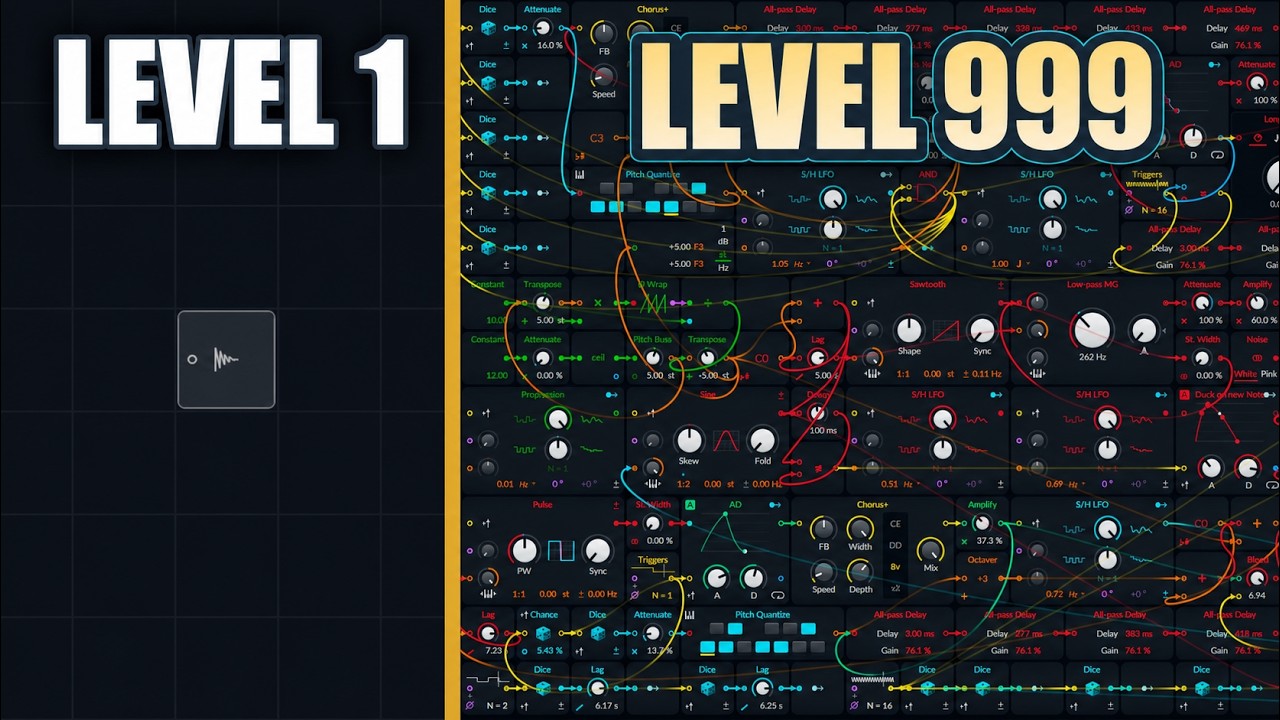
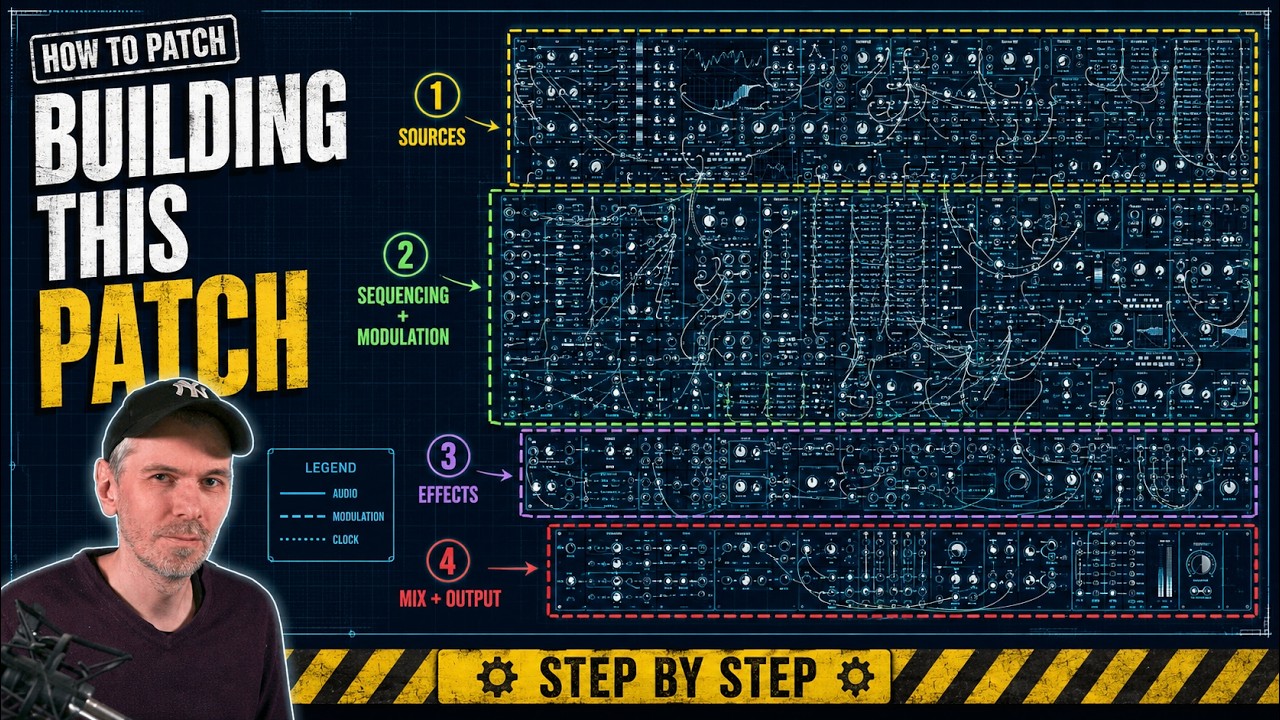
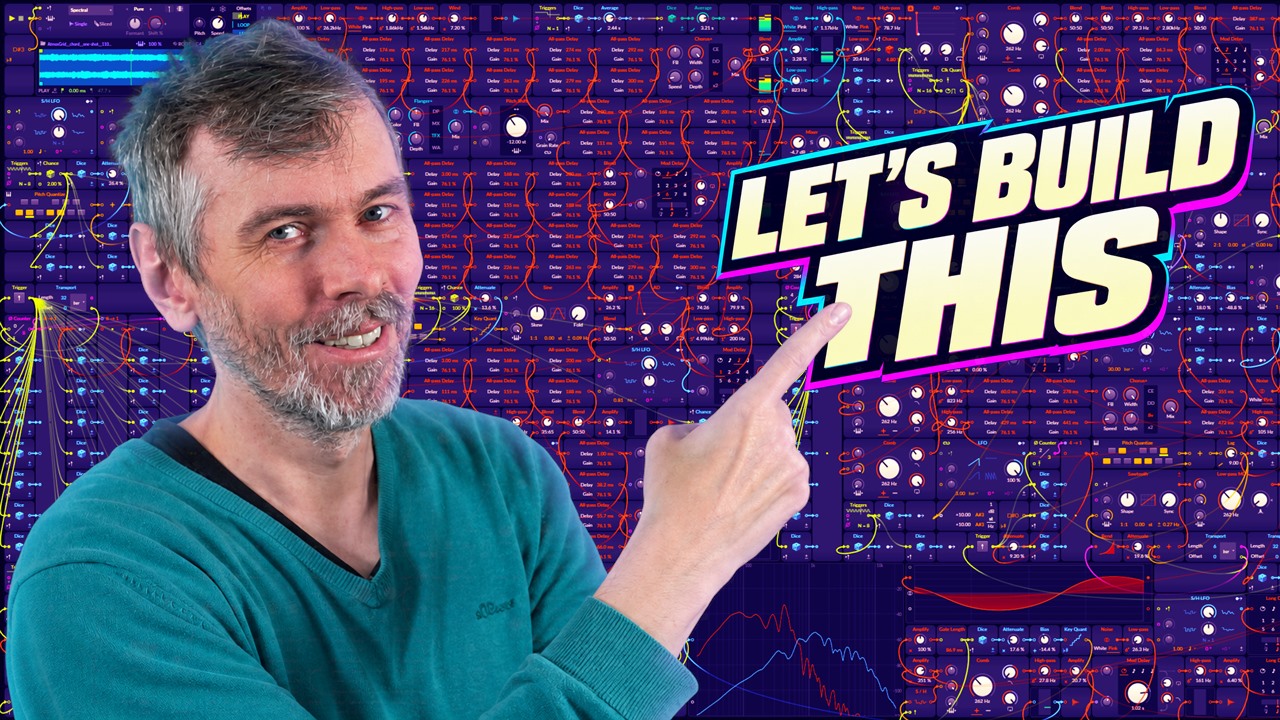
Bitwig Grid Generative Ambient Patching Workflow
Tutorial | Jul 05, 2026
A long Bitwig Grid build of an ambient generative patch with noise-driven note sequencing, all-pass reverb, and layered modulation techniques.
- You can watch the Video on Youtube
- Support me on Patreon if you like what you hear.
- Download Presets, Tools and Projects on my Dispenser
Quick Answer #
- Patch type: a long-form Bitwig Grid ambient generative patch built in the current stable version, centered on a monophonic Grid setup with layered melodic, pad, mid, and bass elements.
- Main sound-design direction: noise-driven note generation quantized to a scale, with feedback for partial repetition, phase-modulated oscillators for evolving tone, and slow modulation for drifting ambient movement rather than fixed sequencing.
- Important devices/modules: Pitch Quantizer, Root Key, Sample & Hold, Chance/Dice, Delay, Lag, envelopes, low-pass/high-pass filtering, chorus-style delay modulation, and a custom all-pass reverb chain made from multiple all-pass delay stages.
- Musical structure approach: builds probability-based sequencing and waveform selection, adds octave variation and glide, then reuses similar voices pitched into different ranges to form pads, mids, and bass layers.
- Practical result: a lush, self-running ambient texture generator with scale-aware melodies, soft repetition, widened stereo motion, and enough internal reverb/modulation to record long evolving soundscapes directly from the patch.
Build Overview #
The session starts from a simple ambient-generative idea: build a monophonic Grid patch in the stable Bitwig version, then derive pitch and structure from internal modulation rather than conventional note clips. A basic voice is established with a sine oscillator, saw-based phase modulation, amplitude shaping, and an in-patch all-pass delay reverb. From there, the main musical system emerges by feeding filtered noise through averaging, sample-and-hold, quantization, and root-aware pitch offsetting so the note stream stays constrained to the selected scale while retaining controlled unpredictability.
The patch gradually expands into a layered ecosystem rather than a single instrument. Delays and feedback introduce melodic memory, chance modules thin out events, chorus and modulated delays widen the texture, and additional voices are spun off by transposing and reshaping related material into pads, midrange tones, and bass content. Later sections explore probability-based sequencing, waveform selection, octave variation, lag smoothing, filter placement, and spectral cleanup, with repeated rebalancing between wet and dry paths to keep the ambient mass coherent instead of muddy.
That process is useful for learning modular patching because it shows patch design as iterative system-building rather than preset assembly. Core modular concepts, feedback, quantized randomness, modulation routing, event probability, signal conditioning, and voice reuse, are demonstrated in a realistic context where decisions are revised constantly in response to what the network produces. The result is less a fixed recipe than a model for how complex generative instruments are discovered: by starting with a small signal chain, extending it with purpose, and listening closely for where structure, variation, and restraint need to be added.
Patch Decisions #
- Set The Grid to monophonic by clicking empty space and forcing Voices = Mono, so the whole patch runs as a single continuously running voice.
- Built the core voice from a Sine oscillator phase-modulated by a Saw oscillator: Saw → PM input of Sine → Amp → Audio Out, then shaped level with an envelope driving the amplifier.
- Added a homemade reverb made from 12 serial all-pass delay modules, each with different delay times calculated beforehand; the dry synth signal was sent into this chain for a simple diffuse ambient tail.
- Generated note values from Pink Noise into a Pitch Quantizer, then constrained the range with attenuation/offset around C3, smoothed the control signal with Average/Low-pass, and sampled discrete note steps with Sample & Hold.
- Created repetition in the melody path with a long delay feedback loop before the pitch quantizer; the delay was set to about 8 quarter notes, effectively acting as sequence memory so noise stayed chaotic but repeated some note behavior over time.
- Kept the patch scale-aware and root-aware by using Root Key to offset pitch dynamically instead of a fixed transpose, so changing the project scale/root automatically moved the generated notes (example discussed: C to E♭ = +3 semitones).
- Used a regular trigger source at 8 hits per bar to clock note sampling, then added Chance/Dice modules so some events were skipped and some modulation amounts were randomized per trigger, including random PM depth on the oscillator.
- Built an additional probability-based sequencer using Scale Steps, Sample & Hold, and clocking, with weighted note choices such as emphasizing the root and fifth more often; a separate probability switch selected among triangle / saw / pulse waveform options.
- Added movement with chorus-style delay modulation, extra short delays, lag/glide on pitch or filter modulation, and at one point applied modulation more toward the tail of the sound rather than the attack to keep the main body more stable.
- Made several mix/cleanup compromises inside Grid: inserted high-pass filters, used XP filters and blend modules to fake simple notch-style EQ cuts around problem areas, filtered before the reverb, and noted the limitation that Grid has no proper EQ or mix module, so filtering and blending had to do the corrective work.
Interesting Moments #
- 00:01:10 - Mono Grid setup and first PM sine/saw voice
- 00:01:53 - Building the 12-stage all-pass reverb by hand
- 00:04:27 - Generating quantized notes from noise with feedback delay
- 00:07:24 - Dynamic root-key offset for scale-aware transposition
- 00:10:44 - Why the delayed feedback stays: repetition in chaotic melodies
- 00:33:39 - Probability sequencer for choosing scale steps
- 00:47:15 - Envelope-shaped pitch modulation only at the tail
- 02:00:00 - Final tonal matching and ambient mix wrap-up
What This Build Is Useful For #
This Bitwig Grid build is useful as a practical example of constructing a full ambient generative patch from basic modules: sound sources, note generation, probability, modulation, filtering, chorus, delay, and a hand-built reverb network.
It benefits Bitwig users who already know the Grid basics and want to see how a larger patch is organized over time, especially ambient producers, generative music makers, modular-minded sound designers, and patch builders interested in reusable voice structures rather than preset swapping.
Reusable techniques include noise-driven pitch generation with quantization, delayed feedback for semi-repeating melodies, dynamic root-note offsetting, probability-based note and waveform selection, layered pitch-register duplication for pads/mids/bass, modulation shaped by envelopes, and simple in-Grid tone control before reverb.
A long-form process is more useful than a short tutorial when the goal is to understand decision-making, patch layout, iterative balancing, and how small adjustments accumulate into a finished system rather than learning a single isolated trick.
Transcript #
This is the transcript of the video. The text was generated automatically and may contain small mistakes. The timestamps jump to the matching part of the video.
Click to expand transcript
[00:00:00] Microphone check one, two, one, two.
[00:00:02] So the last video is probably,
[00:00:06] it was two weeks ago or three weeks ago,
[00:00:08] probably because of the heat wave.
[00:00:11] So I want to do another grid video
[00:00:13] and we need a pulley grid.
[00:00:16] And I also used the old,
[00:00:17] and not the old, the current stable version
[00:00:19] of Bitwig Studio, not 6.1.
[00:00:22] I initially wanted to use the sampler,
[00:00:24] but then I thought a lot of people
[00:00:26] are commenting mostly stuff like,
[00:00:28] oh, but everything my license run out.
[00:00:30] I can't download the grid patch.
[00:00:32] Please do it in the old version.
[00:00:34] So I'm using here Bitwig 6.6, not 6.1.
[00:00:40] Anyway, so I want to start by
[00:00:45] probably create a sound.
[00:00:53] Maybe a sign, maybe use some noise.
[00:00:57] Maybe use a saw at some point, always nice.
[00:01:03] Maybe do some face modulation.
[00:01:05] By the way, the grid runs here in monophonic mode, right?
[00:01:10] So click here in empty space,
[00:01:11] make sure the voices are on mono.
[00:01:13] So you have one voice or always running.
[00:01:16] Then we need an amplifier.
[00:01:23] To amplify or change the loudness of the output here.
[00:01:27] Go from the amplifier into the audio out.
[00:01:29] Kind of works.
[00:01:33] So the saw oscillator goes into the PM input,
[00:01:37] face modulation input of the sign.
[00:01:40] And then the sign goes into the amplifier
[00:01:43] and then into the audio out, nice.
[00:01:45] Okay, so we have already a sound.
[00:01:48] We probably also want to create a reverb.
[00:01:53] And we do a reverb with lots of all pass delay modules here.
[00:01:58] And I've already something on my website,
[00:02:03] my all pass calculator.
[00:02:06] You can see I have multiple stages.
[00:02:10] So I use 12, 12 all pass delays.
[00:02:15] And every all pass delay has a different delay time,
[00:02:18] of course, we start here with 2.3 milliseconds.
[00:02:24] And then we go into another one here.
[00:02:26] Oh, maybe I leave it like that.
[00:02:29] Then we have 141.
[00:02:33] I want to get this early, early on done here.
[00:02:40] Of course, I have properly copy these,
[00:02:44] this reverb setup here around in the patch.
[00:02:47] So we have 193.
[00:02:53] Then we have 224.
[00:02:59] 255.
[00:03:08] It's a bit tedious, but it is what it is.
[00:03:20] 288.
[00:03:24] 302.
[00:03:34] 330.
[00:03:38] 147.
[00:03:48] That's 63.
[00:03:53] Then we have 384.
[00:04:05] And 400.
[00:04:14] Nice little reverb.
[00:04:18] So this will be very basic reverb.
[00:04:23] And then we need to create some notes.
[00:04:27] And this time, let's see if I can create some notes from noise.
[00:04:32] Use a pitch quantizer here.
[00:04:39] Let's go ahead and use a pitch quantizer here.
[00:04:44] Use a pitch quantizer first.
[00:04:49] We can see what kind of notes are triggered.
[00:04:54] If we put here pink noise in it,
[00:04:56] it's probably very chaotic.
[00:05:01] Then we use a delay, long delay.
[00:05:08] And we delay here by quarter note, maybe.
[00:05:13] Eight quarter notes.
[00:05:15] Then we go back into the pitch quantizer here.
[00:05:19] And we also want to add a low pass to the noise.
[00:05:25] You can see the signal here is not that chaotic.
[00:05:32] Maybe use an oscilloscope here.
[00:05:42] Again, let's use another low pass.
[00:05:45] The signal, cool.
[00:05:50] And then of course here the notes are way too...
[00:05:52] Here when we have one, this is, I don't know, C8 or something like that.
[00:05:56] Eight octaves.
[00:05:58] So we use an attenuate to bring this down to maybe two octaves above and below C3.
[00:06:12] Maybe try and use an average to make this more manageable.
[00:06:23] Maybe a bigger range, something like that.
[00:06:29] And then we use a sample and hold.
[00:06:35] Maybe here.
[00:06:43] Maybe use it here, probably better.
[00:06:47] Okay, and then we trigger this.
[00:06:55] Let's start with trigger module first.
[00:06:59] Eight times on each bar.
[00:07:03] So this will be orange.
[00:07:10] We get the nice step signal, note signal.
[00:07:14] It's all over the place.
[00:07:16] And we use EB minor.
[00:07:19] We use a scale here.
[00:07:24] And we probably want to use a note transpose.
[00:07:38] Because everything is sent out around C3 in the middle, right?
[00:07:43] So when we pull down attenuate to zero, it stays in the middle.
[00:07:48] More or less, here there's feedback, but it stays in the middle.
[00:07:51] Which is C3.
[00:07:54] But because we want to play this in EB minor, we have to transpose this up by three semitones.
[00:08:05] Because from C to EB, it's three semitones.
[00:08:10] So one, two, three, right?
[00:08:12] But then transpose is not the right thing.
[00:08:15] Because we want to change here the scale and the root note all the time.
[00:08:21] So we have to also make this dynamic.
[00:08:24] So we use a root key.
[00:08:31] And it gives us D#3, which is EB.
[00:08:35] What EB is actually in value, it's +3.
[00:08:43] Or it's in this scale, it's +0.025.
[00:08:51] So this is exactly what we need to offset here the whole thing like that.
[00:08:57] So we offset this by three semitones.
[00:09:01] And it changes when we change here the scale, right?
[00:09:05] When we go to F, it's offset by five semitones.
[00:09:12] Because F is one, two, three, four, five semitones higher than C.
[00:09:18] So it all fits.
[00:09:23] Or it works out.
[00:09:25] Okay, so now that we have this, we bring this up again.
[00:09:31] We get just the notes with a bit of feedback.
[00:09:34] Bring this in here, turn this up.
[00:09:38] Use an envelope here.
[00:09:41] Together envelope the same.
[00:09:44] We get something.
[00:09:53] So let's try out here the reverb.
[00:09:56] We go into the reverb very simply.
[00:09:59] Bring this here.
[00:10:02] Sounds really nice.
[00:10:11] So we can make this a bit interesting.
[00:10:15] More interesting by using a chorus.
[00:10:23] So we have your notes generated by noise.
[00:10:41] And then we have feedback that also changes.
[00:10:44] I mean, it doesn't make sense because we have two chaotic sources for the melody.
[00:10:51] But it sounds nice, I mean, I don't care.
[00:10:53] It makes no sense.
[00:10:54] Actually, only noise is enough.
[00:10:56] We could just easily delete here this kind of feedback thing.
[00:11:03] But what it does is actually it gives you some repetition, right?
[00:11:11] So the chaotic nature of noise generates always new notes, which is cool.
[00:11:17] But you also want to have a bit of repetition.
[00:11:19] You want to have the sequence repeat a little bit.
[00:11:24] And this is here what we get with the delay.
[00:11:29] I mean, we could use just a mod delay here, right?
[00:11:33] We just include the feedback, which probably does the same.
[00:11:37] But here we can influence it a bit better.
[00:11:42] Or in different ways.
[00:11:44] This is eight quarter notes.
[00:11:49] So this is basically the sequence length.
[00:11:55] And say how much the feedback influences the note generation.
[00:12:14] Maybe we make this slower.
[00:12:18] And we can bring in a chance module so it doesn't play all the time.
[00:12:39] And we need the pitch also here for this one.
[00:12:58] Yeah, we use the dice.
[00:13:07] So every time we get a trigger, we get a random value.
[00:13:10] And this then decides how much phase modulation we apply.
[00:13:19] Not too much.
[00:13:36] Okay.
[00:13:45] So can we make this already a bit more compact?
[00:14:15] I feel like that.
[00:14:25] Just make it complicated so everyone thinks he was a genius.
[00:14:33] And here at the end, we can maybe add a small little delay.
[00:14:54] Because it may not maybe just bring in another chorus.
[00:15:04] Just put it in between here with different speed setting.
[00:15:13] Because this here, this modulation gives a slightly pitch variation, which makes it more interesting.
[00:15:23] And this we don't need this.
[00:15:36] And we can try to use a pitch shift also.
[00:15:43] Then we pitch this down with a low grain rate.
[00:15:47] It's half semitones and just mix it in.
[00:15:53] So it's like an inverse shimmer reverb.
[00:15:55] It's not like this.
[00:16:00] I mean, it also sounds nice.
[00:16:16] Yeah, let's use two. Why not?
[00:16:25] And it's the output. Let's go nice 12.
[00:16:49] Cool.
[00:16:56] Can we add more?
[00:17:02] Maybe we modulate you to mix.
[00:17:11] Let's use random.
[00:17:25] Phase offset.
[00:17:33] Right, so we have left and right different things.
[00:17:45] Okay, then we use a stereo split so we can make use of the left and the right channel.
[00:17:58] Yeah, it's there.
[00:18:09] Or maybe like this.
[00:18:14] And a bit slower bar.
[00:18:38] Yeah.
[00:18:47] Let's put this there.
[00:18:52] Yeah.
[00:18:58] Is this smaller? No.
[00:19:08] Looks weird, huh?
[00:19:17] Yeah.
[00:19:43] Yeah, we could modulate this stuff here to get more overtones.
[00:19:46] Let's use here another module.
[00:20:13] Not too much. You don't want to have too many overtones.
[00:20:16] You want to have it smooth.
[00:20:31] Let's use the delay here.
[00:20:42] So we have here the reverb and the dry signal goes then into the delay.
[00:20:59] Maybe we can reuse here the output of this thing to modulate slightly the pitch.
[00:21:23] That's maybe a bit too much.
[00:21:53] So bring the other chance a bit down so it's not playing too many notes.
[00:22:22] This is the reverb mix and this is the delay mix.
[00:22:39] That is too much.
[00:23:09] Something is distorting probably here the output now.
[00:23:39] We could try and use some of the sounds coming from here and pitch it further down.
[00:24:08] This one here.
[00:24:18] Pitch shift minus 12.
[00:24:43] Maybe delay this by four quarter notes.
[00:24:53] So it's not like, you know, it's a bit offset.
[00:25:08] We could try and do the same thing again.
[00:25:23] It's like a bass sound in a way. It's a low pass and we make it monophonic.
[00:25:44] So it's all coming from one source.
[00:25:59] Let's give this a different color.
[00:26:16] I hope this makes sense, right? We create some pads and then we just pitch it down and we create some mid-range sounds here and then we pitch it even further down and we have bass sounds.
[00:26:44] So yeah, maybe you can give here a bit more power to the overtones.
[00:27:14] Maybe it's more interesting if we leave more of the dry sounds in.
[00:27:44] Oops, we put the low pass filter in between.
[00:28:13] Okay.
[00:28:42] Maybe we add something new.
[00:28:50] Union.
[00:28:56] So we start here.
[00:29:10] It looks better.
[00:29:12] I'm just laying out here for the end video where my boundaries are.
[00:29:35] Yeah, that's better.
[00:29:46] Okay, so then we use, what do we use? Maybe we build our own sequencer again.
[00:30:10] Maybe instead of using dies, we use root key and transpose.
[00:30:29] And we can switch this to, what's the name, scale? Scale steps.
[00:30:59] Then we need to drive this.
[00:31:16] Let's see what we get out of this.
[00:31:20] I'm always not 100% sure with these scale steps here.
[00:31:39] Yeah, it looks good, B3. Maybe I put just in case the scale there.
[00:31:58] Then we use a sample and hold.
[00:32:07] Let's try this.
[00:32:29] Actually, I don't want to have this one here.
[00:32:36] So, and then instead of using a face, we use a clock.
[00:32:42] We scan through the whole thing here pretty fast.
[00:32:48] And we use, actually you can leave this in.
[00:32:52] This was three plus four.
[00:32:57] Then we use a probability thing.
[00:33:01] We have here eight ports.
[00:33:03] Eight steps, okay. This is the same thing here.
[00:33:10] And we can say we want to have the root all the time.
[00:33:26] We have only the root all the time and the fifth.
[00:33:34] Sometimes, or all the time.
[00:33:39] Kind of a probability sequencer.
[00:33:43] So we can dial in the probabilities for each node that we want to have in the sequence.
[00:33:55] Can I resize this here?
[00:34:12] Okay, then we have that and what else do we need?
[00:34:24] We probably want to have another sequencer.
[00:34:31] We have here one, two, three different waveforms.
[00:34:37] Pulse and saw and try.
[00:34:49] Yeah, we use this one. It's a constant of one.
[00:34:56] Then we use a modulation out.
[00:35:00] This one modulates this.
[00:35:07] This one modulates that and this one modulates that.
[00:35:11] And then we switch here. Also with probabilities.
[00:35:20] And scan through that.
[00:35:24] With that, you also need only three because we have three steps.
[00:35:29] But we want to have the pulse actually not all the time.
[00:35:35] Does it make sense this way how I build it?
[00:35:43] Probably need to.
[00:35:49] Now it makes no sense how I build it.
[00:35:53] We need to have here merged still. Doesn't make any other sense.
[00:36:13] There's actually no other split sum.
[00:36:25] Let me see.
[00:36:53] I want to have this.
[00:37:22] Okay.
[00:37:25] This makes sense.
[00:37:27] So sample and hold here on the thing and then it stops at the right position.
[00:37:33] Interesting.
[00:37:35] Could also do this here.
[00:37:39] So yeah, we don't want to have the pulse.
[00:37:41] We want to have more like try and try all the time and a bit of saw sometimes.
[00:37:47] And maybe a tad off.
[00:37:53] And this needs to be split.
[00:38:01] And then we want to have nearest interpolation.
[00:38:14] And we want to have this also sampled.
[00:38:39] Only by this one here.
[00:39:02] I think this is kind of what I wanted.
[00:39:08] Maybe I'll make a tool to complicate this.
[00:39:17] Then I need an AD here.
[00:39:33] Let's trigger here.
[00:40:03] Okay.
[00:40:15] We have this.
[00:40:17] Then we do here the same revolved trick.
[00:40:23] Yeah, damn it.
[00:40:50] Maybe that's too fast.
[00:40:52] That's not what I want.
[00:40:53] I don't want to have an appreciator all the time.
[00:40:56] So just slow it down.
[00:41:02] There was a chance.
[00:41:32] Something like that.
[00:41:47] And the thing that comes out of here, the pitch, we maybe add a lag.
[00:41:52] A bit of glide.
[00:42:13] And we add a bit of randomization.
[00:42:43] Yeah, and then it's always in the same octave.
[00:42:53] I don't know.
[00:42:56] So we use a dice.
[00:43:01] Where's the trigger?
[00:43:02] Here's the trigger.
[00:43:03] Here's the chance.
[00:43:17] And then we change the octave.
[00:43:18] I guess I have one.
[00:43:33] I'll use this one.
[00:43:53] Okay.
[00:43:54] So another round of chorus stuff.
[00:44:01] Oh, this sounds nice.
[00:44:03] Great sound.
[00:44:32] Okay.
[00:44:36] So maybe we make this bigger.
[00:44:40] Three octaves.
[00:44:50] Do we have an old chorus device here?
[00:44:52] No, only chorus plus.
[00:44:57] So then we can do just a very old school delay modulation.
[00:45:12] Let's use random again.
[00:45:40] Only.
[00:45:46] At the end here.
[00:46:15] Does it make sense?
[00:46:17] What's the other one in Word?
[00:46:46] Hmm.
[00:46:56] I guess wires.
[00:47:09] Relation out and then that.
[00:47:15] So this means the modulation that the pitch modulation is only applied in the end and in the beginning when the sound is the loudest or in the main part of the sound.
[00:47:34] There's no pitch modulation because this is down here.
[00:47:38] And now at the end, this is all the way up so the modulation is in full swing.
[00:48:08] Oh, maybe we don't put this on the pitch.
[00:48:15] We put this on the front of the pitch.
[00:48:32] Yeah, that's better.
[00:48:44] Much better.
[00:48:49] Can we resize this?
[00:48:51] Yes.
[00:48:54] Does it still fit?
[00:49:03] Kind of fits.
[00:49:32] Maybe a bit too loud.
[00:50:02] Yeah.
[00:50:12] Okay, a bit of glitching.
[00:50:41] Okay.
[00:51:11] Okay.
[00:51:39] Maybe we can bring in a filter.
[00:52:02] And a low pass.
[00:52:32] Hmm.
[00:52:37] First can we do average?
[00:52:56] Ah, we probably need pink noise.
[00:53:16] Alright, that's better.
[00:53:46] And another random mod to...
[00:54:06] Yeah, that's better.
[00:54:16] Yeah, that's better.
[00:54:45] Okay, that's more rhythmically interesting because we lose timing here.
[00:55:14] Yeah, that's better.
[00:55:24] Yeah, that's better.
[00:55:53] Hmm.
[00:56:19] I think I bring this down.
[00:56:22] The river fall open.
[00:56:52] Okay, that's that.
[00:57:21] Yeah, that's better.
[00:57:32] Okay, so maybe we need a high pass at the end.
[00:57:50] Okay, so maybe we need a high pass at the end.
[00:58:02] And we need also a high pass here.
[00:58:32] What's the name, XP filter?
[00:58:52] I want to have some kind of notch.
[00:58:56] We can filter out stuff around 500 yards.
[00:59:07] Maybe I do a mix.
[00:59:37] That's more pleasant.
[00:59:52] Sadly, there's no EQ in the grid.
[00:59:54] It would be so nice.
[00:59:56] I have at least something very simple in the grid.
[01:00:12] There's also no mix, so I have to use a blend.
[01:00:32] And a second one.
[01:00:45] This is 200 yards.
[01:00:51] This is 500 yards.
[01:00:53] So it's basically cut just a notch so we can filter out some frequencies.
[01:01:03] Maybe another one.
[01:01:24] Another high pass in front.
[01:01:48] And we need amplifier and the VU meter.
[01:02:03] Yeah, we can also use VUs here.
[01:02:21] Or maybe an oscilloscope.
[01:02:37] Yeah, that's not much going on here.
[01:03:05] So we have this here.
[01:03:31] It's basically the same sound just lay out multiple times.
[01:04:01] That's one.
[01:04:30] How long do we record one hour?
[01:04:35] Okay, that's okay.
[01:04:49] Let's give this a different color.
[01:05:19] Yeah, you remove this.
[01:05:48] Okay, so we generate here some random pitches and then we go from the sign into this one, mix it with the dice.
[01:06:03] Trigger that, amplifier out.
[01:06:24] Okay, so we can modify this by an attenuate to change the range and the bias.
[01:06:47] Pull it down into the negative.
[01:06:54] Same here.
[01:07:23] Or maybe only bias.
[01:07:46] Okay, and then we use a chance module.
[01:08:00] High pass.
[01:08:05] And we use a bit of noise.
[01:08:35] Yeah, I'll use a different trigger for this one.
[01:09:04] Okay, so we take another reverb.
[01:09:33] Okay, so we have this here.
[01:09:58] Okay, so we have this here.
[01:10:25] Okay, I like it so far.
[01:10:49] Okay, so we build another glitch tool.
[01:11:19] Okay.
[01:11:48] Okay, so we have this here.
[01:12:17] Oh, maybe I should add here.
[01:12:46] Also, this kind of delay because it's very nice diffusing.
[01:13:17] Put this here.
[01:13:46] Okay, so we have this here.
[01:14:13] Oh, in here.
[01:14:21] Okay.
[01:14:40] Maybe before I go into the reverb and put the low pass on.
[01:15:07] Maybe this is a bit too fast here.
[01:15:36] Okay, that's much better.
[01:16:06] Um, what else can we do?
[01:16:32] Yeah, actually with the pads here at the top, I don't want to play certain notes.
[01:16:40] Maybe I can filter this out.
[01:16:57] Yeah, we actually say I want one of the root.
[01:17:14] Yeah, that's not good.
[01:17:20] We don't need to have this.
[01:17:35] So with this, we only play here with the pads, the root, the fifth and the fourth.
[01:17:42] So it's not really, it's a bit more ambiguous.
[01:18:07] And maybe the second.
[01:18:25] Okay, the base here is basically non-existent, so it's not really a base there, so maybe we can make a bit more room.
[01:18:54] Okay.
[01:19:21] So we just make a bad pedal tone, a drone base, which is very easy to do.
[01:19:30] All we need is to use a saw and use the root key.
[01:19:37] We can switch this to OctoZero, and we make it stereo, we tune it, make it audible more mono.
[01:20:02] We can use the MOOC filter, also take here the root note, so it's exactly on the current root note.
[01:20:13] And we go to C4, which is the first fundamental.
[01:20:42] Okay.
[01:20:52] Transpose.
[01:21:19] We'll switch it to scale steps.
[01:21:36] Let's see how the sounds when we skip this around, not multiply, modulate out.
[01:21:56] Modulate by 2, plus/minus.
[01:22:06] Bar every 4 bars.
[01:22:29] Okay.
[01:22:39] There we go.
[01:23:05] There we go.
[01:23:35] Okay.
[01:24:04] Move it to random, maybe.
[01:24:10] But it's not bad.
[01:24:14] There we go to 3.
[01:24:36] We have zero.
[01:25:05] It's a distortion.
[01:25:07] Or maybe a slight high pass.
[01:25:11] Always good.
[01:25:34] Okay, so here we can fill in some stuff.
[01:25:53] We can use the dice button, elation.
[01:26:09] We modulate here the filter a bit.
[01:26:38] Yeah, we need to add a lag.
[01:26:59] So the filter movement is actually fluid.
[01:27:21] We can use the sub oscillator here, maybe, in between.
[01:27:32] What's the name?
[01:27:36] SignMod.
[01:27:45] We send the face signal to the signMod.
[01:27:52] We scale it down.
[01:27:59] We put it on a scale.
[01:28:16] Put it on a scale.
[01:28:19] We also want to transpose this here.
[01:28:24] So we use the root.
[01:28:33] That should work.
[01:28:40] And then we need an envelope.
[01:28:43] But the envelope is too big here.
[01:28:45] So we use something different.
[01:28:48] What do we use?
[01:28:55] Slope going down.
[01:28:57] The multiply.
[01:28:59] The multiply changes the volume.
[01:29:03] This goes in there.
[01:29:05] And here we get trigger signals.
[01:29:17] So this gives us this stuff.
[01:29:29] And this we need to make short the gate length to have an envelope.
[01:29:39] And we use this envelope for the multiplier, we go into an amplifier.
[01:29:48] And then it's to an odd.
[01:29:55] Okay.
[01:30:04] Now we need to sample and hold.
[01:30:34] Okay.
[01:30:44] Let's see if we can make this a bit more interesting.
[01:30:49] That's enough room here for.
[01:31:08] Okay.
[01:31:24] And we can also use the signal as a modulation.
[01:31:51] And we can also use the signal as a modulation.
[01:32:21] Okay.
[01:32:37] And we can also use the signal as a modulation.
[01:32:53] And we can also use the signal as a modulation.
[01:33:08] And we can also use the signal as a modulation.
[01:33:24] And we can also use the signal as a modulation.
[01:33:40] And we can also use the signal as a modulation.
[01:33:55] And we can also use the signal as a modulation.
[01:34:15] And we can also use the signal as a modulation.
[01:34:25] And we can also use the signal as a modulation.
[01:34:36] And we can also use the signal as a modulation.
[01:34:46] And we can also use the signal as a modulation.
[01:34:56] And we can also use the signal as a modulation.
[01:35:11] The filter in front of the reverb is always good.
[01:35:36] The filter in front of the reverb is always good.
[01:36:00] And we can also use the signal as a modulation.
[01:36:17] And we can also use the signal as a modulation.
[01:36:32] And this needs to be along our sequences at the moment. It's only one ballon.
[01:36:47] And this needs to be along our sequences at the moment.
[01:37:07] And this needs to be along our sequences at the moment.
[01:37:22] And this needs to be along our sequences at the moment.
[01:37:36] Let's see how it looks like.
[01:37:43] Perfect!
[01:37:47] This loop can be...
[01:38:11] Yeah, that's better.
[01:38:26] Let's see how it looks like.
[01:38:51] Let's see how it looks like.
[01:39:01] Let's see how it looks like.
[01:39:23] Let's see how it looks like.
[01:39:33] Maybe I'll replace this with the dies.
[01:40:02] That's a bit crowded here. I lost a bit of control in here.
[01:40:22] So maybe I'll try to put an M&M Matcher on there.
[01:40:44] Sadly, I only know after one day, after listening to this for quite some time, I know what's too loud.
[01:40:54] So I guess this is a bit annoying over time.
[01:41:02] I'll drop down to 10 here. I'll dial down the chance, 5% maybe.
[01:41:15] That's maybe too much.
[01:41:26] I need a bit of details in here.
[01:41:33] So the plug in here wants to push some overtones.
[01:41:39] Let's increase here the sounds.
[01:41:56] I want to modulate this.
[01:42:00] Let's use dies.
[01:42:03] Let's use triggers. I want to keep it rhythmically.
[01:42:08] I want to keep it rhythmically.
[01:42:38] That's maybe too much.
[01:42:59] That's a bit too much.
[01:43:09] That's a bit too much.
[01:43:30] That's a bit too much.
[01:43:40] That's a bit too much.
[01:43:50] That's a bit too much.
[01:44:00] That's a bit too much.
[01:44:22] I don't like the noise.
[01:44:52] That's a bit too much.
[01:45:02] That's a bit too much.
[01:45:12] That's a bit too much.
[01:45:22] That's a bit too much.
[01:45:44] That's a bit too much.
[01:46:04] I kind of like it. It's not perfect.
[01:46:26] So maybe I can build it down there.
[01:46:56] That's a bit too much.
[01:47:06] That's a bit too much.
[01:47:16] That's a bit too much.
[01:47:26] That's a bit too much.
[01:47:36] That's a bit too much.
[01:47:46] That's a bit too much.
[01:47:56] That's a bit too much.
[01:48:06] That's a bit too much.
[01:48:34] A little bit of lag to smooth this out.
[01:49:04] That's a bit too much.
[01:49:14] That's a bit too much.
[01:49:24] That's a bit too much.
[01:49:34] That's a bit too much.
[01:49:44] That's a bit too much.
[01:50:12] I don't want to have a beat.
[01:50:42] That's a bit too much.
[01:50:52] That's a bit too much.
[01:51:02] That's a bit too much.
[01:51:12] I like it.
[01:51:18] That's a bit too much.
[01:51:34] That's a bit too much.
[01:51:50] That's a bit too much.
[01:52:06] That's a bit too much.
[01:52:30] That sounds a bit underwater.
[01:52:40] And I want to pull down the chance of that 20%.
[01:53:00] That's a bit too much.
[01:53:10] That's a bit too much.
[01:53:20] That's a bit too much.
[01:53:30] That's a bit too much.
[01:53:40] That's a bit too much.
[01:53:50] That's a bit too much.
[01:54:10] That's a bit too much.
[01:54:20] That's a bit too much.
[01:54:30] That's a slight rhythm you can hear because it's a synchronized or quantized to the beat.
[01:54:50] That's a slight rhythm you can hear because it's a quantized to the beat.
[01:55:10] Maybe we don't synchronize that.
[01:55:40] That's a bit too much.
[01:55:50] That's a bit too much.
[01:56:00] That's a bit too much.
[01:56:10] That's a bit too much.
[01:56:20] That's a bit too much.
[01:56:40] So there are enough sounds already pretty stuffed with stuff.
[01:57:10] There are enough sounds already pretty stuffed with stuff.
[01:57:30] So is this even playing?
[01:57:46] Okay something is happening.
[01:58:02] So is this even playing?
[01:58:18] So is this even playing?
[01:58:42] Hmm.
[01:59:12] Let's fill the empty spaces here.
[01:59:32] Let's fill the empty spaces here.
[01:59:54] Damn it fits.
[02:00:00] So with this matching, I have basically more or less the same curve on all my ambient sounds.
[02:00:28] More or less the same curve on all my ambient stuff on YouTube.
[02:00:32] So it kind of sounds the same.
[02:00:34] You can watch it one after the other.
[02:00:40] At least that's the idea.
[02:00:48] I think that's it.
[02:00:50] Okay so I'm just recording this now and put it on my music channel.
[02:00:54] But yeah I hope you enjoyed this journey.
[02:00:58] I know at the end I don't talk that much anymore because I'm just tweaking and I'm thinking.
[02:01:06] Actually I don't think at all.
[02:01:08] I just think oh this is too loud.
[02:01:10] This is too much.
[02:01:12] Is this okay now?
[02:01:14] I need to turn it down.
[02:01:16] Does it need more sounds?
[02:01:18] Do I have too much sounds?
[02:01:20] That's all I'm thinking.
[02:01:22] Anyway if you have questions let me know in the comments down below.
[02:01:26] And if you think I need to do something different or you need to have more information.
[02:01:32] I don't know.
[02:01:34] Specific ones just ask me.
[02:01:36] No problem.
[02:01:38] Anyway see you soon.
[02:01:40] Bye.