Bitwig Grid Ambient Patches From Noise to Raindrops
Tutorial | Apr 03, 2026
Learn how to build complex ambient generator patches in Bitwig Grid by layering small modules for raindrops, wind, harmony, and reverb.
- You can watch the Video on Youtube
- Support me on Patreon if you like what you hear.
- Download Presets, Tools and Projects on my Dispenser
Quick Summary #
Bitwig Grid patching enables large, evolving generative soundscapes by combining small, focused modules into a single structured system. In practice, this matters because complex ambient results often come from layering simple functions, noise sources, filters, envelopes, random modulation, quantization, and post-effects, rather than from any one complicated trick. The real skill is not just knowing the Grid modules, but understanding arrangement, sound design, harmony, and how to reduce musical ideas into efficient reusable building blocks. By treating each section like a track in a DAW, it becomes possible to build rich, coherent patches that feel detailed, musical, and alive.
Key Takeaways #
- Build large Grid patches by starting with one small sound module in a corner and adding layers around it, similar to arranging a track in a DAW with bass, drums, pads, FX, and other supporting parts.
- Use noise as a trigger and timbre source: send noise into a resonant filter for sound generation, then pass it through an all-pass chain or modulated delay to create reverb-like or watery ambience.
- Generate pitched random events with
Dice -> Lag -> Attenuate -> Pitch Quantize, keeping values in a narrow range around a base pitch such as C3 before offsetting the whole result with a root note control. - Create sparse raindrop-style triggers by feeding pink noise into a
Chancemodule set very low, optionally low-passing the noise first to reduce trigger density before hitting an envelope. - Quantize environmental sounds to harmony by enabling only selected scale degrees in the pitch quantizer, then transpose the patch with a root note module and a separate major/minor scale selection.
- Layer multiple filtered noise bands to simulate wind, rain, or distant water, using different filter models and slow random modulation on cutoff to make each layer move independently.
- Reuse modulation and note signals across sub-patches to glue the whole patch together; some modules can stay independent, but shared envelopes or pitch sources help create cohesion.
- A practical limitation is that complex Grid patches can become visually awkward and CPU-heavy, and Bitwig’s Grid lacks a higher-level GUI abstraction layer for organizing and presenting dense generative systems.
Building Large Grid Patches by Layering Small Generators #
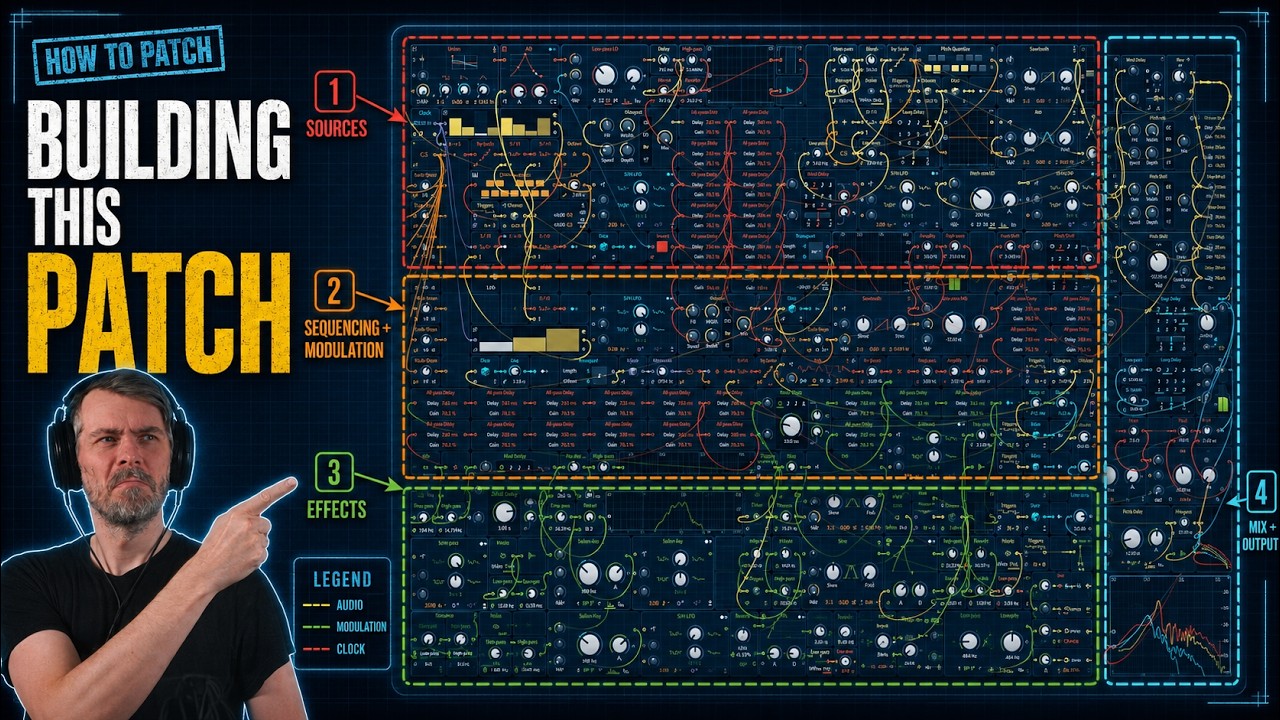
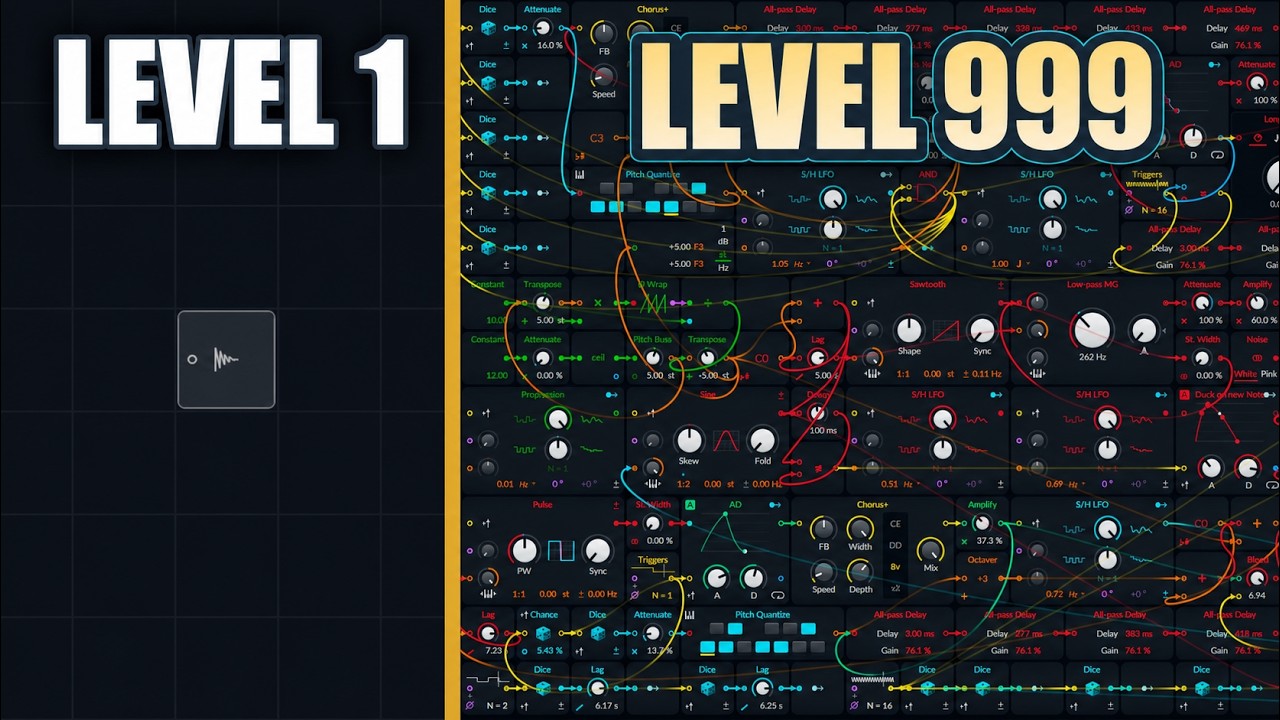
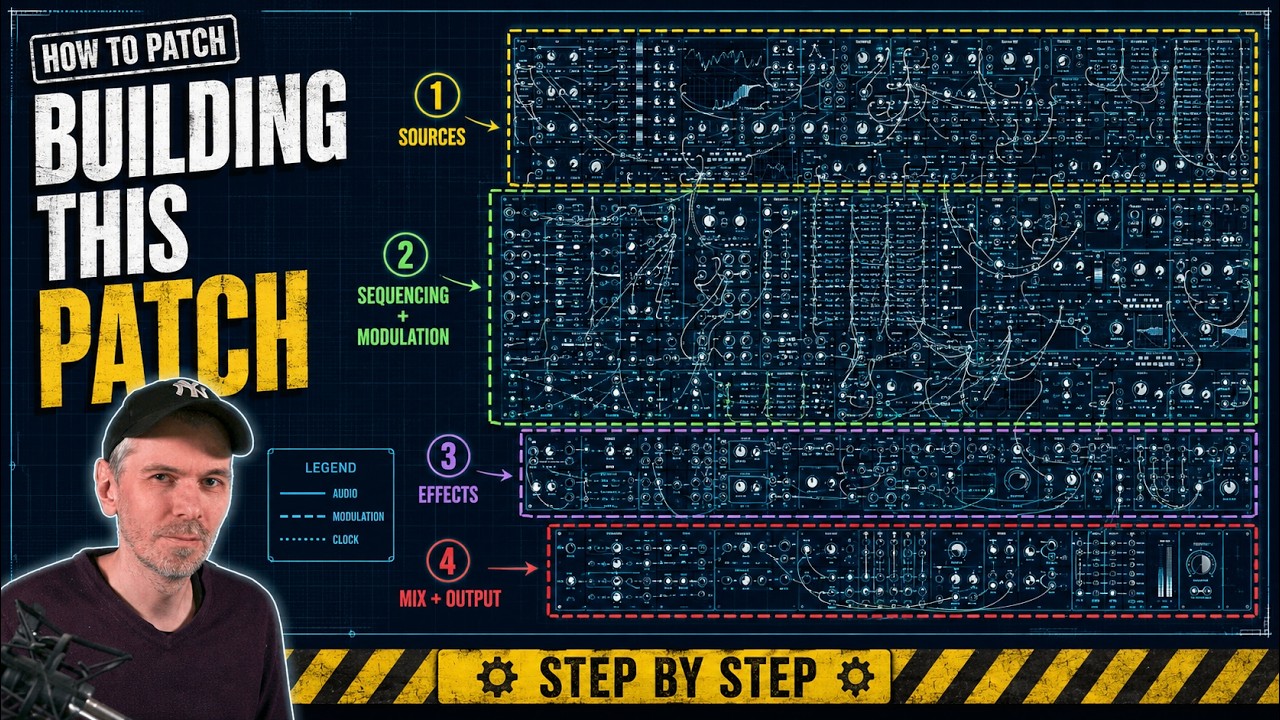
Large Grid patches often look intimidating, but their structure is usually much simpler than their size suggests. The most effective way to understand them is to zoom in on one small corner, identify what that section does, and then see how similar building blocks are layered together.
The core idea is not “complex patching” for its own sake. It is arrangement and sound design translated into a modular environment. A Grid patch can be built in much the same way a track is built in a DAW: start with one element, add processing, create another element, and keep layering until the result feels rich, animated, and cohesive.
What It Does #
A large generative Grid patch typically combines several functions at once:
- sound generation
- sequencing
- modulation
- post-effects
- harmonic control
Instead of separating these tasks across tracks and plugins, everything lives inside one patch. A single area might generate raindrop-like tones, another might create wind or distant rain noise, another might handle pads or bass, and all of them can share modulation or note information.
This makes the patch feel less like a fixed instrument and more like a self-running ecosystem.
The Core Workflow #
The most practical way to build these patches is to begin with a small sound idea and expand outward.
A typical workflow looks like this:
- Start with one module chain that produces an interesting sound.
- Add control logic such as random triggering, envelopes, or pitch variation.
- Add post-processing such as delay, all-pass diffusion, filtering, or chorus.
- Duplicate the concept with variations.
- Layer multiple small patches together.
- Reuse signals between them where useful to create cohesion.
This is closer to arranging a track than to solving a technical puzzle. The Grid itself is just the environment where that arrangement logic is implemented.
The Main Skill Is Not Grid Knowledge #
The limiting factor in this kind of work is usually not knowledge of modules. It is knowing how to break musical structure into smaller functions.
To build effective generative ambient patches, it helps to already understand:
- what an ambient piece needs structurally
- how to design sounds for that style
- how harmony and scale constraints affect randomness
- how reverb, delay, and filtering shape space
- how to reduce a musical idea into a compact algorithm
In other words, traditional music production knowledge carries over directly. The Grid simply allows those ideas to be expressed as signal flow instead of clips and automation lanes.
Example: A Small Generative Sound Cell #
One useful starting point is a tiny sound cell built from noise, filtering, random triggering, and pitch quantization.
Trigger generation #
A noise source can be used not only as audio, but also as a chaotic control signal. Routed into a trigger-related module such as Chance, it can produce occasional random events instead of steady playback.
For example:
- Noise provides unstable input
- Chance lets only a small percentage of triggers through
- those triggers fire an envelope
- the envelope shapes a sound source or filter response
With a low chance value, the result becomes sparse and organic.
Sound source #
Instead of using an oscillator, noise can be routed into a resonant filter. With enough resonance, the filter emphasizes specific frequencies strongly enough to create pitched or semi-pitched droplets, clicks, or textured tones.
This works especially well for water-like or atmospheric sounds.
Random pitch generation #
A Dice module can generate random values per trigger. Those values can then be:
- smoothed with Lag
- reduced in range with Attenuate
- sent into a Pitch Quantizer
The result is a stream of pitches that vary randomly but remain musically constrained.
Quantization and scale control #
Pitch quantization is what turns randomness into harmony.
A patch might:
- generate values roughly around C3
- quantize them to selected scale degrees such as root, third, fourth, and fifth
- offset the entire result by a root-note control
That means the internal random system can stay simple while the final output follows a chosen key or mode.
Example: Creating Rain, Wind, and Water Textures #
Noise and filters are especially useful for environmental and ambient textures.
Wind #
A simple chain like this can already create convincing air or wind motion:
- Noise
- Filter
- Amplifier
- slow Random Mod on cutoff or frequency
Different filter types produce different impressions. Some settings suggest distant wind, others a low room tone or moving air.
Rain layers #
Rain often works best as multiple layers rather than one perfect patch.
Possible layers include:
- a soft high-frequency rain wash
- a filtered distant rain bed
- sharper resonant droplets on top
Using separate filter settings and modulation rates for each layer creates depth.
Water droplets #
A more detailed droplet patch might use:
- Noise into a trigger path
- Low-pass filtering to control trigger density
- Chance to keep events sparse
- AD envelope for short amplitude shaping
- resonant filter as the sound source
- Dice for random pitch
- Lag for smoother transitions
- Pitch Quantizer for musical droplets
Additional variation can come from modulating:
- attack time
- decay time
- resonance
- amplitude
Small random differences make repeated droplets feel more natural.
Using Noise as Modulation #
One recurring technique is to use audio-rate noise as a modulation source, then shape it until it becomes musically useful.
This often involves a chain like:
- Noise
- Low-pass filter
- Lag
- Attenuate
That converts a chaotic signal into slower, narrower, smoother modulation. Once shaped, it can control pitch, resonance, delay time, amplitude, or envelope parameters.
This is a general principle in Grid work: signals are rarely used raw. They are transformed into more useful forms.
Reverb and Space Inside the Patch #
Ambient patches depend heavily on spatial processing, and that processing can be built directly in the Grid.
All-pass diffusion #
A chain of all-pass filters can act like a lightweight custom reverb. Used carefully, it smears transients and increases density.
Important details:
- random delay times tend to work better than evenly spaced values
- excessive high frequencies may need to be filtered before entering the chain
- subtle pitch movement from chorus can help soften the tail
The goal is not to imitate a polished algorithmic reverb exactly, but to create a diffuse, blended space that fits the patch.
Delay as a wetness tool #
A modulated delay can also make sounds feel wetter and more fluid, even before a dedicated reverb stage.
For instance:
- a delay in millisecond mode
- delay time modulated by noise
- high frequencies reduced with filtering
- dry/wet blended carefully
This can produce a liquid, unstable quality that suits water and ambient textures especially well.
Pitch-shifted delay layers #
Another useful trick is to slow the delayed audio so that it shifts down in pitch, then blend it with the dry signal. If a synced LFO controls the timing, the result can feel like a moving pitched shadow underneath the original sound.
This technique adds motion without requiring a separate voice.
Patch Organization #
As patches grow, visual organization becomes important.
A practical method is to group related functionality by color and layout:
- one color for droplet generators
- another for wind or rain beds
- another for reverb or post-effects
- another for note generation
Even when the patch is technically complex, visual grouping makes it easier to understand what each region contributes.
Large patches are often just collections of small patches arranged side by side.
Cross-Referencing Between Modules #
Not every section needs to be connected, but selective cross-referencing makes the whole patch feel unified.
Examples include:
- reusing generated notes in another voice
- transforming one pitch stream before sending it elsewhere
- using one envelope’s modulation output to affect another sound
- sharing random control signals across multiple layers
These connections create subtle relationships between parts, which helps avoid the feeling of unrelated loops running in parallel.
Why This Approach Works #
This style of patching is effective because it condenses many production roles into a single system. A compact patch can contain:
- melodic behavior
- harmonic constraints
- sound design
- modulation logic
- environmental texture
- effects processing
The result can feel alive because the same internal signals influence multiple layers at once.
It also encourages efficiency. Rather than building a huge patch from the start, the patch evolves from small useful fragments, each justified by what the music needs.
Practical Uses #
This method is especially well suited to:
- ambient music
- generative textures
- environmental sound design
- evolving backgrounds
- self-playing installations
- exploratory sound experiments
It is also useful for anyone who enjoys treating composition like system design: building rules and interactions instead of drawing every note manually.
Limits #
This approach is not necessary for making music, and it is not always the best starting point.
For beginners, the more useful first step is often learning:
- basic arrangement
- synthesis
- effects
- harmony
- conventional sequencing
Once those foundations are solid, the Grid becomes much more powerful, because there is already a mental model of what the patch should accomplish.
This kind of fully generative patching is more advanced than simply building an instrument or an audio effect. It requires both modular fluency and a clear understanding of musical structure.
A Good Mental Model #
The simplest way to think about a large Grid patch is this:
- build one small sound generator
- make it musical
- add space and variation
- duplicate the idea with changes
- layer multiple generators
- let some parts influence others
- keep refining until the whole thing feels coherent
After a few hours of repeating that process, a large “complex” patch often turns out to be nothing more than many small, understandable decisions assembled into one living system.
Takeaway #
Large Grid patches are usually not built as giant masterplans. They are assembled incrementally from small sound cells.
The important knowledge is not just how to use Grid modules. It is how to translate musical needs, bass, pads, droplets, wind, harmony, motion, space, into compact signal chains and modulation systems.
Once that translation becomes natural, a large patch stops being mysterious. It becomes a layered arrangement, built inside a modular canvas.
Transcript #
This is the transcript of the video. The text was generated automatically and may contain small mistakes. The timestamps jump to the matching part of the video.
Click to expand transcript
[00:00:00] Welcome back. Some people want to know how I create these kind of big complex
[00:00:06] grid patches, but to be honest they are not that complex if you just go into
[00:00:11] detail and see what's going on. And usually I just start in a small corner
[00:00:17] here with some kind of random sound and then I just build upon it. So I construct
[00:00:23] these kind of grid patches exactly how I create tracks with a usual door where I
[00:00:29] create a track and then I lay down some notes and I use some post fx and then I
[00:00:34] create another track and just build layer for layer. I start with the bass, the drums
[00:00:39] with sound fx, right? And then I just build upon it and create multiple layers
[00:00:44] until you have a very complex sounding living and breathing thing. So if you
[00:00:53] look into this patch here, you can see maybe in the corner here, something like
[00:01:00] this, it has one color and just drag it out. So this is just one sound module that
[00:01:05] does something and maybe I start with something like this and I think oh this
[00:01:10] is a nice sound. Let's create some more sounds around it that complete the sound
[00:01:16] of it. And yeah, in the grid it's not so much about the grid knowledge, it's more
[00:01:22] about if you already know how to arrange, how to create tracks and break it down
[00:01:28] into kind of algorithms in a way. So I know exactly what the ambient tune needs
[00:01:38] more or less and then I create generators for that and combine multiple
[00:01:43] generators until I have a big grid patch that create a big sound. So here we can
[00:01:49] see, maybe I drag this out a bit more, something like this, so we can, I think,
[00:01:56] select everything here and say disable. Now we have only this one left and there
[00:02:08] is probably a chance module. The chance module here on 1% you can hear it's not
[00:02:28] playing all the time. It's getting triggers here from the noise, but the
[00:02:34] chance module only lets certain triggers pass and then trigger the envelope
[00:02:40] and then create a sound of it. But you can already see this is not just like a
[00:02:46] sound. We create a sound here by sending noise into a filter with high resonance
[00:02:53] and after that we go into here an all-pass chain, create some kind of
[00:02:59] reverb with that. And yeah, there's also no generation in here, where we use, what
[00:03:08] do we use here, also DICE modules. So this DICE module can generate some random
[00:03:14] numbers into the right channel and this one into the left channel and then we
[00:03:20] use a lag here just to smooth out basically the value changes. Then we
[00:03:28] use an attenuate here to kind of make the range smaller. So it's not like using
[00:03:34] very high pitches and very low pitches, just around C3, some pitches around C3.
[00:03:40] Then we go into pitch quantizer here using the root and third here and the
[00:03:45] fourth and the fifth and so on. Just to quantize the sounds to a certain note,
[00:03:52] or a certain scale. And then we add this here to the root note of the patch, which
[00:03:59] we can change here. We can say this is D flat, right? Then we offset basically the
[00:04:03] whole thing here, which is in C major. Then we offset this here with D#3, so
[00:04:09] everything then is in D# minor. So it's everything at once. So everything comes
[00:04:16] together, all your knowledge. It's not so much about the grid knowledge. You need
[00:04:20] to know how I construct an ampian tune, what does an ampian tune need, how do I
[00:04:25] sound design the sounds I need for an ampian tune, what kind of harmony theory
[00:04:30] goes into it, how to break it down into smaller pieces. So I know exactly here
[00:04:37] these are some drops so I can play, you know, all the notes in the scale
[00:04:41] probably or some of the notes of the scale. And I need a lot of reverb, right?
[00:04:46] How to create a reverb. So I know this already in the grid. So I create a
[00:04:50] reverb in here. So all the knowledge you have already from sequencing or using
[00:04:57] your DAW in a traditional way comes together with the grid knowledge, how to
[00:05:03] use the grid, how to use the modules effectively. And then you can create
[00:05:09] something like this. Like I said, it's no generation, it's sound generation, post
[00:05:17] FX sequencing, everything at once, just in one patch, very small, boiled down to
[00:05:24] the absolute minimum to be effective as possible. Yeah, this is the knowledge and
[00:05:31] the experience that you gain over the years when you try to make these kind
[00:05:35] of patches. So it's not like, how do I use the grid? It's more like, how do I break
[00:05:43] down songs on genres into smaller pieces and generate it on the fly with as few
[00:05:51] modules as possible in the most effective way. This is, yeah, and it's not
[00:05:58] something, I see this all the time when people commenting, "Oh, why do we need to
[00:06:02] do this?" Just use the DAW in a normal way or something like this, right? They post
[00:06:06] something like this. And it's not like, I don't, I think you need to do this. It's
[00:06:12] more like fun. It's a fun way of playing with sounds and coming up with
[00:06:19] solutions. It's a puzzle game for me and it's, yeah, I have fun with it. So you
[00:06:25] don't need to do this. You don't need to learn this. It's not something you need
[00:06:30] to learn or you need to know. You can still just use Abled Live or Bitwig in a
[00:06:35] very traditional way and just lay down some notes and be happy. But like for me,
[00:06:42] I do this for 30 years or so. It's just fun, relaxing. I don't think about
[00:06:47] anything else when I do something like this in the grid. It's very relaxing and
[00:06:51] it also makes great videos in the end and people love it and I give it away for
[00:06:58] free. And other people maybe also can learn something from it that you can do
[00:07:03] something like this in the grid. And I also saw that some people get inspired
[00:07:07] and it's exactly what I want to do. So why not do it, right? But it's not a must.
[00:07:12] You don't need to do it. It's completely okay if you just skip this, this whole
[00:07:18] thing, or maybe do it later in your life when you'll get bored of, you know, all
[00:07:23] the same things in a door. Okay. Anyway, so this is how I build it or the
[00:07:33] concept behind it or my mindset behind it. And I start in a small corner like
[00:07:39] this and then I create another, you know, part of it. Maybe this is the base and
[00:07:45] maybe some pads, maybe some raindrops, maybe a bit of samples here as a sampler
[00:07:52] in there. So I combine multiple small little patches that I like. And yeah,
[00:07:59] sometimes there is cross referencing like I use here, the notes from here that
[00:08:05] they generate here and convert or transform them a little bit here and use
[00:08:11] them here. Sometimes like this is happening in the patch, but sometimes
[00:08:16] they are just completely single patches running with no connection to the other
[00:08:21] modules. This is also possible, but I really like to just grab here for instance
[00:08:26] this envelope, the modulation out and modulate something else inside of the
[00:08:32] patch, which glues everything very nicely together. Probably when I switch
[00:08:40] everything on here, my CPU breaks down, I guess. So yeah, this is one patch from
[00:08:54] yesterday. You can watch this on my other channel, but I also want to show you some
[00:09:00] things in the grid, of course, in this video. So why not use a polygrid here?
[00:09:07] Because I really like to use lately or recently just playing around with noise
[00:09:14] and some filters. It's very fun. You can do a lot of different noises with it.
[00:09:22] Maybe use your cell and key filter and use an amplifiers. We can change the
[00:09:29] volume. We go here with a noise into a filter. Very simple. You can make it
[00:09:40] stereo and it already sounds like, I don't know, waterfall from far away. Maybe a bit
[00:09:52] of, kind of like, small little wind. Maybe rain when you pull it down like this
[00:10:04] in a room. I think for, let's use, you know, what's the name? Triple? Yeah, you can
[00:10:17] see here, this one is called wind. Is this fire? Earth. This filter's already
[00:10:32] sounds like you are outside in some kind of space and, yeah, this is small little
[00:10:38] wind going on. So we can use a random mod. Where is it? This one here. Make it smooth
[00:10:47] and use Hertz and maybe pull this down below 1 Hertz. Let's just modulate this.
[00:11:08] So with this you can already create some nature sounds. Maybe I use a peak
[00:11:30] limiter here before someone gets mad in the comments. So you can leave that and
[00:11:37] maybe create another patch and do the same thing. Just copy this over here. So we
[00:11:45] go back here to sound key for instance. So you can also learn while
[00:11:49] experimenting with this which filters are best for what kind of sound. Okay, so we
[00:11:58] have white noise still. This sounds a bit like rain from far away. So you can
[00:12:14] layer this, right? You can say, oh, this is where we have wind. There's a bit of
[00:12:23] wind going on and also some rain far away.
[00:12:29] There's a nice atmosphere already. But we can instead of using here's a random
[00:12:46] mod, I sometimes just use the noise here and change the pitch like this.
[00:13:10] Let's use the low pass filter on this second input. So this could be some kind
[00:13:24] of a water stream or the top noise of a water stream for instance.
[00:13:54] This sounds more like rain, light rain.
[00:14:24] So we can add maybe an HP filter and low pass filter.
[00:14:47] So sounds like rain. So we have one layer of rain, another layer of rain, different
[00:14:59] settings. There's a top layer. And then we can do the same patch again. And maybe
[00:15:21] here we do a different track using envelope. We go with the noise into the
[00:15:33] envelope here and use pink noise and maybe use the chance module. So the pink
[00:15:50] noise here generates a nice signal. Looks like this. It goes from zero to one.
[00:15:59] Pretty chaotic. So it probably triggers some trigger inputs here. But we
[00:16:08] can use a chance module and just pull this down almost to zero. And then we
[00:16:15] get only a few, a few triggers out, like this. I think we can control this even
[00:16:35] more by using a low pass in front. Yeah. We get a few triggers out of this. So we
[00:16:46] can trigger an envelope, a very short one. We get this, maybe an disable this for a moment, so you can hear.
[00:17:16] Okay, so this is very resonant, but we can maybe say every time we trigger, we trigger also a dice
[00:17:34] which generates a random value, as you can see on the left side. Looks like this.
[00:17:46] Slow. And then we can use a lag just to smooth it out a bit. It looks more like
[00:17:54] this now. It's all about transforming signals. And then we use this, before we
[00:18:02] use it, we use an attenuate because we want to change the range, right? Let's go
[00:18:10] up all the way or maybe just here in this area. Now with this we go into the
[00:18:15] pitch of the sound key.
[00:18:18] So it's sounding already like water in a way.
[00:18:40] That's too much. And this is all over the place, so that the pitches are all over the
[00:18:56] place. But you can say, "Oh, I want to quantize this to a scale." So we can do
[00:19:03] this here, maybe in here. Say it only the root note and the fourth and the fifth
[00:19:09] and the third, for instance, right?
[00:19:13] Then we put this here on C3. It's very important to actually get the real
[00:19:25] pitches. We need to use this all the way up. Then we need less triggers.
[00:19:39] Then you have like raindrops, but the pitch of the raindrops is actually in a
[00:19:54] scale. At the moment it's here, it's C major, of course, or C minor, because you
[00:20:00] will see on the minor third. But then we can use the root note here, just offset
[00:20:15] this by C major or C minor. So now it's in the scale of Db minor. Yeah, the
[00:20:27] mode is not really reflected here. We need to use a by scale thing here.
[00:20:35] So now I can change here from minor to major to actually switch from a minor
[00:20:41] third to major third. Now we have raindrops. We can bring back here the noise, the
[00:20:51] raindrops, and maybe a bit of...
[00:21:21] Yeah, and then we could maybe use on everything here reverb.
[00:21:48] But then you have also reverb here on the on the wind sounds or the rain sounds.
[00:22:07] But then I go for post fx and just add some all-pass here. Just make it dense.
[00:22:37] You can hear some of the top top end of the sound gets delayed, so we don't want
[00:22:43] that maybe. So we can use a low pass in front.
[00:23:05] And a chorus because we want to have here a bit of pitch modulation. So you need
[00:23:29] to find a sweet spot here of the alba's delays to actually make a nice smoothed
[00:23:35] out long reverb. It's not that easy. You need random values. So don't go for, I
[00:23:44] don't know, 10ms, 20ms and so on. Just use random values and spread it out. Just
[00:23:51] listen to it and find some good numbers. Okay, so another idea could be to use a
[00:24:07] delay. Very simple one. Maybe you can use more delay here. To delays everything for
[00:24:14] 360 notes here. We can also go for just milliseconds. So here we can also use the
[00:24:32] noise input, pink noise. Just go into the pitch mode. It changes basically the
[00:24:40] delay time here with an input. But when the audio rate is very high, it's just
[00:24:47] noise, pink noise. Then of course it sounds very noisy. Again we can change the
[00:24:57] outcome of this with the low pass here just to cut away some of the high
[00:25:01] frequencies. It's also important how long the buffer is and how much you
[00:25:12] modulated. You can hear it already sounds like very wet. So sometimes you can make
[00:25:30] sounds more wet by just using here a modulated mod delay. And then we probably
[00:25:55] want to blend this in. We have dry and wet.
[00:26:20] Yeah, nice. And then we could do on top of that delay. Long delay here. Also blend it
[00:26:38] in with the blend. Here we use 4, what's that, 16. Not the delay. We use an LFO for
[00:26:57] one bar. And we don't want to restart. We use here the sync to global
[00:27:06] transport button. So it's always in the same place when you hit play on the
[00:27:11] transport. And you just modulate this here. Let's see. 50%. You can slow down the
[00:27:26] audio. Then we mix it in with a dry signal which is not pitched. Right, so we have a
[00:27:45] pitched down signal and a pitched up or a normal signal. Then we blend it
[00:27:48] together. Maybe for the pitched down signal we use an L pass in front just to
[00:27:59] make it sound a bit different. And here you want to go down with a chance. So you
[00:28:20] wanted to know how I do this. Okay, now we have to stick with it. Okay, so we
[00:28:27] created a kind of drop sound, water drop sound here in the beginning. We use some
[00:28:34] R pass for reverb and a bit of delay for making it more watery. And slowing down
[00:28:42] here to pitch or slowing down the audio to pitch it down one octave.
[00:29:12] We go more on the self resonance. It sounds more like a melody.
[00:29:21] Okay, so this means I want to have a normal delay in here also.
[00:29:42] (upbeat music)
[00:30:13] So this is basically one sound.
[00:30:14] This is how I create it.
[00:30:15] And then I try to make it compact
[00:30:20] in a visual way, right?
[00:30:21] I do something like this.
[00:30:24] (upbeat music)
[00:30:26] That's probably not that easy to do.
[00:30:36] What?
[00:30:41] You can put this over here.
[00:30:43] (upbeat music)
[00:30:45] Like I said from the beginning,
[00:30:58] the Bitwig grid needs some kind of GUI in the face
[00:31:02] just to abstract everything away from people.
[00:31:08] Yeah, there's no real good way of doing this here.
[00:31:12] What'd you get the idea?
[00:31:14] (upbeat music)
[00:31:17] Maybe give this a different color, like this.
[00:31:31] And we use here a different color.
[00:31:35] So we have an idea, what patches what,
[00:31:38] and bring down the chance even more.
[00:31:44] So it's not that busy.
[00:31:47] (upbeat music)
[00:32:04] Okay, yeah, we have another one.
[00:32:06] (upbeat music)
[00:32:09] You could even just take this out here
[00:32:22] and use this here.
[00:32:24] You don't need this.
[00:32:26] Or maybe it's a different noise, huh?
[00:32:29] Probably better this way.
[00:32:32] (upbeat music)
[00:32:34] (upbeat music)
[00:32:37] Yeah, then you find a sweet spot for everything.
[00:32:53] (upbeat music)
[00:33:04] You could do the same trick here
[00:33:05] with the sound key filter again, down here.
[00:33:09] (upbeat music)
[00:33:12] Use an AD.
[00:33:18] (upbeat music)
[00:33:21] Chance module, pull this down.
[00:33:30] Probably need the low pass again.
[00:33:35] (upbeat music)
[00:33:37] Go into the filter.
[00:33:39] (upbeat music)
[00:33:43] And we need an audio out.
[00:33:46] (upbeat music)
[00:34:05] (upbeat music)
[00:34:08] Yeah.
[00:34:09] (upbeat music)
[00:34:12] Dice and you want to modulate the frequency of the filter.
[00:34:16] (upbeat music)
[00:34:19] And here we take also the signal out of the AD.
[00:34:28] We can change the pitch.
[00:34:29] (upbeat music)
[00:34:34] Maybe use digital so we can have here like this curve.
[00:34:38] (upbeat music)
[00:34:41] Sounds a bit better.
[00:34:42] And you want to have dice
[00:34:43] to change the modulation amount here.
[00:34:46] (upbeat music)
[00:35:04] (upbeat music)
[00:35:06] And it's also stereo because
[00:35:12] the dice here is fed with noise, which is stereo.
[00:35:19] So we have different triggers on the left and the right channel.
[00:35:22] (upbeat music)
[00:35:34] (upbeat music)
[00:35:37] These are some raindrops and we
[00:35:39] (upbeat music)
[00:35:42] duplicate this, do another bunch of different frequency
[00:35:46] with a different amount
[00:35:47] (upbeat music)
[00:35:49] like this.
[00:35:50] (upbeat music)
[00:36:02] Oh yeah, we could also take a dice here for the attack time.
[00:36:06] (upbeat music)
[00:36:08] So the sound or the drops have a different feel.
[00:36:10] (upbeat music)
[00:36:13] Not too much, just a tad.
[00:36:17] (upbeat music)
[00:36:19] Also here.
[00:36:22] (upbeat music)
[00:36:33] (upbeat music)
[00:36:35] Very deep drops.
[00:36:38] (upbeat music)
[00:36:41] Okay, we'll do this again.
[00:36:51] (upbeat music)
[00:37:02] Is this modulating anything?
[00:37:03] Oh, the decay.
[00:37:04] (upbeat music)
[00:37:07] And maybe it dies for the resonance.
[00:37:19] (upbeat music)
[00:37:22] Amplify could be also nice to modulate
[00:37:28] and use an attenuate here.
[00:37:30] (upbeat music)
[00:37:32] Oh, okay, that's all ready.
[00:37:45] (upbeat music)
[00:37:59] So it varies also in loudness.
[00:38:01] Boom.
[00:38:04] (upbeat music)
[00:38:06] So we have multiple different small patches.
[00:38:29] (upbeat music)
[00:38:31] And then you fill in the gaps visually.
[00:38:37] (upbeat music)
[00:38:39] The wind is too loud.
[00:38:45] (upbeat music)
[00:38:48] And this one is still too busy.
[00:38:49] (upbeat music)
[00:38:59] Yeah, this is how you create it.
[00:39:00] And then you do this for two hours
[00:39:02] and then you end up with a very big patch.
[00:39:05] (upbeat music)
[00:39:08] It's very easy actually.
[00:39:10] (laughs)
[00:39:12] (upbeat music)
[00:39:14] Yeah, I need probably some kind of patch sounds in it.
[00:39:20] (upbeat music)
[00:39:22] Yeah, this is what I want to show you.
[00:39:27] I'm not sure if I continue here
[00:39:30] because I do this sometimes for three or four hours.
[00:39:33] But that's the main concept.
[00:39:36] I just want to show you this.
[00:39:38] And of course for ambient,
[00:39:40] you need a lot of ambient sounds and
[00:39:42] random noise shots, pad sounds, bass sounds and so on.
[00:39:50] And for different genres, you need different sounds,
[00:39:53] but you can all learn this already in the DAW
[00:39:56] and you bring your knowledge from this into the grid
[00:40:00] and you construct everything in the grid with this knowledge.
[00:40:04] So that's how I do it.
[00:40:06] So I would say the grid is maybe not interesting for you
[00:40:09] if you're starting out
[00:40:11] because you need to learn the basics first.
[00:40:14] You can maybe use the grid for create instruments
[00:40:17] and creates audio effects.
[00:40:21] But this type of stuff here,
[00:40:24] this generator stuff is probably more advanced
[00:40:27] because you already need to know how to construct tracks
[00:40:30] and what you need for sound design
[00:40:33] and how to create certain effects,
[00:40:35] how to create efficiently certain sequences and so on.
[00:40:40] It's maybe not something for beginners.
[00:40:44] But if you're interested in it, maybe just give it a try.
[00:40:48] Anyway, that's it for this Friday.
[00:40:53] Thanks for watching.
[00:40:54] Let me know what you think.
[00:40:55] Maybe you want me to make longer tutorials about this,
[00:40:59] but I would say most people have switched away already
[00:41:03] with the views.
[00:41:05] So also probably everything I need to talk about
[00:41:10] is already in this video.
[00:41:12] It's not more, it's basically like that.
[00:41:17] This is everything I do with these patches.
[00:41:20] It's not more.
[00:41:22] Anyway, thanks for watching.
[00:41:23] See you in the next video.
[00:41:24] Bye.
[00:41:25] (upbeat music)