Compression
Production Techniques
Compression controls dynamic range. In plain language, it changes how much difference there is between the louder parts and quieter parts of a sound.
That is why one compressor can make a signal feel tighter, louder, smoother, flatter, punchier, or more stable depending on how it is used. Compression is not one sound. It is a way of shaping behavior over time.
What it is useful for
Compression is often used to:
- make peaks easier to control
- keep a vocal or bass more even
- glue a group of sounds together
- bring up quieter detail
- shape punch and sustain
None of those goals require extreme settings. A lot of useful compression is subtle.
A good beginner rule
Do not ask, "Should I put a compressor here?" Ask, "What problem am I solving?"
If the sound already behaves well, compression may not be needed. If the level jumps too much or the transients feel too wild, compression can help. The point is control and intention, not decoration.
Also matches: compressed audio, compression, compressors, compressor
Posts in this topic

In this video, I introduce a unique Bitwig Studio preset called Compressor Analyzer, which visually demonstrates how any compressor affects an audio signal without requiring external plugins. The tool generates a controllable test signal, processes it through a compressor, and provides real-time visual feedback comparing the original and compressed signals, making it easy to analyze and even clone compressor settings between devices. The preset is available for free on my GitHub, allowing you to better understand and match compressor behavior in your own projects.

Today I compared three spectral compressors, DSEQ3, Spectral Compressor, and Spectraft, explaining my preferences, typical use cases, and cautioning against overuse due to their potential to strip music of its character. I prefer DSEQ3 for its smart AI features, custom threshold curves, and affordability, but use Spectral Compressor mostly for spectral sidechaining and find Spectraft to be the most versatile, albeit pricey. Ultimately, I advise subtlety with these tools, emphasizing that a well-balanced mix done at the track level always sounds better than heavily processing the master.

This video is about how compression can be replaced with alternative methods in production, such as using the tool device with an LFO, the FX grid, and note triggers. These methods can be used to effectively automate volume and create a pumping effect, without the need for a compressor. The video emphasizes that compressors are just volume automations, and that alternative methods should be explored.

Smart Comp 3 by Sonable offers a unique visual approach to compression, allowing users to intuitively match compression settings between different tracks using a map-based interface for greater consistency across projects. Unlike traditional compressors that require manual adjustment of attack, threshold, release, and ratio, this tool lets you visually place your sound in the desired compression zone and easily replicate that setting across multiple drum tracks or projects. While the plugin is currently only full-band and not multiband, its intelligent analysis and goal-focused workflow make it an exciting option for producers seeking matched dynamics and cohesive sound.

In this video, I discuss the Compressor Plus in Bitwig Studio 5.2 Beta 1 and clear up some confusion around its functionality. I explain that while it appears to have multiple bands, it is actually a single-band compressor with the ability to adjust intensity and timing for different frequencies. I also provide some tips and insights on using the Compressor Plus in combination with other plugins like the Over Clipper and explore its potential for creating step sequencing effects in the note grid.

I just watched a video where Dave Lindenbank created a compressor inside of the grid, and I took his patch and created my own preset called DOTT (Dave OTT) - a three-band compressor expander. It's completely free to download and it includes band splitters, compressors, expanders, threshold and gain controls, VU meters, and EQ and saturation options. It's a powerful tool for squeezing the signal and I hope you enjoy experimenting with it.
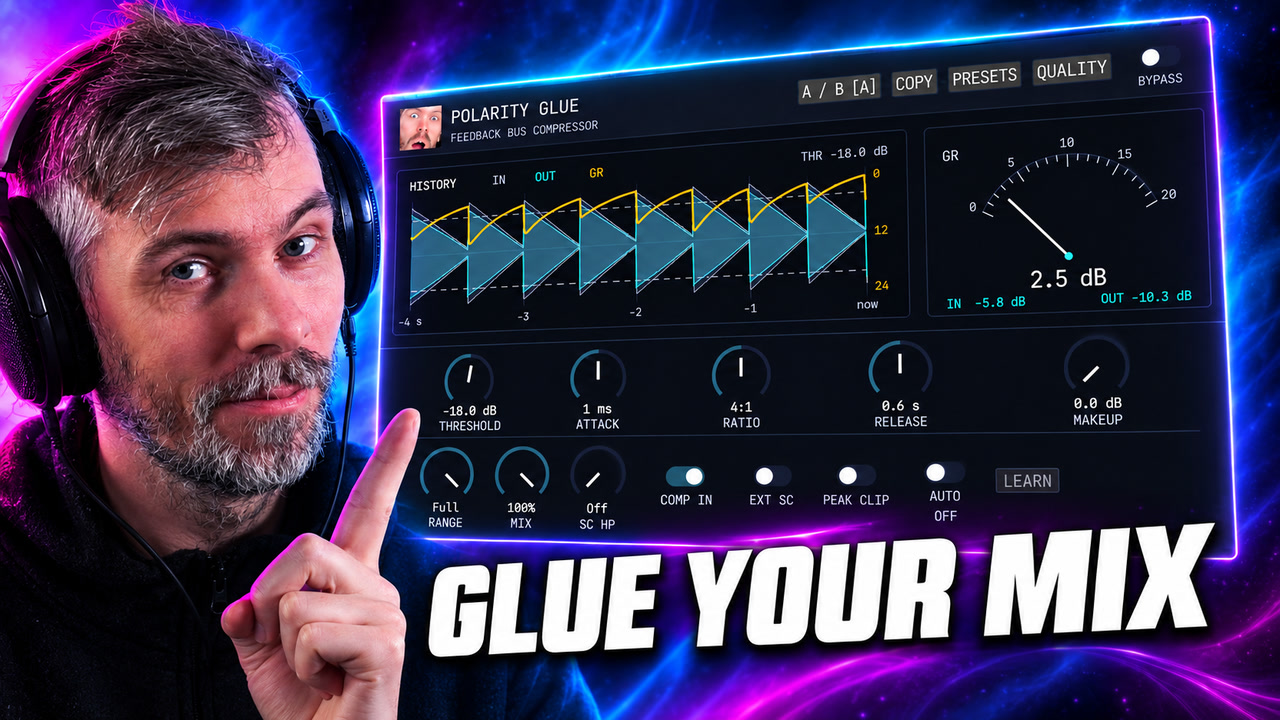
Polarity Glue is a free SSL-inspired feedback bus compressor for Windows, macOS, and Linux, with Auto Makeup, parallel mix, waveform history, sidechain control, and output clipping.

In this video I introduce a new preset called UltraFat that I created in Bitwig Studios. It's an expander that pushes up sound that is above a certain threshold to 0 dB. I use 3 compressors in an FX3 container, and a limiter at the end. I also have a noise and low-fi function, as well as a cross-over knob. I demonstrate how it works by playing a drum loop, and show how it can be used to normalize sound levels. The preset is available to download on my Patreon page, and also on YouTube's community section.

Download the updated Polarity SC spectral compressor to fix dry/wet output gain, add smoothing and custom spectral curves, and control harshness.

Polarity MD is a newly released, completely free multiband dynamics plugin featuring four-band OTT-style compression with both upward and downward compression, as well as clippers on each band and the input and output. Compatible with all major platforms and plugin formats, it has a user-friendly, web-based interface and is designed to make tracks louder and more controlled with minimal setup. The plugin is currently in beta, available for download, and the developer welcomes feedback and suggestions to improve its performance and features.

In this video, I discuss how to use the free and open-source spectral compressor plugin in Bitwig for precise sidechaining and frequency ducking, especially when working with combined drum loops and bass tracks. I demonstrate how its audio-rate processing and flexible attack and release times make it uniquely effective for not just kick and bass, but also for managing overlapping frequencies in pads and leads, allowing for detailed mix control without needing separate drum tracks. While powerful, the plugin requires careful adjustment to avoid overly digital or unnatural results, and I encourage viewers to experiment and share their own use cases.

In this video, I demonstrate a preset called "Multipressor" that I've created. It functions as a multi-band compressor, allowing for the avoidance of phase issues and frequency dips. The preset offers controls for thresholds, ratio, attack/release, and input gain, as well as the ability to adjust the reaction time and gain reduction of different frequency bands.

Polarity SC is a free open-source spectral compressor for Windows, macOS, and Linux (VST3 & CLAP) with spectral ducking, resonance suppression, freeze, and IR export.

In my video, I introduced and reviewed minimalaudio's new free plugin, Squash, an over-the-top compressor ideal for genres like dubstep and drum and bass. I explained its features, including the unique "amount knob" that avoids phasing issues, and demonstrated its impact on audio using Bitwig and Addictive Drums. Overall, I found Squash to be a powerful and simple tool worth trying, especially since it's free to download.

In this video, I cover three different topics related to EQ techniques. The first is an auto leveler method using bandpass filters and an amplifier to maintain a consistent volume. The second is a multi-band EQ compressor, created by combining an EQ with a grid compressor, allowing for individual frequency control. Lastly, I demonstrate the use of the Loud Split device to selectively affect different frequency ranges in a sound, helpful for removing noise or enhancing specific elements.

In my live stream, I showcased the new features of Bitwig 5.2, which included a new compressor and EQs, timeline editing features, improved GUI rendering on the GPU, and the ability to undo changes made within VST plugins. I also explored the new "clipping" device and discussed the quality-of-life improvements implemented in this update. Overall, Bitwig 5.2 is a minor update with significant additions that enhance the user experience and offer more creative possibilities.

In this video, I demonstrate a unique technique in Bitwig using pre-emphasis and de-emphasis with tilt EQs to mimic multi-band limiting and achieve more balanced loudness across frequency ranges, without traditional band splitting. By tilting the analyzing signal fed into auto-levelers or limiters, you can shift how loudness is controlled across your mix, changing the tonal balance solely through volume adjustments. This approach allows for more natural and flexible mixdowns and can be applied not just to limiting but also to compression, reverb, and other effects, potentially streamlining your workflow and achieving more transparent results.

Polarity MD update adds a native GUI, linear-phase crossovers, per-band clip thresholds, and better scaling for faster, clearer multiband compression.