Transfer Shaper
Bitwig Platform
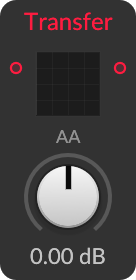
A freely drawable segmented transfer function with BWCURVE persistence, Drive, bipolar/unipolar domains, and optional antialiasing.
What it does
Transfer treats the incoming sample value as a horizontal lookup position and returns the curve's vertical value. A straight diagonal is transparent; bends add saturation, plateaus clip, reversals fold, discontinuities switch levels, and arbitrary points create custom audio or control remapping.
Controls and ports
Signal In is scaled by Drive from -24 to +24 dB before lookup. The curve editor and BWCURVE files define the mapping; Bipolar selects a ± domain, unipolar mode can Clip or Reflect negative input, anti-aliasing changes discontinuity treatment, and Signal Out returns the lookup result.
Practical uses
- Start from the diagonal and flatten only the extremes for a custom clipper.
- Draw asymmetric positive and negative sides for even harmonics or DC-producing effects.
- Use it on modulation signals to build thresholds, dead zones, inversions, and custom response curves.
Things to know
- The curve maps instantaneous amplitude, not time; horizontal movement comes from the incoming signal.
- Drive changes which parts of the curve are reached and can be negative as well as positive gain.
- Sharp corners and jumps create high harmonics; antialiasing reduces artifacts but may alter transients.
- Unipolar negative-input Clip and Reflect modes have different symmetry and harmonic consequences.
Technical details
No Nitro implementation has been confirmed for this visible module. The behavior is described conservatively from module metadata and editorial research.
Installed metadata confirms a BWCURVE-backed segmented lookup with editable interpolation, ±24 dB pre-lookup Drive, bipolar/unipolar domain handling, negative-input Clip/Reflect behavior, and an antialias option. No dedicated Nitro body was recovered, so exact segment interpolation, boundary ownership, out-of-range clamping, antialias topology, and live-edit update timing remain unverified. Conceptually the static operation is out = curve(domain_map(gain*input)).
Open questions
- Measure every segment type, boundary, discontinuity, domain edge, and out-of-range rule with a static input sweep.
- Compare Bipolar, unipolar Clip, and unipolar Reflect for negative input and asymmetric curves.
- Recover BWCURVE persistence, antialias response, live-edit timing, stereo behavior, and Drive mapping.
Version and sources
Checked against Bitwig Studio 6.0.6. This page combines Bitwig's module metadata, the existing Grid course and guides, and Nitro analysis where the mapping is strong enough to support a technical statement.
Related material
Return to Bitwig Grid Modules or the Grid Modules course lesson.
Also matches: Bitwig Transfer Device, Bitwig Transfer module, Bitwig Transfer Shaper, Bitwig Grid Transfer, Transfer Grid module, Transfer Device, Transfer module, Transfer Shaper, Transfer-Shaper, Transfer
Posts in this topic

The Transfer module in Bitwig 5 is a flexible, drawable wave shaper that lets you edit custom transfer functions to shape and distort audio or other signals in creative ways. It features intuitive options like antialiasing for smoothing, drive control for input gain, and the ability to load or design complex wave shaping curves. Perfect for personalizing distortion effects, it gives you precise control to craft everything from subtle saturation to wild custom transformations.

In this video, I explore Bitwig Studio’s Saturator device, explaining how it shapes audio signals using a customizable transfer function to add harmonics and distortion. I demonstrate its impact on waveforms, different settings, and real sounds, highlighting features like gating, wave folding, and the importance of harmonics for adding richness to audio. The video offers a practical guide for musicians to better understand and creatively use the Saturator in music production.

In this video, I discovered that the Unfilter plugin, which I initially used primarily for removing resonances, has a fascinating feature that allows you to export transfer curves as impulse responses. This capability enables you to mimic the resonances and filter characteristics of one sound on another, creating a more cohesive and authentic sound environment for your audio projects. If you own Unfilter, give this feature a try; if not, consider adding it to your wishlist for future purchases.

In this video, I discussed how the saturator in Bidig Studio works and how it can be used to enhance sound. I showed how the wave shaper works by changing the yellow line, and how the DC offset device creates a sound when modulated at audio rate. I also discussed the transfer function and how it can be used to change the wave shape of the signal in the positive and negative ranges. I then demonstrated the folding function and how it can be used to create a gate effect. Finally, I showed how the saturator can be used to add harmonics and make a sound more present, such as on a kick drum.

In this video, I found a distortion device on Reddit that allows me to load in a wave table and create different distortions by morphing through it. By using a high pass filter, I can eliminate the DC offset and achieve better results. Additionally, instead of using wave tables, I can also use multiple transfer curves, merge them, and blend between them for different distortion effects.

In this video, I demonstrate how to use expansion to make drum samples from libraries fit better in a mix by stretching the dynamic range. Using Bitwig Studio, I highlight methods like the dynamics module, compressor plus, and transfer curve to enhance the groove and dynamics of over-compressed samples. This approach helps create a cohesive mix where all sounds blend seamlessly.